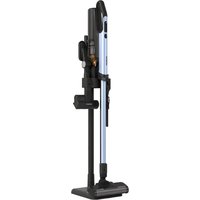
RV-X20P - Vacuum Cleaner HITACHI - Free user manual and instructions
Find the device manual for free RV-X20P HITACHI in PDF.


Pick your language and provide your email: we'll send you a specifically translated version.
| Product Type | Robotic Vacuum Cleaner |
| Dimensions (L x W x H) | 340 x 340 x 90 mm |
| Weight | 3.2 kg |
| Battery Type | Lithium-ion |
| Battery Capacity | 2600 mAh |
| Charging Time | Approximately 4 hours |
| Runtime | Up to 120 minutes |
| Dustbin Capacity | 0.6 L |
| Suction Power | 2000 Pa |
| Navigation System | Gyro + Laser SLAM |
| Mapping | Multi-room mapping with zone cleaning |
| Filtration | HEPA H13 filter |
| Noise Level | ≤ 65 dB |
| Connectivity | Wi-Fi (2.4 GHz), App compatible (iOS & Android) |
| Voice Control | Amazon Alexa, Google Assistant |
| Automated Docking | Yes, self-docking and auto recharge |
| Cliff Sensors | Yes (multiple) |
| Bump Sensors | Yes |
| Dustbin Emptying | Manual |
| Replacement Parts | Side brush, roller brush, filter available |
Frequently Asked Questions - RV-X20P HITACHI
How do I connect the RV-X20P to Wi-Fi?
Download the Hitachi Smart Home app, create an account, and follow the in-app instructions. Make sure your vacuum is in pairing mode (press and hold the power button for 3 seconds until the LED blinks).
Why does the vacuum return to the charging dock before cleaning is complete?
This may indicate low battery. The RV-X20P automatically returns to its dock when battery is low, recharges, and resumes cleaning where it left off.
How often should I empty the dustbin?
Empty the dustbin after every cleaning cycle to maintain optimal suction. Remove the top cover, lift out the dustbin, and dispose of debris.
Can the RV-X20P clean carpets?
Yes, it can transition from hard floors to low-pile carpets automatically. For high-pile carpets, performance may vary.
How do I clean the filter?
Remove the filter from the dustbin and tap it gently to remove dust. Rinse under lukewarm water if necessary, but ensure it is completely dry before reinserting.
What should I do if the vacuum gets stuck?
Remove obstacles from its path, especially cables and small objects. If it remains stuck, manually lift and place it on a clear surface.
How do I schedule cleaning?
Use the Hitachi Smart Home app to set a schedule. Open the app, navigate to Schedule, set the day and time, and confirm.
Is the RV-X20P compatible with voice assistants?
Yes, it works with Amazon Alexa and Google Assistant. Enable the Hitachi Smart Home skill in your voice assistant app and link your account.
Why is the suction power weak?
Check if the dustbin is full or the filter is clogged. Also inspect the brush roll for hair tangles. Cleaning these components usually restores suction.
How do I replace the side brush?
Turn the vacuum over, locate the side brush at the bottom, and unfasten the screw holding it. Remove the old brush, align the new one, and tighten the screw.
User questions about RV-X20P HITACHI
0 question about this device. Answer the ones you know or ask your own.
Ask a new question about this device
No questions yet. Be the first to ask one.
Download the instructions for your Vacuum Cleaner in PDF format for free! Find your manual RV-X20P - HITACHI and take your electronic device back in hand. On this page are published all the documents necessary for the use of your device. RV-X20P by HITACHI.
USER MANUAL RV-X20P HITACHI


Manual assistant
Powered by Anthropic
Waiting for your message
Product information
Brand : HITACHI
Model : RV-X20P
Category : Vacuum Cleaner