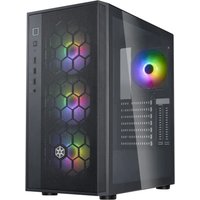
RM31-MINI - Desktop Computer SILVERSTONE - Free user manual and instructions
Find the device manual for free RM31-MINI SILVERSTONE in PDF.


Pick your language and provide your email: we'll send you a specifically translated version.
| Product Type | Desktop Computer |
| Brand | Silverstone |
| Model | RM31-MINI |
| Dimensions (W x D x H) | 200 mm x 200 mm x 80 mm |
| Weight | 2.5 kg |
| Power Supply | 150W AC Adapter |
| Processor | Intel Core i5-1135G7 |
| Memory | 8 GB DDR4 |
| Storage | 256 GB M.2 NVMe SSD |
| Operating System | Windows 11 Home |
| Connectivity | Wi-Fi 6, Bluetooth 5.0 |
| Ports | 2x USB 3.0, 2x USB 2.0, HDMI, DisplayPort, Ethernet |
| Audio | 3.5 mm Combo Jack |
| Cooling | Active fan cooling |
| Mounting | VESA mount compatible |
| Maintenance | Dust filter on intake; clean monthly with soft brush |
| Safety | Overheating protection, Kensington lock slot |
| Spare Parts & Repairability | SSD and RAM upgradeable; bottom panel removable for access |
| Warranty | 2 years limited warranty |
Frequently Asked Questions - RM31-MINI SILVERSTONE
How do I set up the RM31-MINI for the first time?
Connect the power adapter, monitor via HDMI or DisplayPort, keyboard and mouse. Press the power button on the front. Follow Windows setup instructions.
Can I upgrade the RAM or SSD?
Yes, the bottom panel is removable. You can upgrade the SODIMM RAM (up to 32GB) and replace the M.2 SSD.
How do I clean the dust filter?
Turn off the PC and unplug. Remove the dust filter from the intake vent and wash with mild soap and water. Let dry completely before reinserting.
What should I do if the PC overheats?
Ensure proper ventilation, clean dust filters, and check that the fan is spinning. If issue persists, contact support.
Does it support dual monitors?
Yes, it has both HDMI and DisplayPort outputs, supporting up to two 4K displays simultaneously.
How do I reset the PC to factory settings?
Go to Settings > Update & Security > Recovery > Reset this PC. Choose 'Keep my files' or 'Remove everything'.
Can I mount it behind a monitor?
Yes, the RM31-MINI supports VESA mounting (75x75mm or 100x100mm) using the included bracket.
What is the maximum power consumption?
The unit draws up to 65W under load, with a 150W power adapter.
How do I enable Wi-Fi?
Click network icon in system tray, select your Wi-Fi network, enter password. If disabled, press the Wi-Fi button on the front panel (if available).
Where can I find the serial number?
It is on a sticker on the bottom panel and also in system BIOS (press F2 during boot).
User questions about RM31-MINI SILVERSTONE
0 question about this device. Answer the ones you know or ask your own.
Ask a new question about this device
No questions yet. Be the first to ask one.
Download the instructions for your Desktop Computer in PDF format for free! Find your manual RM31-MINI - SILVERSTONE and take your electronic device back in hand. On this page are published all the documents necessary for the use of your device. RM31-MINI by SILVERSTONE.
USER MANUAL RM31-MINI SILVERSTONE


Manual assistant
Powered by Anthropic
Waiting for your message
Product information
Brand : SILVERSTONE
Model : RM31-MINI
Category : Desktop Computer