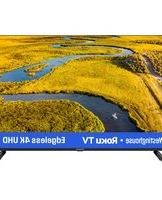
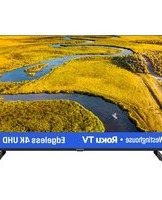
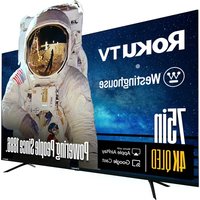
WR43QX400 - Television WESTINGHOUSE - Free user manual and instructions
Find the device manual for free WR43QX400 WESTINGHOUSE in PDF.


Pick your language and provide your email: we'll send you a specifically translated version.
| Product Type | LED Television |
| Brand | Westinghouse |
| Model | WR43QX400 |
| Screen Size | 43 inches (measured diagonally) |
| Display Resolution | 1920 x 1080 (Full HD) |
| Refresh Rate | 60Hz |
| Dimensions (W x H x D) with Stand | Approximately 38.2 x 24.6 x 8.7 inches |
| Weight with Stand | Approximately 18.3 lbs |
| Power Consumption (Typical) | 100W |
| Standby Power Consumption | Less than 0.5W |
| Input Voltage | AC 100-240V, 50/60Hz |
| Audio Output Power | 2 x 8W |
| Connectivity | HDMI (2), USB (1), VGA, Component, Composite, RF, Audio Out (3.5mm) |
| Built-in Tuner | ATSC |
| Wall Mount Pattern | VESA 200 x 200mm |
| Energy Star Certified | Yes |
| Remote Control Included | Yes |
| Cleaning Instructions | Wipe with a soft, dry cloth. Do not use harsh chemicals. |
| Safety Warnings | Do not expose to rain or moisture. Use only with a grounded outlet. |
| Spare Parts Availability | Contact Westinghouse support for remote or stand replacements. |
Frequently Asked Questions - WR43QX400 WESTINGHOUSE
How do I set up the TV for the first time?
After plugging in, press the power button. Follow the on-screen prompts to select language, scan for channels, and connect to Wi-Fi (if applicable).
Why is there no sound from the TV?
Check if mute is on (press Mute button). Ensure volume is not at minimum. Verify audio cables if using external speakers. Try a different HDMI source.
How do I connect external devices like a DVD player?
Use an HDMI cable for best quality. Connect one end to the device and the other to an HDMI port on the TV. Switch input using the 'Input' or 'Source' button.
What should I do if the remote is not working?
Replace batteries with new ones. Ensure there is no obstruction between remote and TV sensor. Point directly at the TV from within 20 feet.
How can I wall mount the TV?
Use a VESA 200x200mm compatible wall mount. Follow the mount instructions. Ensure the wall can support the TV's weight. Attach the mount to the TV first, then to the wall.
Does the TV support 4K resolution?
No, the Westinghouse WR43QX400 has a Full HD (1080p) resolution, not 4K. It is designed for standard HD viewing.
How do I clean the screen safely?
Power off and unplug the TV. Use a dry microfiber cloth to gently wipe the screen. For stubborn spots, slightly dampen the cloth with water (not wet). Do not spray anything directly on the screen.
Why is the picture blurry or distorted?
Check the source cable connection. Ensure the input resolution matches the TV's native 1080p. Adjust picture settings like sharpness or aspect ratio via the menu.
Can I use USB to play media files?
Yes, connect a USB drive to the USB port. Use the remote to navigate to the USB source. Supported formats include JPEG, MP3, and MP4 (check manual for full list).
Where can I find the serial number?
The serial number is on a sticker on the back of the TV. It may also be found in the settings menu under 'About' or 'System Information'.
User questions about WR43QX400 WESTINGHOUSE
0 question about this device. Answer the ones you know or ask your own.
Ask a new question about this device
No questions yet. Be the first to ask one.
Download the instructions for your Television in PDF format for free! Find your manual WR43QX400 - WESTINGHOUSE and take your electronic device back in hand. On this page are published all the documents necessary for the use of your device. WR43QX400 by WESTINGHOUSE.
USER MANUAL WR43QX400 WESTINGHOUSE

Manual assistant
Powered by Anthropic
Waiting for your message
Product information
Brand : WESTINGHOUSE
Model : WR43QX400
Category : Television