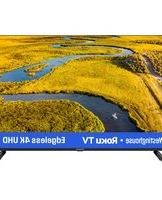
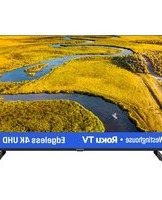
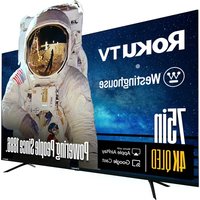
WR40FX2210 - Television WESTINGHOUSE - Free user manual and instructions
Find the device manual for free WR40FX2210 WESTINGHOUSE in PDF.


Pick your language and provide your email: we'll send you a specifically translated version.
| Product Type | LED Television |
| Screen Size | 40 inches (102 cm) |
| Display Resolution | 1920 x 1080 (Full HD) |
| Refresh Rate | 60 Hz |
| Backlight Type | LED |
| Contrast Ratio | 4000:1 (Dynamic) |
| Viewing Angle | 178° (H/V) |
| Power Consumption (Typical) | 60 W |
| Power Consumption (Standby) | < 0.5 W |
| Voltage Requirement | 100-240 V, 50/60 Hz |
| Energy Efficiency Class | A+ |
| Dimensions (W x H x D) - Without Stand | 36.1 x 20.9 x 3.1 inches (91.6 x 53.1 x 7.9 cm) |
| Dimensions (W x H x D) - With Stand | 36.1 x 22.8 x 8.3 inches (91.6 x 57.9 x 21.1 cm) |
| Weight - Without Stand | 15.4 lbs (7.0 kg) |
| Weight - With Stand | 17.6 lbs (8.0 kg) |
| VESA Wall Mount Pattern | 200 x 200 mm |
| HDMI Inputs | 2 |
| USB Ports | 1 |
| Composite Video Input | 1 (shared with component) |
| Component Video Input | 1 (shared with composite) |
| VGA Input | 1 |
| Digital Audio Output (Optical) | 1 |
| Headphone Jack | 1 |
| Tuner | ATSC / NTSC |
| Remote Control Included | Yes |
| Operating Temperature | 32°F to 104°F (0°C to 40°C) |
| Product Color | Black |
| Brand | Westinghouse |
| Model | WR40FX2210 |
Frequently Asked Questions - WR40FX2210 WESTINGHOUSE
How do I download the user manual for the Westinghouse WR40FX2210?
You can download the user manual for free from our website. Simply visit the manual page, select your preferred language (if available), and click the download button. The manual is in PDF format.
What is the screen size of the WR40FX2210?
The Westinghouse WR40FX2210 has a 40-inch (102 cm) screen diagonal, measured from corner to corner.
What is the maximum resolution supported?
This TV supports Full HD resolution of 1920 x 1080 pixels, providing crisp and clear images.
Does the TV have HDMI ports?
Yes, it includes 2 HDMI inputs for connecting devices like streaming sticks, gaming consoles, or Blu-ray players.
Can I mount the TV on a wall?
Yes, the TV is VESA compatible with a 200 x 200 mm wall mount pattern. Ensure you use appropriate hardware and follow the mounting instructions.
What type of remote control does it use?
The TV comes with a standard infrared (IR) remote control that operates all basic functions. Replacement remotes can be purchased from authorized retailers.
How do I clean the screen safely?
To clean the screen, turn off the TV and unplug it. Use a soft, dry microfiber cloth to gently wipe the screen. Avoid using any liquids, chemicals, or abrasive materials.
Why is there no sound from the TV?
First, check if the volume is muted or too low. Verify that external speakers are properly connected. If using a soundbar, ensure it's powered on. Also, try resetting the TV by unplugging it for 1 minute.
Is the TV compatible with universal remotes?
Yes, the Westinghouse WR40FX2210 works with most universal remotes. You may need to program the remote using the code from the universal remote's manual or by searching for Westinghouse codes.
What should I do if the TV does not turn on?
First, ensure the power cord is securely plugged into both the TV and a working outlet. Try a different outlet. If the issue persists, perform a power cycle: unplug the TV, wait 60 seconds, then plug it back in. If still not working, contact customer support.
User questions about WR40FX2210 WESTINGHOUSE
0 question about this device. Answer the ones you know or ask your own.
Ask a new question about this device
No questions yet. Be the first to ask one.
Download the instructions for your Television in PDF format for free! Find your manual WR40FX2210 - WESTINGHOUSE and take your electronic device back in hand. On this page are published all the documents necessary for the use of your device. WR40FX2210 by WESTINGHOUSE.
USER MANUAL WR40FX2210 WESTINGHOUSE

Manual assistant
Powered by Anthropic
Waiting for your message
Product information
Brand : WESTINGHOUSE
Model : WR40FX2210
Category : Television