ThinkCentre TIO27 - Monitor LENOVO - Free user manual and instructions
Find the device manual for free ThinkCentre TIO27 LENOVO in PDF.


Pick your language and provide your email: we'll send you a specifically translated version.
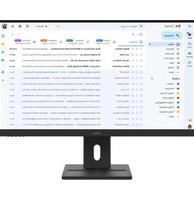
| Product Type | All-in-One Monitor |
| Brand | Lenovo |
| Model | ThinkCentre TIO27 |
| Screen Size | 27 inches (68.6 cm) |
| Resolution | 1920 x 1080 (Full HD) |
| Aspect Ratio | 16:9 |
| Panel Type | IPS (In-Plane Switching) |
| Brightness | 250 cd/m² (typical) |
| Contrast Ratio | 1000:1 (typical) |
| Response Time | 5 ms (typical) |
| Connectivity | HDMI, DisplayPort, USB 3.0 (4 downstream, 2 upstream) |
| Power Consumption | Typical 30 W, Standby <0.5 W |
| Weight (with stand) | Approx. 7.5 kg |
| Dimensions (W x H x D) with stand | 613.5 x 436.5 x 206.5 mm |
| VESA Mount | 100 x 100 mm |
| Built-in Speakers | 2 x 3W |
| Tilt Range | -5° to 22° |
| Color | Black |
| Maintenance | Clean with a dry, soft cloth. Avoid liquids and abrasive cleaners. |
| Safety | Use only provided power cord. Ensure stable surface. Do not block vents. |
| Spare Parts & Repairability | Contact Lenovo support for replacement parts. Stand and power supply are user-replaceable. |
Frequently Asked Questions - ThinkCentre TIO27 LENOVO
How do I connect the ThinkCentre TIO27 to a computer?
The monitor supports HDMI and DisplayPort connections. Use a compatible cable to connect from your computer's video output to the corresponding port on the monitor. For touch functionality (if available), also connect the USB upstream cable.
Can I mount the TIO27 on a wall?
Yes, the monitor is VESA compatible (100x100 mm). Use a VESA mount kit designed for monitors up to 7.5 kg. Ensure the wall can support the weight.
How do I clean the screen?
Turn off the monitor and unplug it. Use a dry, soft, lint-free cloth to gently wipe the screen. Do not use any liquids, cleaning sprays, or abrasive materials.
What are the power saving features?
The monitor complies with Energy Star standards. It enters sleep mode after a period of inactivity (default 15 minutes, adjustable in settings). Power consumption in standby is less than 0.5 W.
How do I adjust brightness and contrast?
Press the joystick button at the bottom rear of the monitor to open the On-Screen Display (OSD) menu. Navigate to 'Image' settings to adjust brightness, contrast, and other picture settings.
Does the TIO27 have built-in speakers?
Yes, it has two built-in 3W speakers. Audio can be input via HDMI or DisplayPort. You can adjust volume from the OSD menu or your computer.
What is the maximum resolution?
The Lenovo ThinkCentre TIO27 supports a maximum resolution of 1920 x 1080 (Full HD) at 60 Hz.
How do I reset the monitor to factory settings?
In the OSD menu, navigate to 'Others' and select 'Reset'. Confirm the action to restore default settings. You can also perform a hardware reset by unplugging the power cord for 30 seconds.
Is the ThinkCentre TIO27 compatible with Mac?
Yes, it works with Mac computers that support HDMI or DisplayPort. However, some features like touch or USB hub may require additional drivers. For best compatibility, use a standard HDMI connection.
What should I do if the screen flickers?
Check the video cable connection and try reseating it. Ensure the display settings on your computer match the monitor's native resolution (1920x1080 at 60 Hz). If flickering persists, test with another device or cable, or update your graphics driver.
User questions about ThinkCentre TIO27 LENOVO
0 question about this device. Answer the ones you know or ask your own.
Ask a new question about this device
No questions yet. Be the first to ask one.
Download the instructions for your Monitor in PDF format for free! Find your manual ThinkCentre TIO27 - LENOVO and take your electronic device back in hand. On this page are published all the documents necessary for the use of your device. ThinkCentre TIO27 by LENOVO.
USER MANUAL ThinkCentre TIO27 LENOVO
Manual assistant
Powered by Anthropic
Waiting for your message
Product information
Brand : LENOVO
Model : ThinkCentre TIO27
Category : Monitor