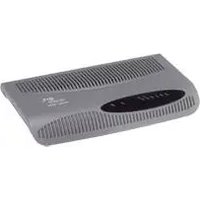
Baseline Switch 2250 Plus - Switch 3COM - Free user manual and instructions
Find the device manual for free Baseline Switch 2250 Plus 3COM in PDF.


Pick your language and provide your email: we'll send you a specifically translated version.
| Product Type | Switch |
| Brand | 3Com |
| Model | Baseline Switch 2250 Plus |
| Ports | 24 x 10/100 Mbps RJ-45 |
| Uplink Ports | 2 x Gigabit Ethernet Combo (RJ-45/SFP) |
| Switching Capacity | 8.8 Gbps |
| Forwarding Rate | 6.5 Mpps |
| MAC Address Table | 8K entries |
| Dimensions (W x D x H) | 440 x 200 x 44 mm |
| Weight | 2.2 kg (4.85 lbs) |
| Power Supply | Internal, 100-240V AC, 50-60Hz |
| Power Consumption | 15W (max) |
| Operating Temperature | 0°C to 40°C |
| Storage Temperature | -40°C to 70°C |
| Humidity | 10% to 90% non-condensing |
| Features | Auto-MDI/MDI-X, Flow Control, Store-and-Forward |
| LED Indicators | Power, Link/Activity, Speed |
| Rackmountable | Yes (1U, brackets included) |
| Fanless | Yes |
| Management | Unmanaged (plug-and-play) |
| Compliance | IEEE 802.3, 802.3u, 802.3ab, 802.3z |
Frequently Asked Questions - Baseline Switch 2250 Plus 3COM
How do I factory reset the 3Com Baseline Switch 2250 Plus?
Since it is an unmanaged switch, there is no factory reset procedure. Power cycling the switch will clear temporary settings. For a hard reset, you can hold the reset button on the front panel for 5 seconds (if available). However, most models do not have a reset button.
What do the LED indicators on the front panel mean?
The front panel LEDs indicate: Power (solid green when powered), Link/Activity (green when link established, blinking for activity), Speed (off for 10Mbps, solid green for 100Mbps, sometimes different for Gigabit). Refer to the manual for exact pattern.
Can I mount the switch in a standard 19-inch rack?
Yes, the switch is 1U rackmountable. It comes with mounting brackets and screws. Ensure proper ventilation.
Does the switch support Power over Ethernet (PoE)?
No, the 3Com Baseline Switch 2250 Plus does not support PoE. It is a standard data switch. Use separate PoE injectors if needed.
How many devices can I connect to this switch?
The switch has 24 10/100 Mbps ports and 2 Gigabit combo ports, allowing up to 26 devices. The combo ports can be used as RJ-45 or SFP, but not simultaneously.
Is this switch managed or unmanaged?
It is an unmanaged switch. It works out of the box without configuration. It does not support VLANs, QoS, or remote management.
What type of Ethernet cables do I need?
Use standard Cat5e or Cat6 cables for 10/100 and Gigabit connections. For the combo ports, you can use RJ-45 or fiber SFP modules (sold separately).
What is the switching capacity and throughput?
The switching capacity is 8.8 Gbps, and the forwarding rate is approximately 6.5 million packets per second (Mpps) for 64-byte packets.
Does the switch support jumbo frames?
No, the Baseline Switch 2250 Plus does not support jumbo frames. It has a standard MTU of 1518 bytes.
How do I install the switch?
Connect power, connect network cables to the ports. The switch automatically detects speed and duplex. Place it on a flat surface or mount in a rack. Ensure adequate airflow.
User questions about Baseline Switch 2250 Plus 3COM
0 question about this device. Answer the ones you know or ask your own.
Ask a new question about this device
No questions yet. Be the first to ask one.
Download the instructions for your Switch in PDF format for free! Find your manual Baseline Switch 2250 Plus - 3COM and take your electronic device back in hand. On this page are published all the documents necessary for the use of your device. Baseline Switch 2250 Plus by 3COM.
USER MANUAL Baseline Switch 2250 Plus 3COM


Manual assistant
Powered by Anthropic
Waiting for your message
Product information
Brand : 3COM
Model : Baseline Switch 2250 Plus
Category : Switch