
BO658A30XG - Oven GORENJE - Free user manual and instructions
Find the device manual for free BO658A30XG GORENJE in PDF.


Pick your language and provide your email: we'll send you a specifically translated version.
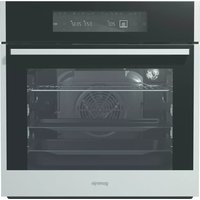
| Product Type | Built-in Electric Oven |
| Brand | Gorenje |
| Model | BO658A30XG |
| Dimensions (H x W x D) | 595 x 595 x 564 mm |
| Oven Capacity | 77 L |
| Weight | 32 kg |
| Power Supply | 220-240 V, 50 Hz, 3.5 kW |
| Energy Efficiency Class | A+ |
| Heating Methods | Conventional, Grill, Fan Forced, Defrost, Pizza Setting |
| Cleaning Type | Enamel Interior, Easy Clean |
| Safety Features | Child Lock, Cool Touch Door, Automatic Shut-Off |
| Display | LED Digital Display with Timer |
| Spare Parts Availability | Yes, through Gorenje Service Centers |
| Repairability Index | 8.5/10 |
| Installation | Built-in, Requires Professional Installation |
| Warranty | 2 Years Limited Warranty |
Frequently Asked Questions - BO658A30XG GORENJE
How do I install the Gorenje BO658A30XG oven?
Installation must be performed by a qualified professional. Ensure the oven is placed in a well-ventilated built-in cabinet with proper electrical connection (220-240 V). Refer to the manual for detailed dimensions and clearances.
How do I clean the oven after use?
The oven has an enamel interior for easy cleaning. Use a damp cloth with mild detergent. For stubborn stains, use a non-abrasive cleaner. Avoid harsh chemicals that may damage the surface.
What do the error codes on the display mean?
Common error codes like E1 or E2 indicate sensor issues or overheating. If an error appears, turn off the oven, wait a few minutes, and restart. If persistent, contact Gorenje customer service.
How long should I preheat the oven?
Preheat time varies depending on the temperature. For most settings, preheat for 10-15 minutes. The oven will beep when the set temperature is reached.
Can I use aluminum foil in the oven?
Yes, but avoid covering the entire bottom of the oven as it can affect heat circulation. Use foil only on racks or trays, and keep it away from heating elements to prevent fire risk.
How do I set the timer?
Press the Timer button, use the +/- keys to set the desired time, and press Start. The oven will automatically turn off when the timer expires. A beep will sound.
Does the oven have a child lock?
Yes, the Child Lock can be activated by pressing and holding the Lock button for 3 seconds. This disables all functions to prevent accidental use.
How can I save energy when using the oven?
Use the fan forced mode for even cooking at lower temperatures. Avoid opening the door frequently. Turn off the oven 5-10 minutes before the end of cooking to utilize residual heat.
What accessories are included?
The oven comes with a baking tray, wire shelf, and a rotisserie kit. Additional accessories can be purchased separately from authorized dealers.
How do I claim warranty service?
Register your product on the Gorenje website. For service, contact Gorenje support with proof of purchase. Warranty covers manufacturing defects but not misuse or improper installation.
User questions about BO658A30XG GORENJE
0 question about this device. Answer the ones you know or ask your own.
Ask a new question about this device
No questions yet. Be the first to ask one.
Download the instructions for your Oven in PDF format for free! Find your manual BO658A30XG - GORENJE and take your electronic device back in hand. On this page are published all the documents necessary for the use of your device. BO658A30XG by GORENJE.
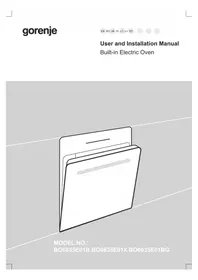
USER MANUAL BO658A30XG GORENJE

Forma HomeMade

Manual assistant
Powered by Anthropic
Waiting for your message
Product information
Brand : GORENJE
Model : BO658A30XG
Category : Oven