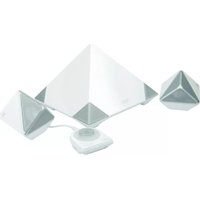
PC-111436 - Loudspeaker Perfect Choice - Free user manual and instructions
Find the device manual for free PC-111436 Perfect Choice in PDF.


Pick your language and provide your email: we'll send you a specifically translated version.
| Product Type | Loudspeaker |
| Brand | Perfect Choice |
| Model | PC-111436 |
| Dimensions (H x W x D) | 10 x 10 x 15 cm |
| Weight | 0.5 kg |
| Power Output | 5W |
| Frequency Response | 100 Hz - 20 kHz |
| Connectivity | Bluetooth 5.0, AUX 3.5mm |
| Battery Capacity | 1200 mAh |
| Battery Life (Playback) | Up to 6 hours |
| Charging Port | USB-C |
| Water Resistance | IPX5 |
| Driver Size | 40 mm |
| Signal-to-Noise Ratio | >80 dB |
| Built-in Microphone | Yes |
| Hands-free Calling | Yes |
| Control | Buttons on unit |
| Material | Plastic with fabric grille |
| Color | Black |
| Accessories Included | USB-C cable, AUX cable, user manual |
Frequently Asked Questions - PC-111436 Perfect Choice
How do I pair the speaker with my phone via Bluetooth?
Turn on the speaker by pressing the power button. Activate Bluetooth on your phone and search for devices. Select PC-111436 from the list. If prompted, enter 0000 or confirm pairing.
How long does the battery last?
The built-in rechargeable battery lasts up to 6 hours at moderate volume. Actual battery life may vary depending on volume level and music type.
Can I use the speaker while it is charging?
Yes, you can use the speaker while charging. However, charging may take longer if the speaker is in use.
What does the IPX5 rating mean?
IPX5 means the speaker is protected against water splashes from any direction. It is not fully waterproof, so do not submerge it in water.
How do I reset the speaker?
To reset, press and hold the Bluetooth and Volume Up buttons simultaneously for 5 seconds. The speaker will power off and then on, clearing all paired devices.
The speaker does not turn on. What should I do?
Ensure the speaker is charged. Connect the USB-C cable to a power source and let it charge for at least 30 minutes. If still not turning on, try a different cable or adapter.
Can I connect the speaker to a TV or computer?
Yes, you can connect via the AUX 3.5mm cable. Plug one end into the speaker and the other into the audio output of your device. The speaker will automatically switch to AUX mode.
How do I clean the speaker?
Use a soft, dry cloth to wipe the exterior. Do not use water or cleaning agents, as they may damage the speaker. For the fabric grille, gently dust with a soft brush.
What should I do if the sound is distorted?
Reduce the volume on both the speaker and the connected device. Ensure the speaker is not placed on a vibrating surface. Also, check that the Bluetooth connection is stable.
How do I know when the speaker is fully charged?
The LED indicator will turn solid blue when fully charged. During charging, the indicator shows red. Once full, it changes to blue.
User questions about PC-111436 Perfect Choice
0 question about this device. Answer the ones you know or ask your own.
Ask a new question about this device
No questions yet. Be the first to ask one.
Download the instructions for your Loudspeaker in PDF format for free! Find your manual PC-111436 - Perfect Choice and take your electronic device back in hand. On this page are published all the documents necessary for the use of your device. PC-111436 by Perfect Choice.
USER MANUAL PC-111436 Perfect Choice

Manual assistant
Powered by Anthropic
Waiting for your message
Product information
Brand : Perfect Choice
Model : PC-111436
Category : Loudspeaker