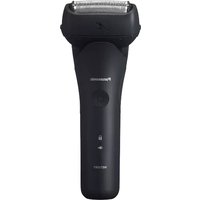
ES-RT77 - Razor PANASONIC - Free user manual and instructions
Find the device manual for free ES-RT77 PANASONIC in PDF.


Pick your language and provide your email: we'll send you a specifically translated version.
| Brand | Panasonic |
| Model | ES-RT77 |
| Product Type | Electric Razor (Wet/Dry) |
| Dimensions | Approx. 5.5 x 2.2 x 1.5 inches |
| Weight | Approx. 5.6 oz (160 g) |
| Power Source | Rechargeable Li-ion battery |
| Charging Time | 1 hour for full charge |
| Operating Time | Approx. 40 minutes |
| Voltage | 100-240 V AC (auto-switching) |
| Shaving System | Double foil and inner blade |
| Pop-up Trimmer | Yes, for sideburns and mustache |
| Pivoting Head | Yes, flexible pivoting |
| Wet/Dry Use | Yes, can be used with foam/gel or dry |
| Washable | Yes, rinse under running water |
| Cleaning | Clean foil and blades with brush; rinse |
| Replacement Parts | Foil (WES-0981), Blade (WES-0982) |
| Replacement Interval | Foil every 12 months; blade every 18 months |
| Auto Shut-off | Yes, after 10 minutes of inactivity |
| Waterproof | IPX7 rated (safe for 30 min in 1m water) |
| LED Indicators | Battery level, charging status, cleaning reminder |
| Travel Lock | Yes, long press power button to lock |
| Accessories | Protective cap, cleaning brush, AC adapter |
Frequently Asked Questions - ES-RT77 PANASONIC
How do I clean the Panasonic ES-RT77 razor?
Rinse the shaver head under running water after each use. Use the included cleaning brush to remove hair from the foil and blades. Periodically remove the foil and inner blade for deeper cleaning. Always dry the shaver before charging.
How long does the battery last on a full charge?
The Li-ion battery provides approximately 40 minutes of shaving time after a 1-hour charge. Actual performance may vary based on usage conditions.
Can I use the ES-RT77 in the shower or with shaving foam?
Yes, the ES-RT77 is fully waterproof (IPX7) and can be used wet or dry. You can apply shaving foam or gel for a more comfortable shave, or use it dry.
How do I replace the foil and blades?
Press the release button to open the shaver head. Remove the old foil and blade by lifting them out. Insert the new foil (model WES-0981) and blade (model WES-0982), then close the head securely.
Does the razor have a pop-up trimmer?
Yes, the ES-RT77 includes a pop-up trimmer located on the back of the shaver. Slide it up to trim sideburns, mustache, or longer hairs.
What does the LED indicator mean?
The LED indicator shows battery level: green (full), orange (medium), red (low). Flashing indicates charging. A cleaning reminder icon may appear after 20 uses.
How do I activate the travel lock?
Press and hold the power button for about 3 seconds until the travel lock icon appears on the display. Repeat to unlock before use.
Can I use the razor while it is plugged in?
No, the Panasonic ES-RT77 is designed for cordless use only. Do not operate while charging.
Why is the shaver not charging?
Check that the AC adapter is connected securely to the shaver and outlet. Ensure the shaver is completely dry before charging. If the problem persists, the battery may need replacement.
How often should I replace the foil and blades?
Panasonic recommends replacing the foil every 12 months and the inner blade every 18 months for optimal shaving performance. Signs of wear include tugging or reduced sharpness.
User questions about ES-RT77 PANASONIC
0 question about this device. Answer the ones you know or ask your own.
Ask a new question about this device
No questions yet. Be the first to ask one.
Download the instructions for your Razor in PDF format for free! Find your manual ES-RT77 - PANASONIC and take your electronic device back in hand. On this page are published all the documents necessary for the use of your device. ES-RT77 by PANASONIC.
USER MANUAL ES-RT77 PANASONIC

Manual assistant
Powered by Anthropic
Waiting for your message
Product information
Brand : PANASONIC
Model : ES-RT77
Category : Razor