Vision S FOS05TAEN - Surveillance Camera Furrion - Free user manual and instructions
Find the device manual for free Vision S FOS05TAEN Furrion in PDF.


Pick your language and provide your email: we'll send you a specifically translated version.
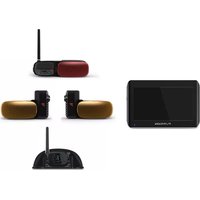
| Product Type | Wireless Backup Camera System |
| Brand | Furrion |
| Model | Vision S FOS05TAEN |
| Category | Surveillance Camera |
| Image Sensor | 1/3-inch CMOS |
| Resolution | 720p (1280 x 720) |
| Field of View | 120° diagonal |
| Night Vision | Infrared LEDs, up to 16 feet |
| Wireless Frequency | 2.4 GHz FHSS |
| Wireless Range | Up to 100 feet (30 meters) line of sight |
| Power Input | 12V DC (camera and monitor) |
| Power Consumption | Camera: 200 mA; Monitor: 500 mA |
| Ingress Protection | IP65 (camera only) |
| Operating Temperature | -4°F to 122°F (-20°C to 50°C) |
| Mounting Type | Surface mount with adjustable bracket |
| Monitor Size | 4.3-inch LCD (if applicable) |
| Video Output | Composite video |
| Audio | Built-in microphone on camera |
| Dimensions (Camera) | 3.7 x 2.6 x 2.2 inches (94 x 66 x 56 mm) |
| Weight (Camera) | 0.4 lbs (180 g) |
| Maintenance & Care | Clean lens with soft dry cloth; avoid harsh chemicals |
| Safety Notices | 12V DC only; do not expose to rain (camera is weatherproof, monitor is not) |
| Spare Parts & Repairability | Contact Furrion support; no user-serviceable parts |
| General Information | Designed for RVs, trailers, and boats |
Frequently Asked Questions - Vision S FOS05TAEN Furrion
How do I pair the camera with the monitor?
Turn on the monitor and camera. Press the PAIR button on the monitor within 10 seconds. The camera LED will blink and then stay solid when paired.
What is the maximum wireless range?
The wireless range is up to 100 feet (30 meters) in open air. Obstacles like metal walls can reduce range.
Does the camera work at night?
Yes, it has infrared night vision with a range of up to 16 feet (5 meters). The image will be in black and white in low light.
Can I add multiple cameras to one monitor?
The standard system comes with one camera. However, some Furrion monitors support up to 4 cameras with additional transmitters.
Is the camera weatherproof?
Yes, the camera has an IP65 rating, meaning it is dust-tight and protected against water jets. The monitor is not weatherproof.
What power source is needed?
Both camera and monitor require 12V DC power. The camera typically connects to the vehicle's reverse light circuit.
How do I clean the camera lens?
Use a soft, dry microfiber cloth to gently wipe the lens. Avoid alcohol or abrasive cleaners.
Can I use this camera for home surveillance?
While designed for RVs, it can be used for home outdoor surveillance if you have a 12V power source and the monitor inside. However, wireless range may be limited.
What is the resolution of the camera?
The camera captures video at 720p (1280 x 720 pixels), which provides clear images for reversing and monitoring.
How do I reset the camera?
Press and hold the PAIR button on the camera for 10 seconds with power on. The LED will flash rapidly, indicating reset.
User questions about Vision S FOS05TAEN Furrion
0 question about this device. Answer the ones you know or ask your own.
Ask a new question about this device
No questions yet. Be the first to ask one.
Download the instructions for your Surveillance Camera in PDF format for free! Find your manual Vision S FOS05TAEN - Furrion and take your electronic device back in hand. On this page are published all the documents necessary for the use of your device. Vision S FOS05TAEN by Furrion.
USER MANUAL Vision S FOS05TAEN Furrion
Manual assistant
Powered by Anthropic
Waiting for your message
Product information
Brand : Furrion
Model : Vision S FOS05TAEN
Category : Surveillance Camera