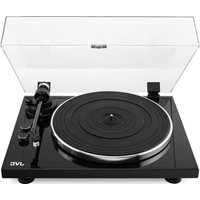
AL-E534M - Turntable JVC - Free user manual and instructions
Find the device manual for free AL-E534M JVC in PDF.


Pick your language and provide your email: we'll send you a specifically translated version.
| Product Type | Turntable |
| Brand | JVC |
| Model | AL-E534M |
| Dimensions (W x H x D) | 435 x 130 x 375 mm (approx.) |
| Weight | 6 kg (approx.) |
| Power Supply | AC 220-240V, 50/60Hz |
| Power Consumption | 15 W (approx.) |
| Drive System | Belt drive |
| Speeds | 33 1/3 and 45 RPM |
| Turntable Platter | Aluminum die-cast |
| Tone arm | Static balance S-shaped |
| Cartridge | MM (moving magnet) type |
| Stylus | Diamond elliptical (replaceable) |
| Output | Phono (RCA) and line (via built-in preamp) |
| Built-in Phono Preamp | Yes, switchable |
| Auto Stop | Yes, at end of record |
| Anti-skating | Adjustable |
| Tracking Force Range | 1.5 - 3.0 g |
| Maintenance | Clean with soft dry cloth; avoid liquids |
| Safety | Do not expose to moisture or heat |
| Spare Parts | Stylus cartridge, drive belt, platter mat |
| Repairability | Replaceable stylus and belt; professional service recommended |
Frequently Asked Questions - AL-E534M JVC
How do I set up the turntable?
Place the turntable on a stable, level surface. Connect the audio cables to your amplifier or speakers. If using a phono input, set the preamp switch to PHONO; otherwise set to LINE. Plug in the power adapter and turn on the unit. Adjust the tracking force and anti-skating as per the manual.
How can I change the speed (33/45 RPM)?
Locate the speed selector switch on the front or top panel. Slide or press it to choose 33 1/3 or 45 RPM. Some models have separate buttons for each speed.
What should I do if the turntable does not spin?
First, check if the power cord is plugged in and the unit is switched on. Ensure the belt is correctly attached to the motor pulley and platter. If the belt is loose or broken, replace it. Also verify the auto-stop function is not engaged on a short record.
How do I replace the stylus (needle)?
Gently remove the headshell from the tonearm. Unclip the old stylus from the cartridge by pulling it downward and forward. Insert the new stylus until it clicks into place. Align the cartridge using the provided protractor if available.
Why is there no sound coming from the speakers?
Check that the audio cables are firmly connected to both the turntable and your amplifier/speakers. Ensure the correct input is selected on your amplifier. If using LINE output, verify the built-in preamp is enabled. Also check the volume level and whether the mute function is active.
How do I clean the records and the turntable?
For records, use a carbon fiber brush to remove dust before each play. For the turntable, use a soft, lint-free cloth slightly dampened with water or a mild cleaning solution. Avoid getting moisture near the motor or electrical parts. Never use alcohol or abrasive cleaners.
What is the correct tracking force?
The recommended tracking force for the supplied cartridge is typically between 1.5 and 3.0 grams. Consult the manual for exact value. Set the counterweight on the tonearm to the desired force using a stylus pressure gauge or the calibrated dial.
Can I connect the turntable to a Bluetooth speaker?
The JVC AL-E534M does not have built-in Bluetooth. You can connect it to a Bluetooth transmitter via the RCA outputs (if you have a phono preamp) to stream wirelessly to a Bluetooth speaker. Alternatively, use a wired connection.
How often should I replace the drive belt?
Depending on usage, replace the belt every 1-2 years. Signs of wear include speed fluctuations or a stretched belt. It is an easy DIY replacement; simply remove the old belt and loop the new one around the motor pulley and platter rim.
Why does the tonearm skip or produce distorted sound?
Possible causes: incorrect tracking force, anti-skating misadjustment, dirty or worn stylus, warped record, or vibrations. Check tracking force and anti-skating. Clean or replace the stylus. Ensure the turntable is placed on a stable surface away from speakers.
User questions about AL-E534M JVC
0 question about this device. Answer the ones you know or ask your own.
Ask a new question about this device
No questions yet. Be the first to ask one.
Download the instructions for your Turntable in PDF format for free! Find your manual AL-E534M - JVC and take your electronic device back in hand. On this page are published all the documents necessary for the use of your device. AL-E534M by JVC.
USER MANUAL AL-E534M JVC
Manual assistant
Powered by Anthropic
Waiting for your message
Product information
Brand : JVC
Model : AL-E534M
Category : Turntable