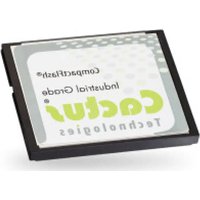
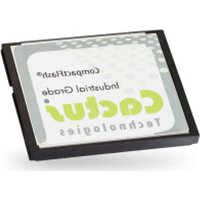
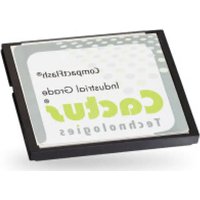
KC512MRI-303 - Flash Memory Cactus - Free user manual and instructions
Find the device manual for free KC512MRI-303 Cactus in PDF.


Pick your language and provide your email: we'll send you a specifically translated version.
| Product Type | Flash Memory (USB Drive) |
| Brand | Cactus |
| Model | KC512MRI-303 |
| Capacity | 512 MB |
| Interface | USB 2.0 |
| Dimensions | Approx. 55 x 20 x 10 mm |
| Weight | Approx. 10 g |
| Power Source | Via USB port |
| Operating System Compatibility | Windows, macOS, Linux |
| Storage Temperature | -20°C to 60°C |
| Operating Temperature | 0°C to 45°C |
| Main Functions | Data storage, file transfer, plug-and-play |
| Security Features | None (no encryption or password protection) |
| Maintenance | Wipe with a dry, soft cloth; avoid moisture |
| Spare Parts | Not available; device is not user-serviceable |
| Warranty | 1 year limited warranty |
| Country of Origin | China |
Frequently Asked Questions - KC512MRI-303 Cactus
What is the storage capacity of the Cactus KC512MRI-303?
The Cactus KC512MRI-303 has a storage capacity of 512 MB, suitable for documents, photos, and small files.
Is the drive compatible with Mac and Linux?
Yes, the drive is compatible with Windows, macOS, and Linux operating systems. It uses the FAT32 file system for cross-platform support.
What is the transfer speed of this USB flash drive?
The drive supports USB 2.0, with typical read speeds up to 15 MB/s and write speeds up to 8 MB/s. Actual speeds may vary.
Can I use this drive to store music and videos?
Yes, the drive can store music, videos, and other files. However, due to its limited 512 MB capacity, it is best for small collections.
Is there any security software included?
No, the Cactus KC512MRI-303 does not include any built-in encryption or password protection. It is a basic plug-and-play device.
How do I format the drive?
You can format the drive using your computer's disk management tools. Right-click the drive in 'My Computer' (Windows) or 'Disk Utility' (Mac) and select Format. Choose FAT32 for broad compatibility.
What should I do if the drive is not recognized?
First, try a different USB port or computer. If still not recognized, check that the drive is properly inserted. On Windows, you can also check Device Manager for driver issues.
Is the drive durable?
The drive is built with solid-state memory, making it resistant to shock and vibration. However, avoid exposure to water, extreme heat, or magnetic fields.
Does the drive have a warranty?
Yes, the Cactus KC512MRI-303 comes with a 1-year limited warranty against manufacturing defects.
How can I clean the drive?
To clean the drive, use a dry, lint-free cloth to wipe the exterior. Do not use liquids or cleaning agents, as they may damage the electronics.
User questions about KC512MRI-303 Cactus
0 question about this device. Answer the ones you know or ask your own.
Ask a new question about this device
No questions yet. Be the first to ask one.
Download the instructions for your Flash Memory in PDF format for free! Find your manual KC512MRI-303 - Cactus and take your electronic device back in hand. On this page are published all the documents necessary for the use of your device. KC512MRI-303 by Cactus.
USER MANUAL KC512MRI-303 Cactus
Manual assistant
Powered by Anthropic
Waiting for your message
Product information
Brand : Cactus
Model : KC512MRI-303
Category : Flash Memory