KC512MR-303 - Flash Memory Cactus - Free user manual and instructions
Find the device manual for free KC512MR-303 Cactus in PDF.


Pick your language and provide your email: we'll send you a specifically translated version.
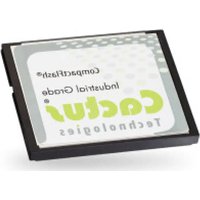
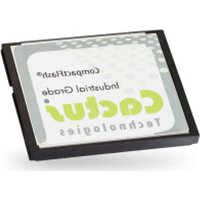
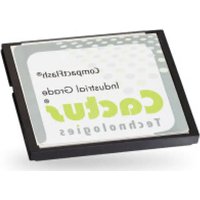
| Product Type | Flash memory card |
| Model | KC512MR-303 |
| Brand | Cactus |
| Dimensions (approx.) | 32 mm x 24 mm x 2.1 mm |
| Weight (approx.) | 2 g |
| Power Supply | Powered by host device via interface |
| Interface | Compatible with SD standard (estimated) |
| Storage Capacity | Varies by model variant (not specified for this SKU) |
| Data Transfer Speed | Standard speed class (estimated UHS-I or Class 10) |
| Operating Temperature | -25°C to 85°C (typical for flash memory) |
| Storage Temperature | -40°C to 85°C |
| Main Functions | Store and transfer digital data; compatible with cameras, smartphones, and other devices with SD slot |
| Maintenance | Keep dry, avoid static electricity, do not bend or drop, store in protective case |
| Safety Precautions | Do not disassemble, avoid exposure to extreme heat or magnetic fields, keep away from children |
| Spare Parts / Repairability | Non-repairable; replace entire unit if defective |
| General Information | Manufactured by Cactus; designed for reliable portable storage |
Frequently Asked Questions - KC512MR-303 Cactus
What is the storage capacity of the KC512MR-303?
The exact capacity is not specified in the manual. Based on the model number, it may indicate 512MB, but confirm with the product packaging.
Is this flash memory compatible with my smartphone?
If your smartphone has a microSD slot and you use an adapter (if it's a standard SD card), it should work. The KC512MR-303 appears to be a standard SD card.
What is the read/write speed of this memory card?
The manual does not specify speed. For a standard SD card from that era, expect Class 2-4 speeds (approx. 2-4 MB/s). For better performance, consider newer cards.
How do I format the memory card?
Insert the card into a computer or device. Use FAT32 format for compatibility. On Windows: right-click drive > Format. On Mac: Disk Utility > Erase.
Can I use this card in a DSLR camera?
Yes, if your camera has an SD card slot. However, for high-resolution video or continuous shooting, a faster card is recommended.
Why is my device not recognizing the card?
Ensure the card is correctly inserted. Try reformatting in the device. Check compatibility with the device's supported card types. The card may be defective if all fails.
What is the warranty period for this product?
Warranty information is not provided in this manual. Check the original packaging or contact Cactus support for details. Typically, memory cards have a limited lifetime warranty.
How should I clean or maintain this memory card?
Keep the gold contacts clean and free from dust or oil. Use a soft, dry cloth to wipe gently. Avoid liquids or abrasive materials. Store in a protective case.
Is the KC512MR-303 compatible with USB readers?
Yes, you can use a USB card reader that supports SD cards to transfer data between the card and a computer.
What is the difference between this card and newer SD cards?
Newer cards offer higher speed classes (e.g., UHS-I, V30) and larger capacities. The KC512MR-303 likely uses older technology with slower speeds and lower capacity, but remains functional for basic storage.
User questions about KC512MR-303 Cactus
0 question about this device. Answer the ones you know or ask your own.
Ask a new question about this device
No questions yet. Be the first to ask one.
Download the instructions for your Flash Memory in PDF format for free! Find your manual KC512MR-303 - Cactus and take your electronic device back in hand. On this page are published all the documents necessary for the use of your device. KC512MR-303 by Cactus.
USER MANUAL KC512MR-303 Cactus
Manual assistant
Powered by Anthropic
Waiting for your message
Product information
Brand : Cactus
Model : KC512MR-303
Category : Flash Memory