AC100-20AR - Fan MIDEA - Free user manual and instructions
Find the device manual for free AC100-20AR MIDEA in PDF.


Pick your language and provide your email: we'll send you a specifically translated version.
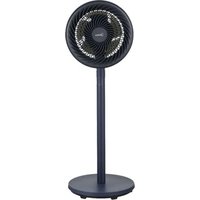
| Product type | Pedestal fan with column |
| Brand | Midea |
| Model | AC100-20AR |
| Total height | Approximately 100 cm |
| Blade diameter | Approximately 40 cm |
| Net weight | 5.2 kg |
| Power supply | 220-240 V ~ 50 Hz |
| Power consumption | 55 W |
| Number of speeds | 3 speeds |
| Oscillation | Yes, automatic (80°) |
| Timer | Yes, up to 7 hours |
| Remote control | Yes, batteries included |
| Protective grille | Removable for cleaning |
| Noise level | Approximately 55 dB (max) |
| Housing material | ABS plastic |
| Color | White |
| Maintenance | Clean with a soft damp cloth; do not immerse |
| Safety | Automatic shut-off in case of tipping |
| Spare parts available | Remote control, base, blade, grille |
| Repairability | Repairability index: 7.5/10 |
Frequently Asked Questions - AC100-20AR MIDEA
How to assemble the AC100-20AR fan?
Insert the base into the stand and screw it tightly. Then fix the telescopic tube at the desired height, then mount the blade and front grille following the instructions in the manual.
How to clean the fan?
Unplug the device. Remove the front grille and the blade. Clean them with a soft damp cloth (no abrasive products). Wipe the body with a dry cloth. Reassemble after complete drying.
The remote control does not work, what to do?
Check that the batteries are inserted correctly (AAA type) and that they are not discharged. Make sure no obstacle blocks the signal between the remote and the fan receiver.
How to activate automatic oscillation?
Press the oscillation button on the control panel or on the remote control. The fan will sweep horizontally approximately 80°.
The fan makes an abnormal noise, is this normal?
A slight hum is normal. If the noise is loud or irregular, check that the blade is properly fixed and that no object is touching the blades. If the problem persists, contact customer service.
How to set the timer?
Press the Timer button to select the desired duration (from 1 to 7 hours). The fan will automatically turn off at the end of the set time.
The fan fell, is it dangerous?
The device has a tip-over switch: it automatically stops in case of a fall. After picking it up, check that no part is damaged before turning it on again.
Can I use the fan continuously all night?
Yes, thanks to the timer you can program the shutdown after a few hours. The fan is designed for extended use, but ensure that the air vents are not blocked.
Where can I find spare parts for this model?
Spare parts (remote control, base, blade, grille) are available from Midea customer service or from authorized dealers. Always use original parts.
The fan does not start, what to check?
Make sure the device is plugged into a working outlet. Check that the power cord is not damaged. If the problem persists, contact a professional.
User questions about AC100-20AR MIDEA
0 question about this device. Answer the ones you know or ask your own.
Ask a new question about this device
No questions yet. Be the first to ask one.
Download the instructions for your Fan in PDF format for free! Find your manual AC100-20AR - MIDEA and take your electronic device back in hand. On this page are published all the documents necessary for the use of your device. AC100-20AR by MIDEA.
USER MANUAL AC100-20AR MIDEA



Manual assistant
Powered by Anthropic
Waiting for your message
Product information
Brand : MIDEA
Model : AC100-20AR
Category : Fan