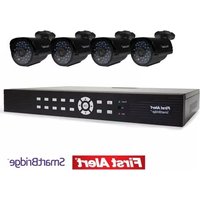
DWS-471 - Security Camera FIRST ALERT - Free user manual and instructions
Find the device manual for free DWS-471 FIRST ALERT in PDF.


Pick your language and provide your email: we'll send you a specifically translated version.
| Product Type | Wireless Security Camera |
| Brand | First Alert |
| Model | DWS-471 |
| Dimensions | 10.5 x 7.2 x 6.8 cm (4.1 x 2.8 x 2.7 in) |
| Weight | 280 g (9.9 oz) |
| Power Supply | Rechargeable battery (3.7V 2600mAh), USB-C charging |
| Battery Life | Up to 3 months (typical usage) |
| Video Resolution | 1080p Full HD (1920 x 1080) |
| Field of View | 135° diagonal |
| Night Vision | Up to 10 m (33 ft) with infrared LEDs |
| Motion Detection | Passive infrared (PIR) with customizable zones |
| Audio | Two-way audio with built-in speaker and microphone |
| Connectivity | Wi-Fi 2.4 GHz (802.11 b/g/n) |
| Storage | MicroSD card up to 128 GB (not included) |
| Weather Resistance | IP65 rated (outdoor use) |
| Mounting | Magnetic base or included mounting bracket |
| Smart Integration | Works with Alexa and Google Assistant |
| Mobile App | First Alert Home app (iOS and Android) |
| Cleaning | Wipe lens with soft dry cloth; no liquids |
| Safety Certifications | UL, FCC, CE |
| Spare Parts | Contact First Alert support for replacement mount or battery |
| Warranty | 1 year limited |
Frequently Asked Questions - DWS-471 FIRST ALERT
How do I connect the DWS-471 camera to Wi-Fi?
Open the First Alert Home app, press the '+', scan the QR code on the camera, then follow in-app instructions to connect to your 2.4 GHz Wi-Fi network.
Can I use the camera without a subscription?
Yes, you can view live feed and receive motion alerts for free. Cloud storage may require a subscription, but local microSD recording is free.
What is the maximum microSD card size supported?
The camera supports microSD cards up to 128 GB (Class 10 or higher recommended). Insert with the gold contacts facing up.
How do I reset the camera to factory defaults?
Press and hold the reset button on the back of the camera for about 10 seconds until you hear a beep. The LED will blink amber indicating reset.
Is the camera suitable for outdoor use?
Yes, it has an IP65 rating, making it resistant to dust and water jets. It can be used outdoors but avoid direct exposure to heavy rain.
How long does the battery last?
Under typical usage (10-20 events per day), the battery lasts up to 3 months. High traffic areas may reduce battery life.
Can I share access with family members?
Yes, in the First Alert Home app, go to Settings > Share, and enter the email of the person you want to invite. They can view live feed and recordings.
Why is my camera not detecting motion?
Ensure motion detection is enabled in the app, the PIR sensor is not blocked, and the sensitivity is set high enough. Also avoid placing behind glass.
What does the LED indicator mean?
Solid blue: connected; blinking blue: setup mode; solid amber: charging; blinking amber: reset; red: low battery or error.
How do I clean the camera lens?
Use a soft, dry microfiber cloth to gently wipe the lens. Do not use any liquids or abrasive cleaners as they may damage the coating.
User questions about DWS-471 FIRST ALERT
0 question about this device. Answer the ones you know or ask your own.
Ask a new question about this device
No questions yet. Be the first to ask one.
Download the instructions for your Security Camera in PDF format for free! Find your manual DWS-471 - FIRST ALERT and take your electronic device back in hand. On this page are published all the documents necessary for the use of your device. DWS-471 by FIRST ALERT.
USER MANUAL DWS-471 FIRST ALERT
Manual assistant
Powered by Anthropic
Waiting for your message
Product information
Brand : FIRST ALERT
Model : DWS-471
Category : Security Camera