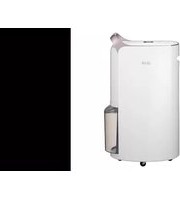
RD17GQGD1 - Dehumidifier LG - Free user manual and instructions
Find the device manual for free RD17GQGD1 LG in PDF.


Pick your language and provide your email: we'll send you a specifically translated version.
| Product Type | Portable Dehumidifier |
| Brand | LG |
| Model | RD17GQGD1 |
| Capacity | 17 pints per day (at 80°F, 60% RH) |
| Water Tank Capacity | 1.9 liters (0.5 gallons) |
| Airflow | 100 CFM |
| Noise Level | 48 dB (on low speed) |
| Power Supply | 115 V, 60 Hz |
| Power Consumption | 350 W (approx.) |
| Dimensions (W x D x H) | 14.4 x 10.8 x 19.4 inches |
| Weight | 32.6 lbs |
| Operating Temperature Range | 41°F to 95°F (5°C to 35°C) |
| Humidity Control | Adjustable, 30% to 80% RH |
| Auto Defrost | Yes |
| Continuous Drain Option | Yes (1/2 inch hose, not included) |
| Filter Type | Washable, reusable |
| Timer | 1 to 8 hours |
| Energy Star Certified | Yes |
| Refrigerant | R-410A |
| Wheels | Yes, caster wheels |
| Warranty | 1 year parts and labor |
Frequently Asked Questions - RD17GQGD1 LG
How do I set the desired humidity level?
Press the Humidity Set button repeatedly to cycle through levels from 30% to 80% RH. The display will show the set value. The dehumidifier will run until humidity reaches the set level.
How do I empty the water tank?
When the tank is full, the unit will beep and the Full indicator lights up. Pull out the tank from the front, remove the top cover, pour water out, replace cover, and reinsert. Ensure it clicks into place.
Why is my dehumidifier not collecting water?
This can happen if the room humidity is already low (below 50% RH), or if the filter is dirty. Check that the unit is in a closed space, the humidity setpoint is at least 10% lower than current humidity, and clean the filter.
How do I clean the filter?
Turn off and unplug the unit. Remove the filter by pulling it out from the rear or side (depending on model). Wash with warm water and mild detergent, rinse, and let it dry completely before reinstalling. Do not operate without a filter.
Can I use a hose for continuous drainage?
Yes. Remove the water tank, attach a standard garden hose (1/2 inch female thread) to the drain outlet at the back of the unit. Ensure the hose slopes downward. The unit will then drain continuously. Check the manual for proper setup.
Why does the dehumidifier keep turning off and on?
This is normal as the unit cycles to maintain humidity. However, if it cycles rapidly, the room may be too cold (below 41°F) or the filter may be clogged. Also check if the auto-defrost is active in cold conditions.
What does the 'CL' error code mean?
The CL code indicates the unit is in compressor lockout mode after a power outage. Wait 3 minutes for the compressor to restart automatically. If it persists, unplug and wait 10 seconds then plug back in.
Is this dehumidifier energy efficient?
Yes, it is Energy Star certified. It consumes approximately 350 watts and can remove up to 17 pints per day, making it efficient for small to medium rooms (up to 500 sq ft).
What is the recommended cleaning schedule?
Clean the filter every two weeks for optimal performance. Wipe the exterior with a damp cloth. Periodically check the drain hose for blockages if using continuous drain. Clean the water tank every few weeks with mild soap.
How noisy is the dehumidifier?
The noise level is approximately 48 dB on low fan speed, comparable to a quiet conversation. On high speed, it may be slightly louder but still acceptable for bedrooms or living areas.
User questions about RD17GQGD1 LG
0 question about this device. Answer the ones you know or ask your own.
Ask a new question about this device
No questions yet. Be the first to ask one.
Download the instructions for your Dehumidifier in PDF format for free! Find your manual RD17GQGD1 - LG and take your electronic device back in hand. On this page are published all the documents necessary for the use of your device. RD17GQGD1 by LG.
USER MANUAL RD17GQGD1 LG

Manual assistant
Powered by Anthropic
Waiting for your message
Product information
Brand : LG
Model : RD17GQGD1
Category : Dehumidifier