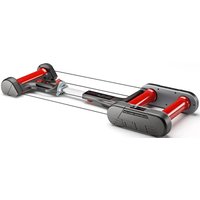
Quick-Motion - Sports accessory ELITE - Free user manual and instructions
Find the device manual for free Quick-Motion ELITE in PDF.


Pick your language and provide your email: we'll send you a specifically translated version.
| Product type | Smart cycling trainer |
| Brand | ELITE |
| Model | Quick-Motion |
| Dimensions (L x W x H) | 50 x 60 x 30 cm |
| Weight | 12 kg |
| Power supply | 12V power adapter or USB-C cable (5V) |
| Power consumption | 10 W max |
| Material | Steel and ABS plastic |
| Main features | Electromagnetic resistance, power measurement, Bluetooth and ANT+ connectivity, compatibility with cycling apps (Zwift, TrainerRoad, etc.) |
| Maximum resistance | 2000 W at 40 km/h |
| Power accuracy | ±2% |
| Connectivity | Bluetooth 4.0, ANT+, USB cable |
| Compatibility | Wheels from 26" to 29", standard and thru-axles |
| Maintenance and cleaning | Clean with a soft, dry cloth. Check screws and connections regularly. |
| Safety | Do not use near water. Keep a safe distance from children. Disconnect before any intervention. |
| Spare parts and repairability | Available on the manufacturer's website: belt, pads, USB cable, electronic board. |
| Warranty | 2 years |
| Noise level | Below 50 dB |
Frequently Asked Questions - Quick-Motion ELITE
How do I assemble my Elite Quick-Motion?
Take the device out of the box, attach the non-slip pads, plug in the power cable, and follow the instructions in the manual for initial setup. Make sure to secure the rear wheel properly.
What apps are compatible with the Quick-Motion?
The Quick-Motion is compatible with Zwift, TrainerRoad, Rouvy, Sufferfest, and any app using Bluetooth or ANT+ protocols.
How do I connect my Quick-Motion to my phone?
Enable Bluetooth on your phone, open the app, then power on the Quick-Motion. Press the pairing button until the light flashes. Select the device from the list.
How do I adjust the resistance manually?
You can adjust the resistance via the app or by turning the manual knob on the side of the unit. For the best experience, use automatic control through the app.
My Quick-Motion is making an abnormal noise, what should I do?
Check that the unit is stable and the wheel is properly installed. If the noise persists, clean the pads with a dry cloth and lightly lubricate the belt if necessary. Refer to the manual for more details.
How do I calibrate the power sensor?
Start the calibration procedure in the app: pedal freely for 30 seconds at constant speed. The result will display automatically. Recalibration is recommended every month or after a temperature change.
Can I use my Quick-Motion with a thru-axle bike?
Yes, the Quick-Motion comes with adapters for 12mm and 15mm thru-axles. Consult the manual for proper installation.
How do I clean and maintain my Quick-Motion?
Use a soft, dry cloth to clean the exterior. Never use chemicals. Check screws and electrical connections regularly. Store the device in a dry place.
What if the device does not turn on?
Check the wall outlet and power cable. Try a different power adapter or USB-C cable. If the problem persists, contact Elite customer service.
Where can I find spare parts for my Quick-Motion?
Spare parts (belt, pads, cable, electronic board) are available on the official Elite website (elite-it.com) or from authorized dealers.
User questions about Quick-Motion ELITE
0 question about this device. Answer the ones you know or ask your own.
Ask a new question about this device
No questions yet. Be the first to ask one.
Download the instructions for your Sports accessory in PDF format for free! Find your manual Quick-Motion - ELITE and take your electronic device back in hand. On this page are published all the documents necessary for the use of your device. Quick-Motion by ELITE.
USER MANUAL Quick-Motion ELITE


Manual assistant
Powered by Anthropic
Waiting for your message
Product information
Brand : ELITE
Model : Quick-Motion
Category : Sports accessory