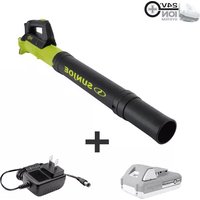
24V-TB-LTE-P1 - Stapler Sun Joe - Free user manual and instructions
Find the device manual for free 24V-TB-LTE-P1 Sun Joe in PDF.


Pick your language and provide your email: we'll send you a specifically translated version.
| Product Type | Cordless Electric Stapler |
| Brand | Sun Joe |
| Model | 24V-TB-LTE-P1 |
| Power Source | 24V Lithium-Ion Battery (Included) |
| Dimensions | 10.5 x 2.5 x 9.5 inches |
| Weight | 2.3 lbs |
| Staple Type | 20 Gauge / 1/4" to 5/8" Crown Staples |
| Staple Capacity | 100 staples |
| Firing Mode | Sequential or Bump Fire |
| Depth Adjustment | Tool-free depth of drive |
| No-Mar Tip | Yes, to protect work surface |
| Safety Features | Trigger lock, contact trip lock |
| LED Light | Yes, for low-light visibility |
| Jam Release | Tool-free jam clearing mechanism |
| Battery Charger | Included, 1-hour charger |
| Battery Run Time | Approximately 600 staples per charge |
| Material Compatibility | Softwood, hardwood, plywood, MDF |
| Maintenance | Clean with dry cloth; lubricate with air tool oil |
| Spare Parts | Available from Sun Joe authorized service centers |
| Warranty | 2-year limited warranty |
Frequently Asked Questions - 24V-TB-LTE-P1 Sun Joe
What types of staples does the Sun Joe 24V-TB-LTE-P1 use?
The stapler uses 20-gauge staples with a crown width of 1/4" to 5/8". Leg lengths vary from 1/4" to 5/8". Always consult the manual for exact staple specifications.
How do I load staples into the stapler?
First, ensure the battery is removed. Push the latch to open the magazine. Insert a strip of staples with the points facing down. Close the magazine until it clicks securely.
The stapler is not firing. What could be wrong?
Possible causes include: low battery (charge the battery), jammed staples (clear the jam using the jam release), or the safety contact tip not being depressed properly. Check that the trigger lock is disengaged.
How do I clear a staple jam?
Remove the battery. Pull the jam release lever located near the magazine. Open the magazine and remove any stuck staples. Close and lock the magazine, reattach battery, and test.
What is the difference between sequential and bump fire modes?
Sequential mode requires pressing the tip against the work surface and then pulling the trigger for each staple. Bump fire allows holding the trigger while bumping the tip against the surface to fire staples rapidly. Select mode using the switch on the tool.
How do I adjust the staple depth?
Turn the depth adjustment wheel located near the nose of the stapler. Rotate clockwise for deeper drive, counterclockwise for shallower. Test on scrap material to set desired depth.
Can I use the stapler for heavy-duty projects?
The 24V-TB-LTE-P1 is designed for light to medium-duty tasks like upholstery, trim work, and craft projects. For heavy-duty framing, consider a pneumatic stapler.
How do I maintain the stapler?
Keep the tool clean and dry. Wipe exterior with a dry cloth. Periodically apply a few drops of air tool oil into the air inlet (if applicable) or to the driver mechanism. Store in a cool, dry place.
The battery does not hold a charge. What should I do?
Make sure the charger is functioning. Try charging the battery for a full cycle. If it still does not hold a charge, the battery may need replacement. Contact Sun Joe customer service for a replacement.
Is the stapler compatible with Sun Joe 24V batteries from other tools?
Yes, the 24V-TB-LTE-P1 is part of the Sun Joe 24V platform and works with all Sun Joe 24V batteries and chargers.
User questions about 24V-TB-LTE-P1 Sun Joe
0 question about this device. Answer the ones you know or ask your own.
Ask a new question about this device
No questions yet. Be the first to ask one.
Download the instructions for your Stapler in PDF format for free! Find your manual 24V-TB-LTE-P1 - Sun Joe and take your electronic device back in hand. On this page are published all the documents necessary for the use of your device. 24V-TB-LTE-P1 by Sun Joe.
USER MANUAL 24V-TB-LTE-P1 Sun Joe


Manual assistant
Powered by Anthropic
Waiting for your message
Product information
Brand : Sun Joe
Model : 24V-TB-LTE-P1
Category : Stapler