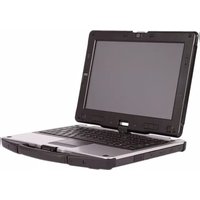
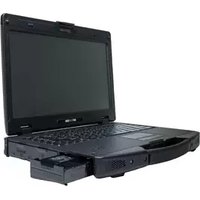
R13C - Laptop Durabook - Free user manual and instructions
Find the device manual for free R13C Durabook in PDF.


Pick your language and provide your email: we'll send you a specifically translated version.
| Product Type | Rugged Laptop |
| Model | R13C |
| Brand | Durabook |
| Display Size | 13.3 inches |
| Dimensions (W x D x H) | Approximately 330 x 270 x 35 mm |
| Weight | Approximately 2.2 kg |
| Power Supply | AC adapter, input 100-240V, output 19V DC |
| Battery Type | Lithium-ion, 6-cell, 4200mAh |
| Operating System | Windows 10 Pro (pre-installed) |
| Processor | Intel Core i5 or i7 (8th gen) |
| RAM | 8GB or 16GB DDR4 |
| Storage | SSD 256GB to 512GB |
| Ports | USB 3.0, HDMI, Ethernet, headphone/mic combo |
| Wireless Connectivity | Wi-Fi 802.11ac, Bluetooth 4.2 |
| Durability | MIL-STD-810G certified, IP52 rated |
| Main Functions | Rugged computing for field use, data collection, mobile office |
| Maintenance and Cleaning | Use a soft dry cloth; avoid liquids; clean ports with compressed air |
| Safety Precautions | Do not expose to extreme temperatures; use only approved power adapters |
| Spare Parts and Repairability | Contact Durabook service center for replacement parts; user-replaceable battery and SSD |
| General Information | Manual available in PDF from Durabook website |
Frequently Asked Questions - R13C Durabook
How do I turn on the Durabook R13C laptop?
Press and hold the power button located on the top-right of the keyboard for 2-3 seconds until the screen lights up.
What is the battery life of the Durabook R13C?
The battery life is approximately 8-10 hours under normal use, depending on applications and settings.
Can I replace the battery myself?
Yes, the battery is user-replaceable. Remove the screws on the bottom cover, slide out the old battery, and insert a new one.
Is the Durabook R13C waterproof?
It is IP52 rated, meaning it resists dust and dripping water, but it is not fully waterproof. Avoid submersion.
How do I clean the laptop screen?
Use a soft, lint-free microfiber cloth slightly dampened with water or a screen cleaner. Do not spray directly on the screen.
What type of storage does the R13C support?
It supports a 2.5-inch SATA SSD or HDD. An M.2 slot may also be available for additional storage.
How do I reset the BIOS password?
Contact Durabook support or remove the CMOS battery on the motherboard for a hardware reset.
Does the R13C have a backlit keyboard?
Yes, the keyboard is backlit and can be toggled using the Fn + Space bar combination.
Can I upgrade the RAM?
Yes, the R13C has two SODIMM slots. Max supported RAM is 32GB DDR4.
Where can I download the user manual?
The manual is available for free download in PDF from the Durabook official website or from notice-facile.com.
User questions about R13C Durabook
0 question about this device. Answer the ones you know or ask your own.
Ask a new question about this device
No questions yet. Be the first to ask one.
Download the instructions for your Laptop in PDF format for free! Find your manual R13C - Durabook and take your electronic device back in hand. On this page are published all the documents necessary for the use of your device. R13C by Durabook.
USER MANUAL R13C Durabook


Manual assistant
Powered by Anthropic
Waiting for your message
Product information
Brand : Durabook
Model : R13C
Category : Laptop