
V.SMILE V-MOTION KUNG FU PANDA - Educational video games VTECH - Free user manual and instructions
Find the device manual for free V.SMILE V-MOTION KUNG FU PANDA VTECH in PDF.


| Product Type | Educational video game cartridge |
| Brand | VTECH |
| Model | V.SMILE V-MOTION KUNG FU PANDA |
| Category | Educational video games |
| Platform | V.Smile V-Motion |
| Game Language | French, English (depending on version) |
| Number of players | 1 to 2 (depending on mode) |
| Game modes | Adventure (Po's Rescue Mission), Training (Kung Fu Training), Competition (Kung Fu Competition) |
| Educational content | Mathematics, logic, geometry, spelling, hand-eye coordination, spatial skills |
| Main features | Motion-sensing controller, interactive learning, V.Link for online bonuses |
| Difficulty levels | Easy and Difficult |
| V.Link connection | Allows downloading scores and unlocking bonus games online |
| Power | Works with V.Smile V-Motion console (batteries for the controller) |
| Maintenance and cleaning | Wipe with a slightly damp cloth; do not use solvents |
| Safety | Warning: risk of epilepsy for people sensitive to flashing lights; do not disassemble |
| Reparability | Not user-serviceable; contact technical support |
| Warranty | Consult manufacturer |
| Technical support | United States: 1-800-521-2010; Canada: 1-877-352-8697; website: www.vtechkids.com |
Frequently Asked Questions - V.SMILE V-MOTION KUNG FU PANDA VTECH
User questions about V.SMILE V-MOTION KUNG FU PANDA VTECH
0 question about this device. Answer the ones you know or ask your own.
Ask a new question about this device
Download the instructions for your Educational video games in PDF format for free! Find your manual V.SMILE V-MOTION KUNG FU PANDA - VTECH and take your electronic device back in hand. On this page are published all the documents necessary for the use of your device. V.SMILE V-MOTION KUNG FU PANDA by VTECH.
USER MANUAL V.SMILE V-MOTION KUNG FU PANDA VTECH
At VTech, we know that every year, children are asking to play video games at younger and younger ages. At the same time, we understand the hesitation of most parents to expose their children to the inappropriate content of many popular video games. How can parents responsibly allow their children to play these games, and still educate and entertain them in a healthy, age-appropriate manner?
Our answer to this question is V-Motion Active Learning System! A big breakthrough for junior gamers, V-Motion takes educational video gaming to a whole new level with a motion-activated gaming system that engages both active minds and bodies.
V-Motion plugs directly into the TV to provide kids with a high-tech gaming experience using thrilling, age-appropriate learning games and a motion-activated, intuitive wireless controller. The V-Motion Active Learning System engages children with two modes of play: the Learning Adventure - an exciting exploratory journey in which learning concepts are seamlessly integrated, and the Learning Zone - a series of games designed to focus on specific skills in a fun, engaging way. Each Smartridge™ game encourages active gaming while giving kids' minds a workout, too, as they learn basic math, reading, science, spelling and more.
In addition to the action-packed Smartridge™ game play, the V-Motion includes the V Link™ (USB drive) that connects kids to VTech®'s secure online site to unlock bonus games and track their scores against other gamers.
At VTech, we are proud to provide parents with a much-needed solution to the video game dilemma, as well as another innovative way for children to learn while having fun. We thank you for trusting VTech with the important job of helping your child explore a new world of learning!
sincerely,

Julia Fitzgerald
Vice President, Marketing
Vtech Electronics, NA
To learn more about the V-Motion Active Learning System™ and other VTech® toys, visit www.veotechkids.com

INTRODUCTION
Welcome to the Valley of Peace, home to Po the panda. Being a huge kung fu fan, Po is desperate to see his heroes, the Furious Five, compete to decide who will become the new defender of the land; the Dragon Warrior. While trying to get a good view of the competition, Po crash lands at the feet of Master Oogway and is unexpectedly chosen to become the Dragon Warrior. Meanwhile, the villainous Tai Lung has escaped from prison and a threatening shadow descends over the Valley of Peace. Master Shifu will have to train Po well if he is to become a kung fu legend and defeat Tai Lung!

GETTING STARTED
STEP 1: Choose Your Play Mode
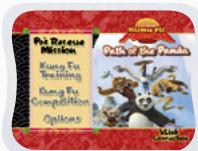
Move the joystick up or down to choose the play mode you want. Press the ENTER button to confirm your selection.
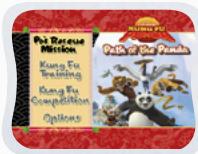
1. Po's Rescue Mission
In this play mode, you can help Po to complete missions through 7 exciting adventure games in the Valley of Peace. Start playing from the beginning by entering the Story mode, or practice your skills in each of the missions individually by entering the Quick Play area.
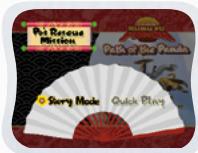
Story Mode: Play 7 missions one by one according to the story.
Quick Play: Play each of the missions individually in any order.
Story Mode
Start the Adventure from the beginning by choosing Story Mode or start the Adventure from the last place you played before exiting by choosing Continue Game.
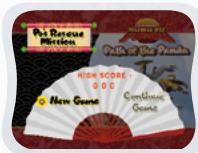

New Game: Start the Adventure from the beginning.
Continue: Start the Adventure from the last place you played before exiting the game.
Quick Play
Start Your Game
In the Quick Play menu, choose any of the missions you'd like to play. Move the joystick to select the game you want and press ENTER to play.
Note: For the details of all Po's Rescue Mission games, please refer to the "Activities - Po's Rescue Mission" section.
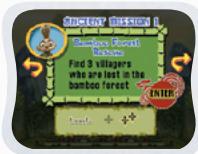
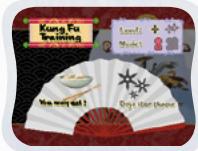
2. Kung Fu Training
In the Kung Fu Training menu, choose from either of two games you'd like to play. Move the joystick to select the game you want and press ENTER to confirm your choice.
Note: For the details of all Kung Fu Training games, please refer to the "Activities - Kung Fu Training" section.
3. Kung Fu Competition
In this play mode, you can choose either of the competition styles you'd like to play. Start playing a single match by entering the Versus Play or participate in a Kung Fu tournament by entering the Tournament Play. Move the joystick to select the game you want and press ENTER to confirm your choice.
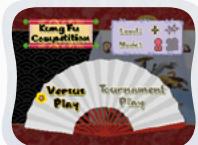
Note: For the details of all Kung Fu Competition games, please refer to the "Activities - Kung Fu Competition" section.
Versus Play: Play a single Kung Fu competition with the computer or another player.
Tournament Play: Play several rounds of competition in the Kung Fu tournament with the computer or another player.
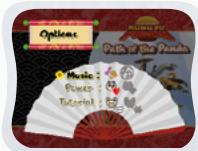
4. Options
In the Options screen, you can turn the music On or Off, choose between Limited, or Limitless power to play through the game and turn the Tutorial On or Off. Move the joystick to select the option you want.
STEP 2: Choose Your Game Settings
- Po's Rescue Mission, Kung Fu Training and Kung Fu Competition each have two difficulty levels. Move your joystick left or right to choose Easy Level or Difficult Level from the game selection screen.
- In the Kung Fu Training and Kung Fu Competition, you can choose between one player and two-player modes. Move your joystick to choose 1P (one player) or 2P (two players). Note: Two-player mode is not available when played on the V.SMILE Pocket™ or V.SMILE Cyber Pocket™.
- Move the joystick up and down to switch between level and player selection.
- When you have finished the selection of level and player mode, move the joystick to choose the game and press the ENTER button to start the game with the selected game settings.
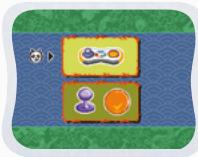
- In Po's Rescue Mission, you can choose two different control methods to play the game. Move your joystick up or down to choose Joystick Mode or Motion Controller Mode. Press the ENTER button to start the game.
Note: For the details of Joystick Mode and Motion Controller Mode, please refer to the "Activities - Po's Rescue Mission".
STEP 3: Start Your Game
- For Po's Rescue Mission, please go to the "Activities-Learning Adventure" section.
- For Kung Fu Training, please go to the "Activities- Kung Fu Training" section.
- For Kung Fu Competition, please go to the "Activities- Kung Fu Competition" section.
HELP Button
When you press the HELP button during a game, you will hear the activity instructions or a helpful hint.
EXIT Button
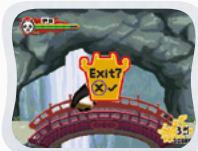
When you press the EXIT button, the game will pause. A window will pop up to check that you really want to quit. Move the joystick right to the "CHECK" to leave the game or left to the "CROSS" to cancel the exit screen and keep playing.
LEARNING ZONE Button
The LEARNING ZONE button is a shortcut that takes you to the Kung Fu Training game selection screen. When you press the LEARNING ZONE button the game will pause. A window will pop up to check that you really want to quit. Move the joystick right to the "CHECK" to leave the game or left to the "CROSS" to cancel the exit screen and keep playing. Press the ENTER button to choose.
V.Link™ Connection
When you plug the V.Link™ into the console, a new selection - "V.Link™ Connection" - will appear under the main menu. You can select it to download your game score to the V.Link™. After the downloading process is complete, you can plug the V.Link™ into your computer and unlock some fun web games on the V.Smile™ Web Site. Please don't unplug the V.Link™ during the downloading process.
Bonus Game on V.Smile™ Web Site
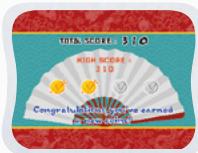
When you reach a certain score in Po's Rescue Mission, you'll be rewarded with special gold coins. You can save your score to the V.Link™ and then plug the V.Link™ into a PC. You'll then be able to use the gold coins to unlock special bonus games on the V.Smile™ Web Site.
Achievements Required to Earn Gold Coins:
Gold Coin
1st gold coin First mission is completed in the Story mode of Po's Rescue Mission
2nd gold coin Get a total score of 140 in the Story mode of Po's Rescue Mission
3rd gold coin Get a total score of 420 in the Story mode of Po's Rescue Mission
4th gold coin Get a total score of 560 in the Story mode of Po's Rescue Mission

ACTIVITIES
EDUCATIONAL CURRICULUM
Po's Rescue Mission
Curriculum
| Ancient Mission 1 - Bamboo Forest Rescue | Logic |
| Ancient Mission 2 - Unblock The Rivers | Logic |
| Ancient Mission 3 - Chinese Take-Out | Object Identification and Spelling |
| Ancient Mission 4 - Master Architect | Geometry |
| Ancient Mission 5 - Bridge Builder | Geometry |
| Ancient Mission 6 - Mountain Hero | Mathematics |
| Ancient Mission 7 - Food Fight | Hand/Eye Coordination |
| Ancient Mission 8 - Punching Bag Challenge | Counting |
| Legendary Mission | Mathematics |
Kung Fu Training
Curriculum
Training 1 - You May Eat!
Foods
Training 2 - Dojo Star Throw
Spatial Skills
Kung Fu Competition
Curriculum
Versus Play
Mathematics
Tournament Play
Mathematics
Po's Rescue Mission - Game
Status Bar
In each game, the status bar stays on the screen to show you how you are doing.
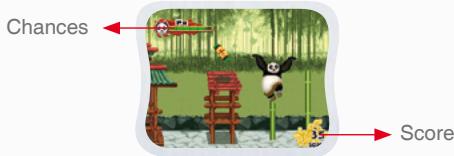
Chances: Number of chances remaining to complete the game.
Score: The points you've earned during the current game.
Basic Operations
| Move to the left | [Motion Controller Mode] Tilt the controller left; | Joystick Mode](←) |
| Move to the right | [Motion Controller Mode] Tilt the controller right; | Joystick Mode](→) |
| Climb downward | [Motion Controller Mode] Shake the Controller; | Joystick Mode](↓) |
| Climb upward | [Motion Controller Mode] Shake the Controller; | Joystick Mode](↑) |
| Jump | Enter | |
| Kung Fu Moves | [Motion Controller Mode] Shake the Controller; | Joystick Mode] Color Buttons |
| Rescue Villager | [Motion Controller Mode] Shake the Controller; | Joystick Mode] Enter |
Ancient Mission 1 – Bamboo Forest Rescue
Game Play
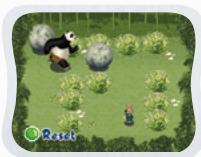
Help Po find 3 villagers who are lost in the bamboo forest. Use the joystick to move Po and press ENTER to jump. You will enter a mini game when you hear the cry "Help me! Help..." in the bamboo forest.
Find a path to get to where the villager is. Use the joystick to move Po and push the rock.
Curriculum: Logic

Easy Level: Simple pattern.

Difficult Level: Complex pattern.
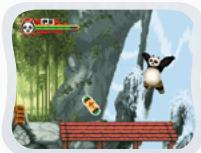
Other operations in Mission 1:
| Use the staff to destroy the big rocks | [Motion Controller Mode]Tilt the Controller left or right;or | [Joystick Mode](←)/ (→) |
| Balance on bamboo | [Motion Controller Mode]Tilt the Controller left or right;or |
Ancient Mission 2 – Unblock The Rivers
Game Play
Help Po to create 3 water supplies for the Valley of Peace in the bamboo forest. Use the joystick to move Po and press ENTER to jump. You will enter a mini game when you stumble across a waterwheel in the bamboo forest.
Push the rock and redirect the flow of the water to the waterwheel. Use the joystick to move Po and push the rock.
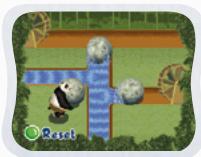
Curriculum: Logic

Easy Level: Simple pattern.

Difficult Level: Complex pattern.
Other operations in Mission 2:
| Use the staff to destroy the big rocks | [Motion Controller Mode] Tilt the Controller left or right; | [Joystick Mode] (←) / (→) |
| Balance on bamboo | [Motion Controller Mode] Tilt the Controller left or right; |
Ancient Mission 3 - Chinese Take-Out
Game Play
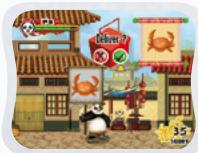
Help Po to deliver the take-out noodles to 3 stores in the Valley of Peace. In the Easy level, you need to find the stores that would sell some specific products. In the Hard level, you need to find the stores that sell something beginning with a given letter. Use the joystick to move Po and press ENTER to jump.
When you find a store, press the RED button to deliver the noodles or the GREEN button to leave, depending whether or not you think it is the right place.
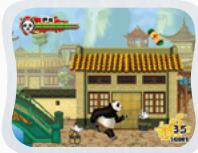
Curriculum: Object Identification and Spelling

Easy Level:
Shown a product image.

Difficult Level:
Given the beginning letter of a product.
Other operations in Mission 3:
| Move Po to catch the bowls on the bridge | [Motion Controller Mode] Tilt the Controller left or right; or | [Joystick Mode] (←) / (→) |
Ancient Mission 4 – Master Architect
Game Play
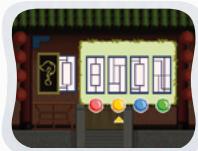
Help Po find 3 missing building accessories in the Valley of Peace. He will need a window, a fence and an arch to complete the repairs. Use the joystick to move Po and press ENTER to jump.
Choose the correctly matching accessory to put it on the building. Press the colored button to make your choice.
Curriculum: Geometry

Easy Level:
Choose the accessory that is exactly the same as the opposite one.

Difficult Level:
Choose the accessory that is symmetrical to the opposite one.
Other operations in Mission 4:
| Move Po to catch the gift boxes on the bridge | [Motion Controller Mode] Tilt the Controller left or right; or | [Joystick Mode] (←) / (→) |
Ancient Mission 5 - Bridge Builder
Game Play
Oh no! The bridge is out! Help Po find 5 logs to build a new bridge on the mountain. Use the joystick to move Po and press ENTER to jump.
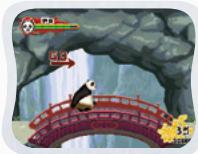
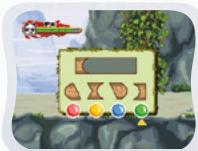
After you have found some logs on the ground, press the correct colored button to choose a log that fits with the previous one.
Curriculum: Geometry

Easy Level: Simple shape.

Difficult Level: Complex shape.
Other operations in Mission 5:
| Climb up the cliff | [Motion Controller Mode] Tilt the Controller left or right; | or | [Joystick Mode] (↑) |
| Swing on the branch | [Motion Controller Mode] Tilt the Controller left or right; | or | [Joystick Mode] (←) / (→) |
Ancient Mission 6 – Mountain Hero
Game Play
Help Po find 3 villagers and rescue them from the cliff. Use the joystick to move Po and press ENTER to jump.
Press a colored button to choose the correct rope and rescue the villager
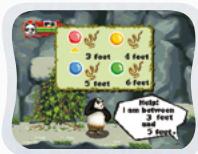
Lower the rope to the villager's position. Move the joystick left or right to move the rope around the obstacles. Move the joystick back to speed up or forward to slow down.
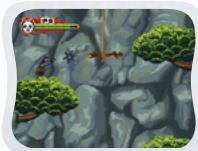
Curriculum: Mathematics

Easy Level: Find the number that is between the given numbers.

Difficult Level: Find the number that is between the given numbers.
Other operations in Mission 6:
| Climb up the cliff | [Motion Controller Mode]Tilt the Controller left or right;or | [Joystick Mode](↑) |
| Swing on the branch | [Motion Controller Mode]Tilt the Controller left or right;or | [Joystick Mode](←)/ (→) |
Ancient Mission 7 - Food Fight
Game Play
Help Po to find a dumpling bowl in the Dojo. Be careful of the rolling logs; press ENTER to jump over them.
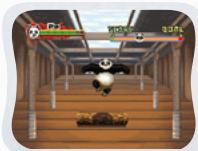
The Dojo is full of surprises and there are even cannons loaded with fruit! In Joystick mode, move the joystick left or right to dodge. In motion controller mode, you can dodge by tilting the controller left or right.
Curriculum: Hand/Eye Coordination
Easy Level: Slower shooting speed.
Difficult Level: Faster shooting speed.
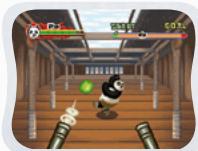
Other operations in Mission 7:
| Jump | [Motion Controller Mode] Tilt the controller toward you; | [Joystick Mode] ENTER |
| Dodge | [Motion Controller Mode] Tilt the Controller left or right; | [Joystick Mode] (←) / (→) |
Ancient Mission 8 - Punching Bag Challenge
Game Play
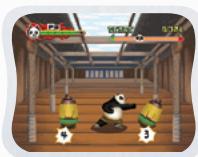
Help Po find a vase in the Dojo. Press ENTER to jump over the rolling logs.
All the punching bags will need to be cleared. In Joystick mode, move the joystick left or right to punch. In motion controller mode, tilt the controller left or right to punch.
Curriculum: Counting
Easy Level: Small number counting.
Difficult Level: Larger number counting.
Other operations in Mission 8:
| Jump | [Motion Controller Mode] Tilt the controller toward you; | Joystick Mode ENTER |
| Punch | [Motion Controller Mode] Tilt the Controller left or right; | Joystick Mode (←) + ENTER / (→) + ENTER |
Legendary Mission
Game Play
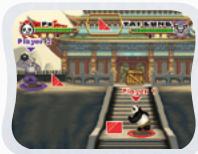
Defeat Tai Lung to protect the Valley of Peace. Gather some correct objects from the wooden boxes to increase your action points. You can perform a powerful Kung Fu special move to reduce Tai Lung's energy level when you have 3 action points. Use the joystick to move Po and press ENTER to jump.
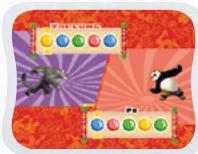
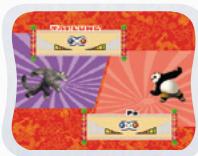
Enter the colored buttons in the correct order as quickly as you can to use the Kung Fu special move or defend against a special attack from Tai Lung.
Shake the joystick to fill up the bar and use the Kung Fu special move or defend against a special attack from Tai Lung.
Curriculum: Mathematics

Easy Level:
- Find the numbers that are less than / greater than a given single number.
- Find the shapes that are exactly the same as the given shape.
- Find the shapes that have 3 edges.

Difficult Level:
- Find the numbers that are less than / greater than a given double figure number.
- Find the shapes that might be upside down or turned around from the given shape.
- Find the shapes that have 4 or 5 edges.
Basic Operations
Move to the left
Move to the right ()
Move down (↓)
Jump (↑)/ENTER
Kung Fu Training - Game
Training 1 - You May Eat!
Game Play
Help Po grab the correct objects before time runs out. Watch out for Master Shifu! He might just leap in with his chopsticks if you're too slow! Use the joystick to move Po's chopsticks, press ENTER to grab an object and press ENTER again, or move the joystick back to put the object on the dish.

Curriculum: Foods
Easy Level: Classification of food and non-food.
Difficult Level: Classification of food types.
Basic Operations
Move to the left
Move to the right
Move down
Move up (↑)
Collect an object / Put the object on the dish ENTER
Training 2 - Dojo Star Throw
Game Play
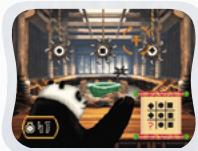
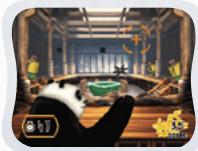
Throw a star at the correct shape to complete the puzzle. Use the joystick to move the target. Press ENTER to throw a star.
Destroy as many punching bags as you can to reach a higher score in the bonus time.
Curriculum: Spatial Skills
Easy Level: A total of 9 shapes in a puzzle. Difficult Level: A total of 16 shapes in a puzzle.
Basic Operations
Move to the left () Move to the right () Move down () Move up () Throw a star ENTER
Kung Fu Competition - Game
Versus Play
Game Play
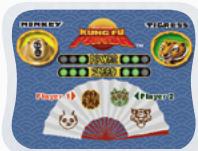
Choose the characters and location to play a single Kung Fu competition.
During each competition, collect correct objects from the wooden boxes to increase your action points. You can perform a powerful Kung Fu special move to reduce Tai Lung's energy level when you have 3 action points. Use the joystick to move your character and press ENTER to jump.
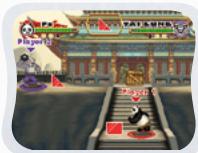

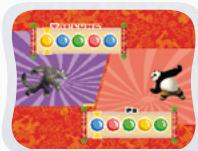
Enter the colored buttons in the correct order to use the Kung Fu special move or defend against a special attack from your opponent.
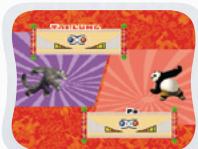
Shake the joystick to fill up the bar and use the Kung Fu special move or defend against a special attack from your opponent.
Curriculum: Mathematics

Easy Level:
Find the numbers that are less than / greater than a given single number.
Find the shapes that are exactly the same as the given shape.
Find the shapes that have 3 edges.

Difficult Level:
Find the numbers that are less than / greater than a given double figure number.
Find the shapes that might be upside down or turned around from the given shape.
Find the shapes that have 4 or 5 edges.
Basic Operations
Move to the left
Move to the right ()
Move down
Jump (↑)/ENTER
Tournament Play
Game Play
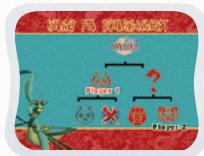
This mode features the same game play as Versus Play but you will play several rounds of competition in the Kung Fu tournament with the computer or another player.
CARE & MAINTENANCE
- Keep your V-MOTION™ clean by wiping it with a slightly damp cloth. Never use solvents or abrasives.
- Keep the unit out of direct sunlight and away from direct source of heat.
- Remove the batteries when not using it for an extended period of time.
- Avoid dropping it. NEVER try to dismantle it.
- Always keep the V-MOTION™ away from water.
WARNING
A very small percentage of the public, due to an existing condition, may experience epileptic seizures or momentary loss of consciousness when viewing certain types of flashing colors or patterns, especially on television. While the V-MOTION™ Active Learning System does not contribute to any additional risks, we do recommend that parents supervise their children while they play video games. If your child experiences dizziness, altered vision, disorientation, or convulsions, discontinue use immediately and consult your physician. Please note that focusing on a television screen at close range and handling a joystick for a prolonged period of time may cause fatigue or discomfort. We recommend that children take a 15-minute break for every hour of play.

TECHNICAL SUPPORT
If you have a problem that cannot be solved by using this manual, we encourage you to visit us online or contact our Consumer Services Department with any problems and/or suggestions that you might have. A support representative will be happy to assist you.
Before requesting support, please be ready to provide or include the information below:
- The name of your product or model number. (The model number is typically located on the back or bottom of your product.)
The actual problem you are experiencing.
The actions you took right before the problem.
Internet: www.vtechkids.com
Phone:1-800-521-2010 in the U.S. or 1-877-352-8697 in Canada

OTHER INFO
DISCLAIMER AND LIMITATION OF LIABILITY
VTech® Electronics North America, L.L.C. and its suppliers assume no responsibility for any damage or loss resulting from the use of this handbook. VTech® Electronics North America, L.L.C. and its suppliers assume no responsibility for any loss or claims by third parties that may arise through the use of this software. VTech® Electronics North America, L.L.C. and its suppliers assume no responsibility for any damage or loss caused by deletion of data as a result of malfunction, dead battery, or repairs. Be sure to make backup copies of important data on other media to protect against data loss.
COMPANY: VTech® Electronics North America, L.L.C.
ADDRESS: 1155 West Dundee Rd, Suite 130, Arlington Heights, IL 60004 USA
TEL NO.: 1-800-521-2010 in the U.S. or 1-877-352-8697 in Canada
NOTE:
This equipment has been tested and found to comply with the limits for a Class B digital device, pursuant to Part 15 of the FCC Rules. These limits are designed to provide reasonable protection against harmful interference in a residential installation. This equipment generates, uses and can radiate radio frequency energy and, if not installed and used in accordance with the instructions, may cause harmful interference to radio communications. However, there is no guarantee that interference will not occur in a particular installation. If this equipment does cause harmful interference to radio or television reception, which can be determined by turning the equipment off and on, the user is encouraged to try to correct the interference by one or more of the following measures:
- Reorient or relocate the receiving antenna.
- Increase the separation between the equipment and receiver.
- Connect the equipment into an outlet on a circuit different from that to which the receiver is connected.
- Consult the dealer or an experienced radio/TV technician for help.
Caution: Changes or modifications not expressly approved by the party responsible for compliance could void the user's authority to operate the equipment.
- INTRODUCTION
- GETTING STARTED
- STEP 1: Choose Your Play Mode
- Po's Rescue Mission
- Story Mode
- Quick Play
- Start Your Game
- Kung Fu Training
- Kung Fu Competition
- Options
- STEP 2: Choose Your Game Settings
- STEP 3: Start Your Game
- HELP Button
- EXIT Button
- LEARNING ZONE Button
- V.Link™ Connection
- Bonus Game on V.Smile™ Web Site
- Achievements Required to Earn Gold Coins:
- Gold Coin
- ACTIVITIES
- EDUCATIONAL CURRICULUM
- Po's Rescue Mission
- Curriculum
- Kung Fu Training
- Kung Fu Competition
- Po's Rescue Mission - Game
- Status Bar
- Basic Operations
- Ancient Mission 1 – Bamboo Forest Rescue
- Game Play
- Curriculum: Logic
- Other operations in Mission 1:
- Ancient Mission 2 – Unblock The Rivers
- Other operations in Mission 2:
- Ancient Mission 3 - Chinese Take-Out
- Curriculum: Object Identification and Spelling
- Other operations in Mission 3:
- Ancient Mission 4 – Master Architect
- Curriculum: Geometry
- Other operations in Mission 4:
- Ancient Mission 5 - Bridge Builder
- Ancient Mission 6 – Mountain Hero
- Curriculum: Mathematics
- Ancient Mission 7 - Food Fight
- Curriculum: Hand/Eye Coordination
- Ancient Mission 8 - Punching Bag Challenge
- Curriculum: Counting
- Other operations in Mission 8:
- Legendary Mission
- Kung Fu Training - Game
- Training 1 - You May Eat!
- Curriculum: Foods
- Training 2 - Dojo Star Throw
- Curriculum: Spatial Skills
- Kung Fu Competition - Game
- Versus Play
- Tournament Play
- CARE & MAINTENANCE
- WARNING
- TECHNICAL SUPPORT
- OTHER INFO
- DISCLAIMER AND LIMITATION OF LIABILITY
- NOTE:
Brand : VTECH
Model : V.SMILE V-MOTION KUNG FU PANDA
Category : Educational video games