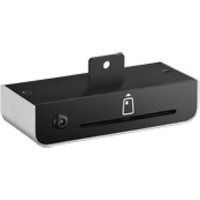
UTC-542P-S - Wall mount for screen Advantech - Free user manual and instructions
Find the device manual for free UTC-542P-S Advantech in PDF.


Pick your language and provide your email: we'll send you a specifically translated version.
| Product Type | Touch Panel Computer |
| Display Size | 5.7 inches |
| Resolution | 640 x 480 |
| Processor | Intel Atom N2600 (1.6 GHz) |
| Memory | 2 GB DDR3 |
| Storage | 32 GB SSD |
| Operating System | Windows Embedded 7 / Linux |
| Touch Technology | Resistive Touch |
| Power Supply | 12 V DC |
| Power Consumption | 15 W typical |
| Dimensions | 200 x 140 x 48 mm |
| Weight | 1.4 kg |
| IP Rating | IP65 (front) |
| Operating Temperature | 0 to 50 °C |
| Main Functions | Industrial control, HMI, data acquisition |
| Cleaning | Wipe with a soft, dry cloth; avoid solvents |
| Safety Precautions | Do not expose to moisture; use supplied power adapter |
| Spare Parts | Available through Advantech support |
| Repairability | Designed for serviceability; contact qualified technician |
| General Information | Fanless design, low power consumption |
Frequently Asked Questions - UTC-542P-S Advantech
What is the default operating system of the UTC-542P-S?
The device typically runs Windows Embedded 7 or Linux. Check the original order for specifics.
How do I connect peripherals to this panel PC?
The UTC-542P-S usually provides USB 2.0/3.0 ports, a COM port, Ethernet, and VGA output. Refer to the user manual for exact connector layout.
What is the maximum storage capacity supported?
It supports up to 32 GB via mSATA SSD. Some models may accept larger drives if compatible.
Can I mount the UTC-542P-S on a wall?
Yes, it supports VESA mount (75x75 mm or 100x100 mm). Use appropriate mounting hardware.
How do I clean the touch screen?
Gently wipe the screen with a soft, lint-free cloth. Avoid abrasive cleaners; use a mild detergent if needed.
The system does not boot. What should I check?
First, verify the power adapter is connected and the LED indicator is on. Check for loose cables. If still not booting, try a hard reset by disconnecting power for 30 seconds.
Is the UTC-542P-S suitable for outdoor use?
The front panel is IP65 rated, protecting against dust and water jets. However, it is designed for indoor or protected outdoor environments. Avoid direct sunlight.
How do I update drivers or BIOS?
Visit the Advantech support page for the UTC-542P-S. Download the latest drivers and BIOS version. Follow the provided instructions carefully.
What is the power consumption of this device?
Typical power consumption is 15 W, with a maximum of 25 W under full load. Use a 12V DC adapter rated at least 2.5 A.
Where can I find the user manual?
The user manual is available for free download on notice-facile.com in PDF format. Select your language and provide your email to receive a translated version.
User questions about UTC-542P-S Advantech
0 question about this device. Answer the ones you know or ask your own.
Ask a new question about this device
No questions yet. Be the first to ask one.
Download the instructions for your Wall mount for screen in PDF format for free! Find your manual UTC-542P-S - Advantech and take your electronic device back in hand. On this page are published all the documents necessary for the use of your device. UTC-542P-S by Advantech.
USER MANUAL UTC-542P-S Advantech

Manual assistant
Powered by Anthropic
Waiting for your message
Product information
Brand : Advantech
Model : UTC-542P-S
Category : Wall mount for screen