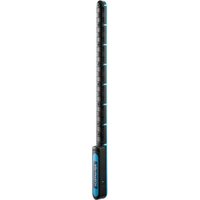
WISE-S100 - Industrial controller Advantech - Free user manual and instructions
Find the device manual for free WISE-S100 Advantech in PDF.


Pick your language and provide your email: we'll send you a specifically translated version.
| Product Type | Edge IoT Gateway |
| Brand | Advantech |
| Model | WISE-S100 |
| Dimensions (L x W x H) | 100 mm x 70 mm x 30 mm |
| Weight | 200 g |
| Power Supply | 12V DC, 1A |
| Connectivity | Ethernet, Wi-Fi (802.11 b/g/n), Bluetooth 4.2 |
| Processor | ARM Cortex-A8, 1 GHz |
| Memory | 512 MB RAM, 4 GB Flash |
| Operating Temperature | -10°C to 60°C |
| Operating Humidity | 5% to 95% non-condensing |
| Key Functions | Data acquisition, edge computing, cloud connectivity, IoT protocol support (MQTT, HTTP) |
| I/O Ports | 1x RS-232, 1x RS-485, 2x Digital Inputs, 2x Digital Outputs, 1x USB 2.0 |
| LED Indicators | Power, Status, Network, Error |
| Certifications | CE, FCC |
| Mounting | DIN rail mountable |
| Maintenance | Clean with a dry, soft cloth; avoid liquids |
| Safety | Use only with provided power adapter; keep away from moisture |
| Spare Parts & Repairability | No user-serviceable parts; contact Advantech support for repairs |
| General Information | Part of Advantech's WISE series for industrial IoT applications |
Frequently Asked Questions - WISE-S100 Advantech
How do I connect the WISE-S100 to my Wi-Fi network?
Access the device's web interface via Ethernet. Go to Network Settings > Wi-Fi, scan for networks, enter your SSID and password, then apply. The device will reboot to connect.
What protocols does the WISE-S100 support?
It supports MQTT and HTTP for cloud communication, and Modbus RTU for local device integration.
How can I reset the device to factory defaults?
Press and hold the reset button (located on the side) for 10 seconds using a paperclip. The status LED will blink rapidly, indicating reset. Default credentials: admin/admin.
What is the maximum number of sensors I can connect?
The WISE-S100 can handle up to 32 Modbus sensors and 10 digital inputs/outputs. For custom configurations, refer to the user manual.
Can I use the device outdoors?
It is designed for indoor use only. Operating temperature is -10°C to 60°C but it must be protected from direct moisture and dust.
How do I update the firmware?
Download the latest firmware from Advantech's support site. Upload via the web interface under System > Firmware Update. Do not power off during update.
Does the device support power over Ethernet (PoE)?
No, it requires a separate 12V DC power supply. Use only the included adapter to avoid damage.
What should I do if the device is not connecting to the cloud?
Check network connectivity and firewall settings. Ensure the MQTT broker URL and credentials are correct in the device configuration. Restart the device.
How can I monitor the device status remotely?
Use Advantech's WISE IoT Central platform. Register the device using its serial number and follow the dashboard setup.
Is the WISE-S100 compatible with third-party cloud platforms?
Yes, it supports generic MQTT and HTTP, so it can work with AWS IoT, Azure IoT, Google Cloud, or custom servers.
User questions about WISE-S100 Advantech
0 question about this device. Answer the ones you know or ask your own.
Ask a new question about this device
No questions yet. Be the first to ask one.
Download the instructions for your Industrial controller in PDF format for free! Find your manual WISE-S100 - Advantech and take your electronic device back in hand. On this page are published all the documents necessary for the use of your device. WISE-S100 by Advantech.
USER MANUAL WISE-S100 Advantech


Manual assistant
Powered by Anthropic
Waiting for your message
Product information
Brand : Advantech
Model : WISE-S100
Category : Industrial controller