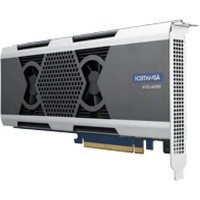
VEGA-3314 - Électronique de traitement vidéo Advantech - Free user manual and instructions
Find the device manual for free VEGA-3314 Advantech in PDF.


Pick your language and provide your email: we'll send you a specifically translated version.
| Product Type | Video Capture Card |
| Model | VEGA-3314 |
| Brand | Advantech |
| Interface | PCI Express x4 |
| Video Input | 4x HDMI 2.0 (4K@60fps) |
| Video Output | 1x HDMI 2.0 (Loop-through) |
| Max Resolution | 3840x2160@60Hz |
| Supported Codecs | H.264, H.265 (HEVC), VP9 |
| Dimensions (W x H x D) | 168 mm x 68 mm x 18 mm |
| Weight | 150 g |
| Power Consumption | 15 W (typical) |
| Power Supply | Via PCIe slot |
| Operating Temperature | 0°C to 50°C |
| Storage Temperature | -20°C to 70°C |
| Relative Humidity | 10% to 90% (non-condensing) |
| Supported OS | Windows 10/11, Linux (Ubuntu, CentOS) |
| API Support | DirectShow, V4L2, Media Foundation |
| Main Functions | Video capture, streaming, recording, loop-through |
| Maintenance | Keep clean low pressure air; avoid moisture |
| Safety | ESD protection; install in grounded chassis |
| Spare Parts | Contact Advantech support for replacement brackets |
| Repairability | No user-serviceable parts; refer to authorized service |
| Warranty | 2 years limited warranty |
Frequently Asked Questions - VEGA-3314 Advantech
What is the Advantech VEGA-3314 used for?
The VEGA-3314 is a PCIe video capture card designed for professional video capture, streaming, and recording applications. It supports up to 4 simultaneous HDMI 2.0 inputs at 4K@60fps.
What are the system requirements for the VEGA-3314?
A desktop PC with a free PCIe x4 slot, Windows 10/11 or Linux (Ubuntu/CentOS), and a CPU with integrated graphics or a dedicated GPU for video processing.
Does the VEGA-3314 support hardware encoding?
Yes, the card supports hardware encoding for H.264, H.265 (HEVC), and VP9 codecs, reducing CPU load during recording or streaming.
Can I use the VEGA-3314 with OBS Studio?
Yes, the VEGA-3314 is compatible with OBS Studio via DirectShow (Windows) or V4L2 (Linux). It appears as a video capture device.
What is the maximum resolution supported per input?
Each of the four HDMI inputs supports up to 3840x2160@60Hz (4K UHD). Loop-through output also supports 4K@60Hz.
How do I clean the VEGA-3314?
Use compressed air to gently remove dust from the PCB and connectors. Avoid liquids and do not use vacuum cleaners. Ensure the card is uninstalled before cleaning.
What should I do if the card is not detected?
Check that the card is fully seated in the PCIe slot, try a different slot, update motherboard BIOS, and install the latest drivers from Advantech.
Is the VEGA-3314 compatible with macOS?
No, the VEGA-3314 does not have official macOS drivers. It is designed for Windows and Linux only.
What is the power consumption of the card?
The typical power consumption is 15W, supplied entirely via the PCIe slot. No external power connector is needed.
Does the card come with a bracket for low-profile cases?
The standard package includes a full-height bracket. A low-profile bracket may be available as an optional accessory from Advantech.
User questions about VEGA-3314 Advantech
0 question about this device. Answer the ones you know or ask your own.
Ask a new question about this device
No questions yet. Be the first to ask one.
Download the instructions for your Électronique de traitement vidéo in PDF format for free! Find your manual VEGA-3314 - Advantech and take your electronic device back in hand. On this page are published all the documents necessary for the use of your device. VEGA-3314 by Advantech.
USER MANUAL VEGA-3314 Advantech
Manual assistant
Powered by Anthropic
Waiting for your message
Product information
Brand : Advantech
Model : VEGA-3314
Category : Électronique de traitement vidéo