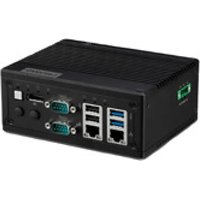
IoT 520 - Industrial computer LENOVO - Free user manual and instructions
Find the device manual for free IoT 520 LENOVO in PDF.


Pick your language and provide your email: we'll send you a specifically translated version.
| Brand | Lenovo |
| Model | IoT 520 |
| Product Type | IoT Gateway |
| Dimensions (L x D x H) | 150 mm x 100 mm x 30 mm |
| Weight | 250 g |
| Power Supply | AC adapter 12 V DC, 1 A |
| Power Consumption | 12 W max |
| Connectivity | Wi-Fi 802.11 b/g/n, Bluetooth 4.2, Ethernet 10/100 |
| Processor | Quad-core 1.2 GHz |
| RAM Memory | 1 GB DDR3 |
| Flash Storage | 8 GB eMMC |
| Operating Temperature | 0 °C to 40 °C |
| Operating Humidity | 20 % to 80 % (non-condensing) |
| Care and Cleaning | Unplug the device before cleaning. Use a soft, dry cloth. |
| Safety | Do not expose to water or excessive heat. Use only the provided adapter. |
| Spare Parts | AC adapter available as spare part. |
| Repairability | Device not user-serviceable. Contact Lenovo support. |
| Main Features | Central hub for connected objects, IoT data collection, cloud gateway, support for MQTT and HTTP. |
Frequently Asked Questions - IoT 520 LENOVO
How do I connect the Lenovo IoT 520 to my Wi-Fi network?
Connect the device to your router via Ethernet, open a browser and access the administration interface at the address indicated in the manual. Follow the instructions to configure Wi-Fi.
What IoT protocols are supported by the IoT 520?
The IoT 520 supports MQTT, HTTP, CoAP, and Modbus for integrating sensors and actuators.
How do I reset the Lenovo IoT 520 to factory settings?
Press and hold the Reset button for 10 seconds with a paper clip. The LEDs flash and the device restarts in factory mode.
Can I use the IoT 520 without an Internet connection?
Yes, the device works on a local network for device management. However, some cloud features require an Internet connection.
What is the power consumption of the IoT 520?
Maximum consumption is 12 W under normal use. In standby, it drops to about 5 W.
How do I update the firmware of the Lenovo IoT 520?
Access the administration interface, go to the 'Update' section and download the latest firmware from the official Lenovo website. Follow the on-screen instructions.
Is the IoT 520 compatible with voice assistants?
Yes, it can be integrated with Amazon Alexa and Google Assistant via custom skills or actions.
What should I do if the power LED does not light up?
Check that the AC adapter is properly plugged in and that the outlet works. If the problem persists, contact Lenovo support.
How many sensors can I connect simultaneously?
The IoT 520 can manage up to 100 devices simultaneously depending on bandwidth and protocol type.
What is the warranty of the Lenovo IoT 520?
The device is covered by a manufacturer's warranty of 2 years from the date of purchase. Keep the invoice as proof.
User questions about IoT 520 LENOVO
0 question about this device. Answer the ones you know or ask your own.
Ask a new question about this device
No questions yet. Be the first to ask one.
Download the instructions for your Industrial computer in PDF format for free! Find your manual IoT 520 - LENOVO and take your electronic device back in hand. On this page are published all the documents necessary for the use of your device. IoT 520 by LENOVO.
USER MANUAL IoT 520 LENOVO
Manual assistant
Powered by Anthropic
Waiting for your message
Product information
Brand : LENOVO
Model : IoT 520
Category : Industrial computer