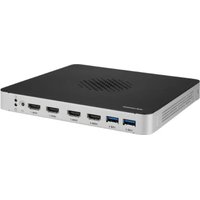
DS-086 - Computer Advantech - Free user manual and instructions
Find the device manual for free DS-086 Advantech in PDF.


Pick your language and provide your email: we'll send you a specifically translated version.
| Product type | Industrial display |
| Screen size | 8.6 inches |
| Resolution | 1024 x 600 pixels |
| Panel type | TFT LCD |
| Brightness | 450 cd/m² |
| Viewing angle | 170° (H) / 160° (V) |
| Video inputs | VGA, HDMI |
| Touch interface | No (optional) |
| Dimensions (WxHxD) | 210 x 160 x 35 mm |
| Net weight | 0.8 kg |
| Power supply | 12 V DC (power adapter included) |
| Power consumption | ≤ 15 W |
| Operating temperature | 0 °C to 50 °C |
| Main functions | Display of information, videos, images |
| Maintenance and cleaning | Use a soft, dry cloth |
| Safety | Do not expose to water or moisture |
| Spare parts and repairability | Power adapter available separately |
| Warranty | 2 years |
| General information | Brand Advantech, model DS-086 |
Frequently Asked Questions - DS-086 Advantech
How to connect the DS-086 display to a computer?
Use a VGA or HDMI cable according to your source. Plug in the provided 12 V power cable.
What to do if the display does not turn on?
Check that the power adapter is plugged in and the outlet works. Ensure the power button is pressed.
Is the display touchscreen?
The standard model is not touchscreen. A touch version is available as an option. Refer to the manual for calibration.
How to clean the display?
Use a soft, dry cloth. Avoid chemicals. If necessary, slightly dampen the cloth with water.
What is the maximum supported resolution?
The native resolution is 1024x600 pixels. Lower resolutions are scaled.
Can I mount the display on the wall?
Yes, the display is compatible with a VESA 75x75 mm mount. Use an appropriate bracket.
Does the display work with a battery?
No, it requires a constant 12 V DC power supply. You can use an external battery with a suitable converter.
What to do if the image is distorted?
Check the input resolution. Use auto adjustment via the OSD menu or adjust the display settings.
Where to find spare parts?
Contact Advantech customer service or check our website to order a power adapter or cable.
How to use the OSD menu?
Press the Menu button located on the back of the display. Use the arrow keys to navigate and confirm.
User questions about DS-086 Advantech
0 question about this device. Answer the ones you know or ask your own.
Ask a new question about this device
No questions yet. Be the first to ask one.
Download the instructions for your Computer in PDF format for free! Find your manual DS-086 - Advantech and take your electronic device back in hand. On this page are published all the documents necessary for the use of your device. DS-086 by Advantech.
USER MANUAL DS-086 Advantech


Manual assistant
Powered by Anthropic
Waiting for your message
Product information
Brand : Advantech
Model : DS-086
Category : Computer