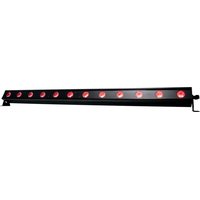
Ultra Bar 12 - Lighting Adj - Free user manual and instructions
Find the device manual for free Ultra Bar 12 Adj in PDF.


Pick your language and provide your email: we'll send you a specifically translated version.
| Product Type | LED Light Bar |
| Brand | Adj |
| Model | Ultra Bar 12 |
| Dimensions (L x W x H) | 12 x 4 x 4 inches (approx.) |
| Weight | 2.0 kg (4.4 lbs) |
| Power Supply | AC 100-240V, 50/60Hz |
| Power Consumption | 25W |
| Light Source | 12 x 1W RGB LEDs |
| Control Modes | DMX512, Sound-Active, Auto, Master/Slave |
| DMX Channels | 4 or 6 selectable |
| Beam Angle | 30 degrees |
| Strobe Rate | 0-20 Hz |
| Housing Material | Aluminum and tempered glass |
| Mounting Options | Floor stand, truss clamp, or wall mount |
| Cooling System | Passive convection |
| IP Rating | IP20 (indoor use only) |
| Safety Features | Overheat protection, fused power input |
| Maintenance | Clean lens with a soft, damp cloth; avoid solvents |
| Spare Parts | LED modules, power supply, control board available from Adj |
| Repair Information | Refer to manual or contact Adj support for repairs |
Frequently Asked Questions - Ultra Bar 12 Adj
How do I connect the Ultra Bar 12 to a DMX controller?
Use a 3-pin XLR cable to connect the DMX IN on the fixture to the DMX OUT of your controller. Set the DMX address via the dip switches or digital display. Ensure the controller is set to the correct mode.
Can I use this light bar without a DMX controller?
Yes, the Ultra Bar 12 has built-in sound-active and auto modes. In sound mode, it reacts to music via the internal microphone. In auto mode, it cycles through preset programs.
What is the power consumption of the Ultra Bar 12?
The maximum power consumption is 25 watts. It operates on standard AC 100-240V, 50/60Hz power.
How do I clean the lenses?
Use a soft, lint-free cloth slightly dampened with water or a mild glass cleaner. Do not use abrasive cleaners or solvents, as they may damage the lens coating.
What is the recommended mounting height?
The fixture can be mounted on a truss or stand. Ensure it is securely fastened and positioned away from flammable materials. There is no specific height limit, but follow general safety practices.
Does the Ultra Bar 12 have a replaceable LED module?
Yes, the LED modules are replaceable. Contact Adj customer service for compatible replacement parts and instructions.
Can I use this fixture outdoors?
The Ultra Bar 12 has an IP20 rating, meaning it is not weatherproof. Use only indoors or in dry, sheltered locations. Exposure to moisture may cause damage.
How do I set the DMX address?
Use the provided digial display and buttons to set the DMX address (or dip switches on older models). Refer to the manual for the detailed procedure. The default address is 001.
What is the beam angle?
The beam angle is approximately 30 degrees, providing a tight wash ideal for accent lighting or stage effects.
Why is the light not responding to sound?
Ensure the fixture is in sound-active mode. Check that the microphone is not blocked and that the ambient sound is loud enough. You can adjust the sound sensitivity via the control panel.
User questions about Ultra Bar 12 Adj
0 question about this device. Answer the ones you know or ask your own.
Ask a new question about this device
No questions yet. Be the first to ask one.
Download the instructions for your Lighting in PDF format for free! Find your manual Ultra Bar 12 - Adj and take your electronic device back in hand. On this page are published all the documents necessary for the use of your device. Ultra Bar 12 by Adj.
USER MANUAL Ultra Bar 12 Adj


Manual assistant
Powered by Anthropic
Waiting for your message
Product information
Brand : Adj
Model : Ultra Bar 12
Category : Lighting