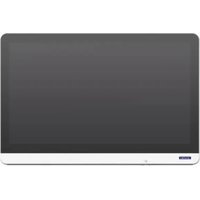
POC-824 - Computer Advantech - Free user manual and instructions
Find the device manual for free POC-824 Advantech in PDF.


Pick your language and provide your email: we'll send you a specifically translated version.
| Product Type | Fanless Embedded Industrial Computer |
| Dimensions (L x W x H) | 260 x 200 x 50 mm |
| Weight | 3.5 kg |
| Power Supply | 12 V DC, power adapter included (100-240 V AC) |
| Display | 8.4-inch TFT LCD touchscreen, resolution 800x600 |
| Processor | Intel Celeron N2930 quad-core 1.83 GHz |
| RAM Memory | 4 GB DDR3L, expandable up to 8 GB |
| Storage | mSATA SSD 64 GB |
| Operating System | Windows 10 IoT Enterprise or Linux (depending on version) |
| Connectivity | 2x Gigabit Ethernet, 4x USB 2.0, 2x RS-232, 1x HDMI |
| Main Functions | Touch interface, continuous 24/7 operation, low power consumption |
| Maintenance and Cleaning | Clean with a soft dry cloth; do not use solvents |
| Safety | Power off before cleaning; use on a stable, ventilated surface |
| Spare Parts and Repairability | Parts available via Advantech; repair by qualified technician recommended |
| General Information | 2-year warranty; CE, FCC certifications; typical consumption 25 W |
Frequently Asked Questions - POC-824 Advantech
How to install the operating system?
The POC-824 comes with Windows 10 IoT pre-installed. To reinstall, use a bootable USB drive and press F2 at startup to access the BIOS. Select the USB drive as the boot device and follow the instructions.
Can I use an external display?
Yes, the POC-824 has an HDMI port for connecting an external display. The display can be set to mirror or extended mode via Windows display settings.
How to clean the touch screen?
Use a microfiber cloth slightly dampened with water or screen cleaner. Never apply liquid directly to the screen and wipe gently. Avoid abrasive products.
What to do in case of overheating?
Check that the ventilation grilles are not blocked. Ensure the device is placed in a well-ventilated area. If the problem persists, reduce the processor load or contact technical support.
How to connect serial peripherals?
The POC-824 is equipped with two RS-232 ports. Use standard serial cables. For reliable communication, check the speed and parity settings in the software. Some peripherals may require a null modem cable.
Is the battery removable?
This model does not have a removable internal battery. It is designed to operate on mains power. A CMOS battery (button cell) backs up the BIOS. To replace it, open the cover and remove the CR2032 battery.
Can I expand the memory?
Yes, the POC-824 has a free SO-DIMM DDR3L slot. The maximum supported memory is 8 GB. Consult the manual for compatible modules. Make sure the device is powered off before proceeding.
Where to find drivers?
Drivers are available on the official Advantech website in the POC-824 support section. You can also use the CD provided with the device. For Windows 10, most drivers are automatically recognized.
How to reset factory settings?
To reset the BIOS, press F2 at startup, go to 'Exit' and select 'Load Setup Defaults'. For the operating system, use the Windows reset function (Settings > Update & Security > Recovery).
What is the power consumption?
Typical consumption is about 25 W during normal operation. It may vary depending on processor load and connected peripherals. Always use the provided power adapter.
User questions about POC-824 Advantech
0 question about this device. Answer the ones you know or ask your own.
Ask a new question about this device
No questions yet. Be the first to ask one.
Download the instructions for your Computer in PDF format for free! Find your manual POC-824 - Advantech and take your electronic device back in hand. On this page are published all the documents necessary for the use of your device. POC-824 by Advantech.
USER MANUAL POC-824 Advantech


Manual assistant
Powered by Anthropic
Waiting for your message
Product information
Brand : Advantech
Model : POC-824
Category : Computer