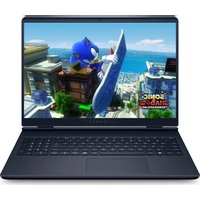
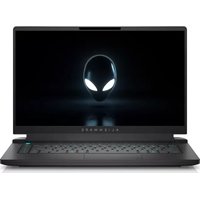
16 Aurora - Laptop ALIENWARE - Free user manual and instructions
Find the device manual for free 16 Aurora ALIENWARE in PDF.


Pick your language and provide your email: we'll send you a specifically translated version.
| Product Type | Laptop |
| Brand | Alienware |
| Model | 16 Aurora |
| Processor | Up to Intel Core i9-13900HX |
| RAM | Up to 64GB DDR5-5200MHz |
| Storage | Up to 4TB M.2 PCIe NVMe SSD |
| Display | 16-inch QHD (2560x1600) 240Hz |
| Graphics | NVIDIA GeForce RTX 4090 16GB GDDR6 |
| Dimensions (W x D x H) | 14.5 x 10.5 x 0.8 inches |
| Weight | 6.5 lbs (2.95 kg) |
| Battery | 90Wh 6-cell lithium-ion |
| Power Adapter | 330W AC adapter |
| Operating System | Windows 11 Pro |
| Connectivity | Wi-Fi 6E, Bluetooth 5.3 |
| Ports | HDMI 2.1, USB-C Thunderbolt 4, USB-A 3.2, Ethernet |
| Audio | Stereo speakers with Dolby Atmos |
| Keyboard | Alienware Cherry MX mechanical keyboard per-key RGB |
| Webcam | 720p HD |
| Security | Alienware PrivacyShield, TPM 2.0 |
| Maintenance | Clean with soft, dry cloth; avoid liquids |
| Safety | Use only approved charger; avoid overheating |
| Spare Parts | Contact Alienware support for genuine replacements |
| Repairability | User-upgradeable RAM and storage |
| Warranty | 1-year limited hardware warranty |
Frequently Asked Questions - 16 Aurora ALIENWARE
How do I improve battery life on my Alienware 16 Aurora?
To improve battery life, lower the screen brightness, close unnecessary background apps, use the Alienware Command Center to switch to a power-saving profile, and disable keyboard backlighting when not needed.
What should I do if my laptop overheats?
Ensure the laptop is on a hard, flat surface for proper ventilation. Clean the air vents with compressed air. Update your drivers through Alienware Update and consider using a cooling pad. If issues persist, contact Alienware support.
How can I enable the keyboard backlight?
Press the Fn+F2 key combination to toggle the keyboard backlight. You can also customize lighting effects in the Alienware Command Center under the AlienFX tab.
Why is my screen flickering?
Screen flickering may be caused by outdated graphics drivers or incompatible refresh rates. Update your NVIDIA and Intel graphics drivers via the Alienware Update tool. Also check if the display refresh rate is set correctly in Windows Display Settings.
How do I perform a factory reset?
Go to Settings > Update & Security > Recovery and select 'Reset this PC'. Choose 'Remove everything' for a full factory reset. Ensure you back up your data first. Alternatively, use the Alienware Recovery tool by restarting and pressing F8.
Can I upgrade the RAM or storage?
Yes, the Alienware 16 Aurora has user-accessible compartments for upgrading RAM and storage. Refer to the service manual for specific instructions. Ensure compatibility with DDR5 SO-DIMM modules and M.2 NVMe SSDs.
How do I connect an external monitor?
Use the HDMI 2.1 or USB-C Thunderbolt 4 port to connect to an external monitor. Press Win+P to select display mode (e.g., Extend, Duplicate). For high refresh rates, use a compatible DisplayPort or HDMI 2.1 cable.
The fan is loud even when idle. Is this normal?
Fans may run at higher speeds during gaming or intensive tasks. If loud at idle, update your BIOS and Alienware Command Center software. Check for dust buildup and ensure the laptop is on a hard surface. If noise persists, contact support.
How do I update drivers?
Open the Alienware Update application (preinstalled) and click 'Check for Updates'. It will list available driver and firmware updates. Alternatively, download drivers from the official Alienware support website by entering your service tag.
What is the warranty coverage?
The Alienware 16 Aurora comes with a 1-year limited hardware warranty covering manufacturing defects. Extend your warranty via AlienCare. For claims, contact Alienware support with your service tag and proof of purchase.
User questions about 16 Aurora ALIENWARE
0 question about this device. Answer the ones you know or ask your own.
Ask a new question about this device
No questions yet. Be the first to ask one.
Download the instructions for your Laptop in PDF format for free! Find your manual 16 Aurora - ALIENWARE and take your electronic device back in hand. On this page are published all the documents necessary for the use of your device. 16 Aurora by ALIENWARE.
USER MANUAL 16 Aurora ALIENWARE
Manual assistant
Powered by Anthropic
Waiting for your message
Product information
Brand : ALIENWARE
Model : 16 Aurora
Category : Laptop