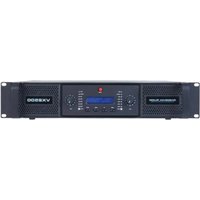
VX2500 - Professional audio amplifier American Audio - Free user manual and instructions
Find the device manual for free VX2500 American Audio in PDF.


Pick your language and provide your email: we'll send you a specifically translated version.
| Product Type | Power Amplifier |
| Brand | American Audio |
| Model | VX2500 |
| Power Output | 2500W Peak (1250W RMS per channel at 4 ohms) |
| Channels | 2 |
| Frequency Response | 20 Hz - 20 kHz |
| Total Harmonic Distortion | <0.05% |
| Input Sensitivity | 0.775V (0 dBu) |
| Input Impedance | 10 kΩ (balanced) |
| Signal-to-Noise Ratio | >100 dB |
| Cooling System | Variable speed fan, rear to front airflow |
| Protection Features | Short circuit, thermal, overload, DC offset |
| Input Connectors | XLR and 1/4" TRS combo jacks |
| Output Connectors | Speakon and binding posts |
| Front Panel Controls | Level controls per channel, power switch, clip indicators |
| Dimensions (W x H x D) | 19" x 3.5" (2U) x 12" |
| Weight | 20 lbs (9 kg) |
| Power Supply | AC 120V/60Hz (or 230V/50Hz model dependent) |
| Power Consumption | 1200W |
| Operating Temperature | 0°C to 40°C |
| Certifications | CE, FCC |
Frequently Asked Questions - VX2500 American Audio
How do I connect speakers to the VX2500?
Use Speakon connectors or binding posts for output. Ensure speakers have an impedance of 4-8 ohms and are rated to handle the amplifier's power.
What is the recommended input level?
The input sensitivity is 0.775V (0 dBu). Use balanced XLR or 1/4" TRS cables from your mixer or audio source.
How can I prevent the amplifier from overheating?
Ensure proper ventilation. Do not block the front or rear fans. The amplifier has thermal protection that will shut down if overheating occurs.
Can I bridge the VX2500 to mono?
Yes, the VX2500 can be bridged to mono operation. Set the mode switch to bridge and connect the speaker to the bridged output (Pin 1+ positive, Pin 2- negative of Speakon).
What is the warranty period?
American Audio offers a 2-year limited warranty from the date of purchase. Keep your receipt for warranty service.
Why is there no sound from one channel?
Check the input cable, ensure the channel level control is not at minimum, and verify that the speaker is properly connected. Also check the clip indicator; if lit, reduce input level to avoid distortion.
How do I clean the amplifier?
Disconnect power. Use a dry cloth to wipe the exterior. Do not use liquids or solvents. Vacuum the fan grilles regularly to prevent dust buildup.
Can the VX2500 be used in a 19-inch rack?
Yes, it is 2U rackmountable. Use the included rack ears and screws for secure installation.
What should I do if the unit does not power on?
Check the power cord and AC outlet. Ensure the power switch is on. If the fuse is blown, replace with same type and rating (e.g., 10A fast-blow). If problem persists, contact service.
How do I interpret the clip indicators?
The clip LEDs light when the output signal is near distortion. Reduce the input gain to avoid clipping. Steady illumination indicates overdrive; reduce level immediately.
User questions about VX2500 American Audio
0 question about this device. Answer the ones you know or ask your own.
Ask a new question about this device
No questions yet. Be the first to ask one.
Download the instructions for your Professional audio amplifier in PDF format for free! Find your manual VX2500 - American Audio and take your electronic device back in hand. On this page are published all the documents necessary for the use of your device. VX2500 by American Audio.
USER MANUAL VX2500 American Audio
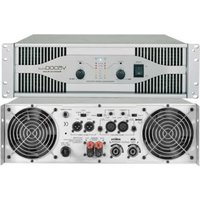
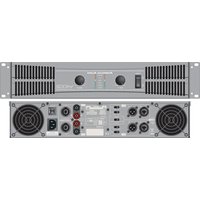
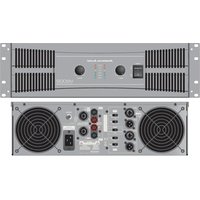
Manual assistant
Powered by Anthropic
Waiting for your message
Product information
Brand : American Audio
Model : VX2500
Category : Professional audio amplifier