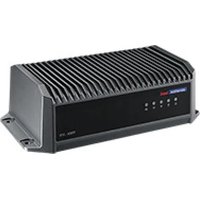
TREK-570 - Computer case Advantech - Free user manual and instructions
Find the device manual for free TREK-570 Advantech in PDF.


Pick your language and provide your email: we'll send you a specifically translated version.
| Type | Vehicle-mounted computer |
| Brand | Advantech |
| Model | TREK-570 |
| Dimensions (W x D x H) | 260 x 200 x 50 mm |
| Weight | 2.5 kg |
| Power Supply | 12/24 V DC vehicle power |
| Display Size | 8.4 inches TFT LCD |
| Resolution | 800 x 600 pixels |
| Touchscreen | Resistive or capacitive (optional) |
| Processor | Intel Atom E3827 |
| Memory | 2 GB DDR3L |
| Storage | 64 GB SSD |
| Operating System | Windows 10 IoT, Linux |
| Connectivity | 2x LAN, 2x USB, 1x COM, Wi-Fi, Bluetooth |
| Mounting | VESA 75/100, RAM mount |
| Operating Temperature | -20 °C to 55 °C |
| Ingress Protection | IP65 front panel |
| Certifications | CE, FCC, MIL-STD-810G |
| Maintenance | Clean with dry cloth; avoid solvents |
| Safety | Overvoltage protection, reverse polarity protection |
| Repairability | SSD and RAM accessible; battery not user-replaceable |
Frequently Asked Questions - TREK-570 Advantech
What is the power requirement for the TREK-570?
The TREK-570 operates on a 12/24 V DC vehicle power supply. It is designed to work directly with standard automotive electrical systems.
How do I mount the TREK-570 in my vehicle?
The device supports VESA 75/100 and RAM mount patterns. Use a compatible mounting bracket and secure it to a flat surface. Ensure the device is firmly attached to avoid vibrations.
Can I use the TREK-570 with a non-touchscreen interface?
Yes, the TREK-570 can be operated via external keyboard or mouse. The touchscreen is optional; if equipped, it supports resistive or capacitive touch.
What storage options are available for the TREK-570?
The standard configuration includes a 64 GB SSD. The SSD is accessible and can be upgraded if needed. Always power off the device before changing components.
Is the TREK-570 suitable for extreme temperatures?
Yes, the TREK-570 is rated for an operating temperature range of -20 °C to 55 °C, making it suitable for harsh environments.
How do I clean the TREK-570 display?
Use a soft, dry cloth to clean the display. Avoid using solvents, abrasive cleaners, or water. For stubborn dirt, slightly dampen the cloth with isopropyl alcohol.
What connectivity interfaces does the TREK-570 have?
The device includes 2x LAN (Ethernet), 2x USB (USB 3.0), 1x COM (RS-232), and built-in Wi-Fi and Bluetooth. Additional I/O modules can be added via expansion.
Does the TREK-570 have built-in GPS?
GPS is optional and can be ordered as an add-on module. The standard model does not include GPS. Check your specific configuration.
What kind of certification does the TREK-570 have?
The TREK-570 is CE and FCC certified, and also meets MIL-STD-810G standards for shock and vibration resistance, making it rugged for vehicle use.
Can I replace the battery in the TREK-570?
The TREK-570 typically uses an internal CMOS battery for real-time clock. This battery is not user-replaceable. For any battery-related issues, contact Advantech support.
User questions about TREK-570 Advantech
0 question about this device. Answer the ones you know or ask your own.
Ask a new question about this device
No questions yet. Be the first to ask one.
Download the instructions for your Computer case in PDF format for free! Find your manual TREK-570 - Advantech and take your electronic device back in hand. On this page are published all the documents necessary for the use of your device. TREK-570 by Advantech.
USER MANUAL TREK-570 Advantech
Manual assistant
Powered by Anthropic
Waiting for your message
Product information
Brand : Advantech
Model : TREK-570
Category : Computer case