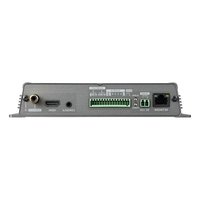
SPE-420 - Server Hanwha - Free user manual and instructions
Find the device manual for free SPE-420 Hanwha in PDF.


Pick your language and provide your email: we'll send you a specifically translated version.
| Product Type | Server |
| Brand | Hanwha |
| Model | SPE-420 |
| Form Factor | 1U Rackmount |
| Dimensions (H x W x D) | 4.4 cm x 48.3 cm x 60.0 cm |
| Weight | 12.0 kg |
| Power Supply | 400W AC |
| Processor | Intel Xeon (est.) |
| Memory | 16 GB DDR4 (est.) |
| Storage Bays | 4x 3.5" SATA HDD (est.) |
| Network | 2x Gigabit Ethernet |
| Operating System | Embedded Linux |
| Main Functions | Video recording, storage management, remote access, system monitoring |
| Safety | Surge protection, secure boot, password protection |
| Maintenance | Clean air filters monthly, check fan operation |
| Spare Parts | Replaceable power supply, hot-swappable fans and HDDs |
| General Info | Designed for 24/7 operation, rack installation |
Frequently Asked Questions - SPE-420 Hanwha
How do I install the server in a rack?
Secure the server using the provided rackmount rails. Attach the rails to the rack posts, then slide the server onto them and fasten with screws. Ensure proper ventilation and cable management.
How to access the web interface for configuration?
Connect to the same network as the server, open a browser, and enter the default IP address (e.g., 192.168.0.100) or hostname. Use the admin credentials from the manual to log in.
How to configure network settings?
Via the web interface, go to Network Settings. You can set a static IP, subnet mask, gateway, and DNS. Ensure the settings match your network.
How to add storage drives?
Open the front bezel, slide the hard drive into an empty bay until it locks. The server supports hot-swap SATA drives. They will be automatically detected.
How to perform a factory reset?
Press and hold the reset button on the front panel for 10 seconds while the server is powered on. All settings will revert to defaults. Use with caution.
What are the recommended environmental conditions?
Operate in a clean, dust-free environment with temperature between 10°C and 35°C and humidity 20-80% non-condensing. Ensure adequate airflow.
How to troubleshoot network connectivity issues?
Check cable connections, verify network settings, and test with a different cable or port. Use ping to test connectivity. Restart the server if needed.
How to update firmware?
Download the latest firmware from Hanwha support. In the web interface, go to System > Firmware Update, upload the file, and follow the prompts. Do not power off during update.
How to backup configuration?
Navigate to System > Backup in the web interface. Click Export to save the configuration file. To restore, use Import and select the saved file.
How to contact technical support?
Visit Hanwha's official website or refer to the manual for support contact information. Have the model number (SPE-420) and serial number ready.
User questions about SPE-420 Hanwha
0 question about this device. Answer the ones you know or ask your own.
Ask a new question about this device
No questions yet. Be the first to ask one.
Download the instructions for your Server in PDF format for free! Find your manual SPE-420 - Hanwha and take your electronic device back in hand. On this page are published all the documents necessary for the use of your device. SPE-420 by Hanwha.
USER MANUAL SPE-420 Hanwha

Manual assistant
Powered by Anthropic
Waiting for your message
Product information
Brand : Hanwha
Model : SPE-420
Category : Server