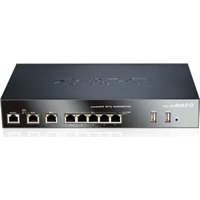
DFL-260E - Firewall D-LINK - Free user manual and instructions
Find the device manual for free DFL-260E D-LINK in PDF.


Pick your language and provide your email: we'll send you a specifically translated version.
| Product Type | Network Security Firewall (UTM) |
| Model | DFL-260E |
| Dimensions (W x D x H) | 44.0 x 35.0 x 4.4 cm |
| Weight | Approx. 5.5 kg |
| Power Supply | AC 100-240V, 50-60Hz, 80W |
| Firewall Throughput | Up to 2 Gbps |
| VPN Throughput | Up to 500 Mbps |
| Concurrent Sessions | Up to 500,000 |
| Interfaces | 4 Gigabit Ethernet ports (configurable) |
| Security Features | Stateful inspection, IPS, antivirus, web filtering, application control, VPN (IPsec/SSL) |
| Management | Web GUI, CLI, SNMP, centralized management |
| Maintenance | Clean exterior with a dry cloth; ensure proper ventilation; no internal user-serviceable parts |
| Spare Parts & Repairability | Contact authorized service center for replacement parts; not user-repairable |
| General Information | Rack-mountable 1U form factor; operating temperature 0-40°C; humidity 5-95% non-condensing |
Frequently Asked Questions - DFL-260E D-LINK
How do I perform a factory reset on the DFL-260E?
Locate the reset button on the front panel. Use a paperclip to press and hold the button for 10 seconds until the LEDs blink. The device will reboot with default settings. Note: This deletes all configurations.
What are the default login credentials?
Default username is admin and password is admin. It is strongly recommended to change the password upon first login via the web interface.
How to upgrade firmware on the DFL-260E?
Download the latest firmware from D-Link support website. Log into the web GUI, go to System > Firmware Update, select the file, and click Upgrade. Do not power off during the process.
Can the DFL-260E be mounted in a rack?
Yes, it is designed for 1U rack mounting. Use the included rack ears and screws. Ensure adequate airflow around the device.
How to configure a VPN on the DFL-260E?
Go to VPN > IPSec or SSL in the web GUI. Define the tunnel parameters (IKE phase, authentication, encryption). Apply and test connectivity. For detailed steps, refer to the manual.
What is the maximum number of concurrent users?
The DFL-260E supports up to 200 concurrent VPN users and up to 500,000 concurrent sessions, suitable for small to medium businesses.
How to update the antivirus signatures?
Antivirus signatures are updated automatically if internet access is configured. Enable Auto Update under Security > Anti-Virus. Manual update also available by uploading a signature file.
Does the DFL-260E support VLANs?
Yes, it supports IEEE 802.1Q VLAN tagging. Configure VLAN interfaces under Network > Interfaces. You can create up to 256 VLANs.
What is the warranty period for the DFL-260E?
D-Link provides a limited lifetime warranty. For details, check the warranty card or contact support. Extended support plans are available.
How to troubleshoot connectivity issues?
Check LED indicators for link status. Use the Diagnostics tool in the web GUI to ping or traceroute. Review logs under Logs > System Log. Ensure firewall rules allow traffic.
User questions about DFL-260E D-LINK
0 question about this device. Answer the ones you know or ask your own.
Ask a new question about this device
No questions yet. Be the first to ask one.
Download the instructions for your Firewall in PDF format for free! Find your manual DFL-260E - D-LINK and take your electronic device back in hand. On this page are published all the documents necessary for the use of your device. DFL-260E by D-LINK.
USER MANUAL DFL-260E D-LINK


Manual assistant
Powered by Anthropic
Waiting for your message
Product information
Brand : D-LINK
Model : DFL-260E
Category : Firewall