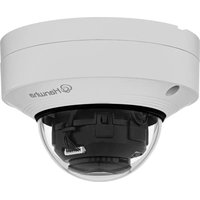
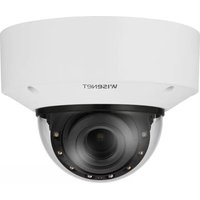
QNV-C8011R - Surveillance Camera Hanwha - Free user manual and instructions
Find the device manual for free QNV-C8011R Hanwha in PDF.


Pick your language and provide your email: we'll send you a specifically translated version.
| Product Type | Surveillance Camera |
| Brand | Hanwha |
| Model | QNV-C8011R |
| Resolution | 8 Megapixels (4K) |
| Lens Type | Motorized varifocal, 4.4-11mm |
| Night Vision | Up to 30m IR range |
| Dimensions | Ø160 x 120 mm (Dome) |
| Weight | 1.5 kg |
| Power Supply | 12 VDC or PoE+ (IEEE 802.3at) |
| Power Consumption | Max 15 W |
| Protection Rating | IP66, IK10 |
| Operating Temperature | -30°C to 55°C |
| Main Functions | Wide dynamic range (WDR), motion detection, tampering alarm, H.265+ compression |
| Storage | Micro SD slot (max 512GB), NAS, NVR |
| Audio | Built-in microphone, audio line in/out |
| Network | RJ-45 10/100/1000 Mbps, Wi-Fi not supported |
| Mounting | Ceiling or wall mount (bracket included) |
| Maintenance | Clean dome with soft, dry cloth; avoid solvents |
| Safety | Use sturdy mounting; disconnect power before cleaning |
| Spare Parts | Mounting bracket, power adapter (if not PoE) |
| General Information | Compatible with Hanwha Wisenet viewer and VMS |
Frequently Asked Questions - QNV-C8011R Hanwha
How do I reset the camera to factory defaults?
Press and hold the reset button on the back of the camera for about 10 seconds until the LED flashes. You can also reset via web interface under Settings > System > Factory Default.
What is the maximum resolution and frame rate?
The camera supports up to 3840x2160 (4K) at 30 fps. For lower resolutions, frame rates can go up to 60 fps.
Can I use this camera outside?
Yes, it has IP66 weatherproof rating and IK10 vandal resistance, suitable for outdoor installation.
Does the camera support audio?
Yes, it has a built-in microphone and audio input/output ports for two-way audio communication.
How far can the IR night vision reach?
The IR LEDs provide up to 30 meters of night vision in complete darkness.
What power options are available?
The camera can be powered via 12 VDC adapter or Power over Ethernet Plus (PoE+ 802.3at). PoE+ is recommended for simpler installation.
How do I access the camera remotely?
Use the Hanwha Wisenet app (for mobile) or a web browser using the camera's IP address. Ensure port forwarding is set up on your router.
What is the field of view?
With the 4.4-11mm motorized lens, horizontal field of view ranges from about 45° (tele) to 100° (wide).
Is the camera compatible with third-party NVRs?
Yes, it supports ONVIF Profile S/T, so it works with many third-party NVRs, but some advanced features may require Hanwha equipment.
How do I clean the dome?
Use a soft, lint-free cloth slightly dampened with water or mild detergent. Do not use harsh chemicals or abrasive materials.
User questions about QNV-C8011R Hanwha
0 question about this device. Answer the ones you know or ask your own.
Ask a new question about this device
No questions yet. Be the first to ask one.
Download the instructions for your Surveillance Camera in PDF format for free! Find your manual QNV-C8011R - Hanwha and take your electronic device back in hand. On this page are published all the documents necessary for the use of your device. QNV-C8011R by Hanwha.
USER MANUAL QNV-C8011R Hanwha

Manual assistant
Powered by Anthropic
Waiting for your message
Product information
Brand : Hanwha
Model : QNV-C8011R
Category : Surveillance Camera