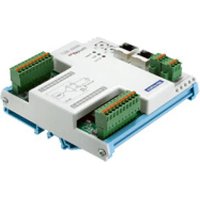
AMAX-4817 - Industrial module Advantech - Free user manual and instructions
Find the device manual for free AMAX-4817 Advantech in PDF.


Pick your language and provide your email: we'll send you a specifically translated version.
| Product Type | Industrial Automation Controller |
| Dimensions | 220 x 150 x 45 mm |
| Weight | 1.2 kg |
| Power Supply | 12-24 V DC |
| Power Consumption | 15 W max |
| Operating Temperature | 0 to 60 °C |
| Main Functions | Data acquisition, control, and communication via Ethernet, USB, and serial ports |
| Communication Interfaces | 2x Gigabit Ethernet, 4x USB 3.0, 2x RS-232/422/485 |
| Expansion Slots | 1x PCIe x4, 1x mPCIe |
| Display Support | VGA and HDMI |
| Memory | 8 GB DDR4 SDRAM (max 32 GB) |
| Storage | mSATA SSD (default 64 GB) |
| Operating System | Windows 10 IoT, Linux (Ubuntu) |
| Maintenance and Cleaning | Use a soft dry cloth; avoid liquids and abrasive cleaners |
| Safety Features | Overcurrent protection, reverse polarity protection, watchdog timer |
| Spare Parts and Repairability | Contact Advantech support for replacement parts; modular design allows easy repair |
| Certifications | CE, FCC Class A |
| Warranty | 2 years limited warranty |
Frequently Asked Questions - AMAX-4817 Advantech
How do I connect the AMAX-4817 to a network?
Connect an Ethernet cable to one of the two Gigabit Ethernet ports. Configure the IP address via the operating system or using the Advantech utility.
What power supply specifications are required?
A 12-24 V DC power supply with at least 2 A output is recommended. Ensure correct polarity (center positive).
Can the AMAX-4817 be mounted on a DIN rail?
Yes, it supports DIN rail mounting. Use the included mounting bracket to attach it securely.
How to install additional memory?
The device has one DDR4 SODIMM slot. Open the top cover, insert the module at a 30-degree angle, and press down until it clicks.
What should I do if the device does not boot?
Check power connections and ensure the power supply is working. Try a different outlet. If still no boot, contact support.
Is the AMAX-4817 compatible with Linux?
Yes, it supports Ubuntu 20.04 LTS. Download the image from Advantech's support page.
How to perform a factory reset?
There is a physical reset button on the side panel. Press and hold for 5 seconds while powered on to reset to default settings.
What is the maximum operating temperature?
The device can operate from 0 to 60 °C. For extended temperature ranges, contact Advantech.
Can I expand storage?
Yes, via the mPCIe slot (for additional SSD) or by replacing the internal mSATA drive. The device supports up to 1 TB.
Is serial communication supported?
Yes, there are two RS-232/422/485 software-selectable ports. Use the Advantech utility to configure the mode.
User questions about AMAX-4817 Advantech
0 question about this device. Answer the ones you know or ask your own.
Ask a new question about this device
No questions yet. Be the first to ask one.
Download the instructions for your Industrial module in PDF format for free! Find your manual AMAX-4817 - Advantech and take your electronic device back in hand. On this page are published all the documents necessary for the use of your device. AMAX-4817 by Advantech.
USER MANUAL AMAX-4817 Advantech
Manual assistant
Powered by Anthropic
Waiting for your message
Product information
Brand : Advantech
Model : AMAX-4817
Category : Industrial module