
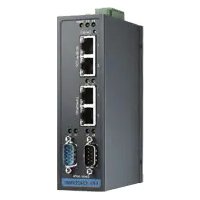
ECU-1052 - Industrial network gateway Advantech - Free user manual and instructions
Find the device manual for free ECU-1052 Advantech in PDF.


Pick your language and provide your email: we'll send you a specifically translated version.
| Product Type | Industrial Embedded Computer |
| Brand | Advantech |
| Model | ECU-1052 |
| Dimensions (W x D x H) | 200 mm x 150 mm x 60 mm |
| Weight | 1.5 kg |
| Power Supply | 12V DC, 3A |
| Operating System Support | Windows 10 IoT, Linux |
| Processor | Intel Atom x7-E3950 |
| Memory | 4 GB DDR3L |
| Storage | 64 GB eMMC |
| Connectivity | 2x GbE LAN, 4x USB 3.0, 2x RS-232/422/485 |
| Display Output | HDMI, VGA |
| Operating Temperature | -20°C to 70°C |
| Ingress Protection | IP40 |
| Maintenance | Keep vents clean; avoid moisture and dust |
| Cleaning Instructions | Use a dry or slightly damp cloth; do not use solvents |
| Safety Precautions | Disconnect power before opening; use ESD protection |
| Spare Parts Availability | Contact Advantech support for replacement parts |
| Repairability | Field-replaceable components: RAM, storage, fan |
| Certifications | CE, FCC Class A |
Frequently Asked Questions - ECU-1052 Advantech
How do I install the ECU-1052?
Mount the ECU-1052 using the provided brackets on a DIN rail or flat surface. Connect power (12V DC) and peripherals before turning on.
What power supply is required?
A 12V DC power supply with at least 3A output. Use the supplied power adapter or a regulated industrial PSU.
Can I install a different operating system?
Yes, the ECU-1052 supports Windows 10 IoT Enterprise and various Linux distributions. Check Advantech's website for compatible images.
How do I connect to the device remotely?
Use the built-in GbE LAN ports for network access. You can also configure remote desktop or SSH after setting up the IP address.
What should I do if the device gets too hot?
Ensure proper ventilation and that the ambient temperature is within the -20°C to 70°C range. Clean air intakes if blocked. Consider adding external fans.
How do I update the BIOS?
Download the latest BIOS from Advantech's support site. Copy the file to a USB drive, reboot, and press F2 to enter BIOS setup. Use the EZ Flash utility.
What is the warranty period?
Standard warranty is 2 years. Extended warranty options are available from Advantech or your reseller.
Can I replace the battery?
Yes, the CR2032 coin cell battery can be replaced by opening the case. Ensure power is disconnected. Contact support for instructions.
How do I reset to factory defaults?
Press and hold the reset button (located near the I/O panel) for 10 seconds while power is on. Alternatively, use a paperclip on the pinhole.
What does the LED status indicator mean?
Solid green: normal operation. Blinking green: disk activity. Red: system error. Refer to the manual for detailed LED codes.
User questions about ECU-1052 Advantech
0 question about this device. Answer the ones you know or ask your own.
Ask a new question about this device
No questions yet. Be the first to ask one.
Download the instructions for your Industrial network gateway in PDF format for free! Find your manual ECU-1052 - Advantech and take your electronic device back in hand. On this page are published all the documents necessary for the use of your device. ECU-1052 by Advantech.
USER MANUAL ECU-1052 Advantech
Manual assistant
Powered by Anthropic
Waiting for your message
Product information
Brand : Advantech
Model : ECU-1052
Category : Industrial network gateway