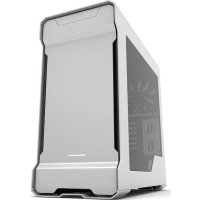
Eclipse G300A - Desktop Computer Phanteks - Free user manual and instructions
Find the device manual for free Eclipse G300A Phanteks in PDF.


Pick your language and provide your email: we'll send you a specifically translated version.
| Type | Mid-Tower PC Case |
| Motherboard Support | ATX, Micro-ATX, Mini-ITX |
| Dimensions (L x W x H) | 450 x 210 x 470 mm |
| Weight | 5.5 kg |
| Material | Steel, Tempered Glass Side Panel |
| Drive Bays | 2x 3.5", 2x 2.5" |
| Expansion Slots | 7 |
| Front I/O | 2x USB 3.0, Audio, Mic, Power, Reset |
| Fan Support | Front: 3x 120mm / 2x 140mm; Rear: 1x 120mm; Top: 2x 120mm / 140mm |
| Radiator Support | Front: up to 360mm; Top: up to 240mm; Rear: 120mm |
| Maximum GPU Length | 330 mm |
| Maximum CPU Cooler Height | 165 mm |
| PSU Support | Standard ATX, up to 210 mm |
| Dust Filters | Front, Top, Bottom |
| Warranty | 2 Years |
| Included Fans | 3x 120mm PWM fans |
| Cleaning | Use a soft cloth; avoid liquids |
| Safety | Keep away from moisture and heat sources |
| Repairability | Tool-less drive bays, modular panels |
Frequently Asked Questions - Eclipse G300A Phanteks
What is the maximum GPU length that fits in the Phanteks Eclipse G300A?
The maximum GPU length is 330 mm, which accommodates most modern graphics cards.
Does the Eclipse G300A support liquid cooling radiators?
Yes, it supports radiators up to 360 mm in the front, 240 mm in the top, and 120 mm in the rear.
What motherboard sizes are compatible with this case?
It supports ATX, Micro-ATX, and Mini-ITX motherboards.
How many fans come pre-installed in the Eclipse G300A?
Three 120mm PWM fans are included, with mounting options for additional fans.
Does the case have a tempered glass side panel?
Yes, the side panel is made of tempered glass for showcasing your components.
What is the maximum CPU cooler height supported?
The maximum CPU cooler height is 165 mm.
How many hard drives can be installed?
It can hold up to two 3.5-inch drives and two 2.5-inch drives.
What front I/O ports are available?
It has two USB 3.0 ports, audio in/out jacks, and power/reset buttons.
How do I clean the dust filters?
The dust filters at the front, top, and bottom are removable and can be washed with water or cleaned with a soft brush.
Is the case compatible with ATX power supplies?
Yes, it supports standard ATX power supplies up to 210 mm in length.
User questions about Eclipse G300A Phanteks
0 question about this device. Answer the ones you know or ask your own.
Ask a new question about this device
No questions yet. Be the first to ask one.
Download the instructions for your Desktop Computer in PDF format for free! Find your manual Eclipse G300A - Phanteks and take your electronic device back in hand. On this page are published all the documents necessary for the use of your device. Eclipse G300A by Phanteks.
USER MANUAL Eclipse G300A Phanteks
Manual assistant
Powered by Anthropic
Waiting for your message
Product information
Brand : Phanteks
Model : Eclipse G300A
Category : Desktop Computer