Pro Express Care GV9071 - Steam plant TEFAL - Free user manual and instructions
Find the device manual for free Pro Express Care GV9071 TEFAL in PDF.


| Product Type | Steam Generator Iron |
| Brand | Tefal |
| Model | Pro Express Care GV9071 |
| Power | 2400 W |
| Max Steam Pressure | 5.5 bar |
| Continuous Steam Output | 120 g/min |
| Steam Boost | 200 g/min |
| Water Tank Capacity | 1.2 L (removable) |
| Soleplate | Durilium Airglide |
| Anti-Scale System | Built-in anti-calc collector |
| Auto Shut-Off | Yes, after 8 minutes |
| Vertical Steam | Yes |
| Variable Steam Setting | Yes |
| Cord Length (Power) | 1.6 m |
| Steam Cord Length | 1.5 m |
| Weight | 4.5 kg |
| Dimensions (L x W x H) | 37 x 25 x 30 cm |
| Warranty | 2 years |
Frequently Asked Questions - Pro Express Care GV9071 TEFAL
User questions about Pro Express Care GV9071 TEFAL
0 question about this device. Answer the ones you know or ask your own.
Ask a new question about this device
Download the instructions for your Steam plant in PDF format for free! Find your manual Pro Express Care GV9071 - TEFAL and take your electronic device back in hand. On this page are published all the documents necessary for the use of your device. Pro Express Care GV9071 by TEFAL.
USER MANUAL Pro Express Care GV9071 TEFAL
* Depending on model


www.tefal.com

1.


Pro Express Care
*

Pro Express X-Pert Care

*

1.




1.





2.
Pro Express X-Pert Care


*
Pro Express Care
![graph LR A["DELICATE"] --> B["NORMAL"] C["DELICATE"] --> D["NORMAL"] B --> E["MAX"] D --> F["MAX"] style A fill:#f9f,stroke:#333 style C fill:#f9f,stroke:#333 style B fill:#ccf,stroke:#333 style D fill:#ccf,stroke:#333 style E fill:#dfd,stroke:#333 style F fill:#dfd,stroke:#333](/content/2026/07/1437703/images/23db868d87748c389ca32ec82cdf8d2330d1395d0e5c85019118d2db78ce9891.jpg)
* Depending on model
2.





2.

AUTO OFF

2.


*




2.







2.


2 X YEAR

2H









3.



*
3.




Important recommendations Safetyinstructions
- Please read these instructions carefully before first use. This product has been designed for domestic and indoor use only. Any commercial use, inappropriate use or failure to comply with the instructions, the manufacturer accepts no responsibility and the guarantee will not apply.
- Never unplug the appliance by pulling the power cord. Always unplug your appliance:
- before filling the water tank or rinsing the boiler,
- before cleaning the appliance,
- after each use.
- The appliance will not work without the anti-calc collector (depending on model).
- The appliance must be used and placed on a flat, stable, heat and water-resistant surface. When you place the iron on the iron rest, make sure that the surface on which you place it is stable.
- This appliance is not intended to be used by persons (including children) with reduced or impaired physical, sensory or mental capabilities or persons lacking appropriate knowledge or experience, unless a person responsible for their safety provides either supervision or appropriate instructions concerning use of the appliance prior to its use.
- Children should be supervised to ensure they do not play with the appliance.
- This appliance may be used by children aged 8 or over
and persons lacking appropriate knowledge or experience or persons with reduced or impaired physical, sensory or mental capabilities provided that they have been thoroughly instructed regarding use of the appliance, are supervised, and understand the risks involved. Children shall not play with the appliance. Cleaning and user maintenance shall not be made by children without supervision. Keep the iron and its cord out of reach of children less than 8 years of age when it is energized or cooling down.
- The surfaces which are marked with this sign and the soleplate are very hot during the use of the appliance.
Do not touch these surfaces before the iron has completely cooled down.
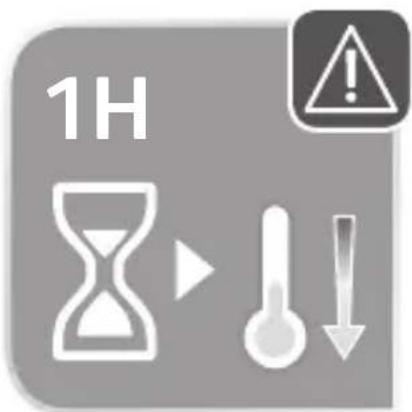
- Never leave the appliance unattended when it is connected to the mains. Before storing the appliance, once it is unplugged, please wait until it has cooled down (around 1 hour).
- Do not use any descaling products (vinegar, industrial descaling products, etc.) to rinse the boiler: they may damage the appliance.
- Before rinsing the boiler/rinsing the anti-calc collector (depending on the model), wait until the appliance is completely cold and has been unplugged for at least 2 hours before unscrewing the boiler rinse cap/ the scale collector cover.
- Warning: if the boiler cap or the boiler rinse cap (depending on the model), is dropped or severely knocked, have it replaced by an Approved Service Centre, as it may be damaged.
- Never fill the boiler directly from the tap.
- The boiler cap must not be opened during use.
- The appliance must not be used if it has been dropped, if it has any visible damage, if it leaks, or if it functions abnormally in any way. Do not attempt to dismantle your appliance: have it examined at an Approved Service Centre to avoid any danger.
- Check the electrical power and steam cords for signs of wear or damage prior to use. If the electrical power cord or the steam cord is damaged, it must be replaced by an Approved Service Centre to avoid any danger.
- Accessories, consumables and end user replaceable parts must be only purchased from Tefal or an Approved Service Centre.
- For your safety, this appliance conforms to all applicable regulations (Low Voltage Directive, Electromagnetic Compatibility, Environment, etc).
- Your steam generator iron is an electrical appliance: it must be used under normal conditions of use. It is designed for domestic use only.
- It is equipped with 2 safety systems:
- a pressure release valve designed to avoid excessive pressure. In the event of malfunction, the valve releases excess steam.
- a thermal fuse to avoid overheating.
- Check that your power supply voltage corresponds to that shown on the appliance (alternating current only). Any error in plugging in your appliance may cause irreversible damage and invalidate the guarantee.
- The appliance is to be connected to a socket-outlet having an earthing contact.
- Given the diverse standards in effect, if the appliance is used in a country other than that in which it is purchased, have it checked by an Approved Service Agent.
- Do not use an extension lead. If you accept liability for doing so, only use an extension lead which is in good condition, has a plug with an earth connection and is suited to the power rating of the appliance.
- Completely unwind the power cord before plugging into an earthed socket.
- Do not leave the power cord close to or in contact with sources of heat or sharp edges.
- The sole plate of your iron and the iron rest on the base unit can reach extremely high temperatures, and can cause burns: do not touch them. Never touch the electrical power cords with the sole plate of the iron.
- Always use a vented/mesh ironing board and be careful of hot steam when ironing close to the edges of the board.
- Your appliance emits steam, which can cause burns. Always handle the iron with care, especially when ironing vertically. Never direct the steam towards people or animals.
- Never immerse your steam generator iron in water or any other liquid. Never place it under a running tap.
PLEASE RETAIN THIS INSTRUCTION BOOKLET FOR FUTURE REFERENCE
PLEASE REFER TO SAFETY INSTRUCTIONS AT THE BEGINNING OF THIS BOOKLET BEFORE USING YOUR APPLIANCE
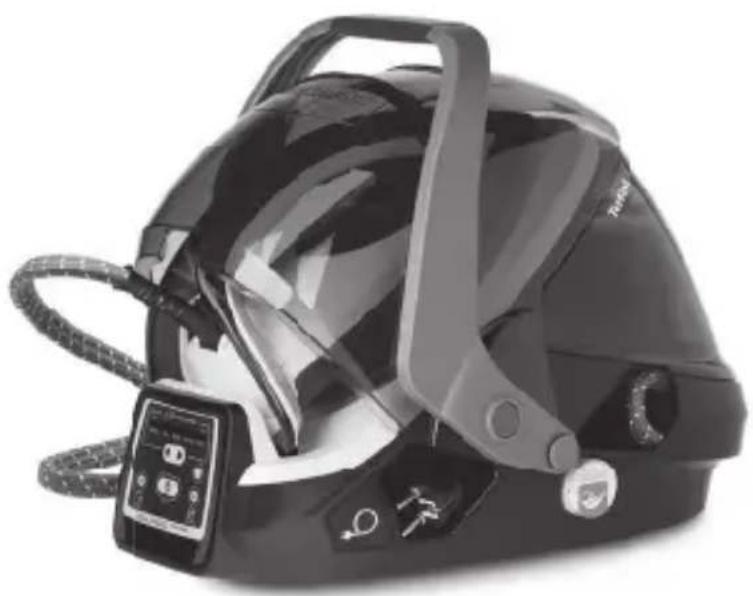
Description
- Steam control button
- Power cord storage button*
- Double protection cover*
- Carry handle*
- Retaining hoop for locking iron on the base unit*
- Handle for removing and replacing the detachable water tank
- Boiler (in the base unit)
- Steam cord storage compartment
-
Anti-calc collector
-
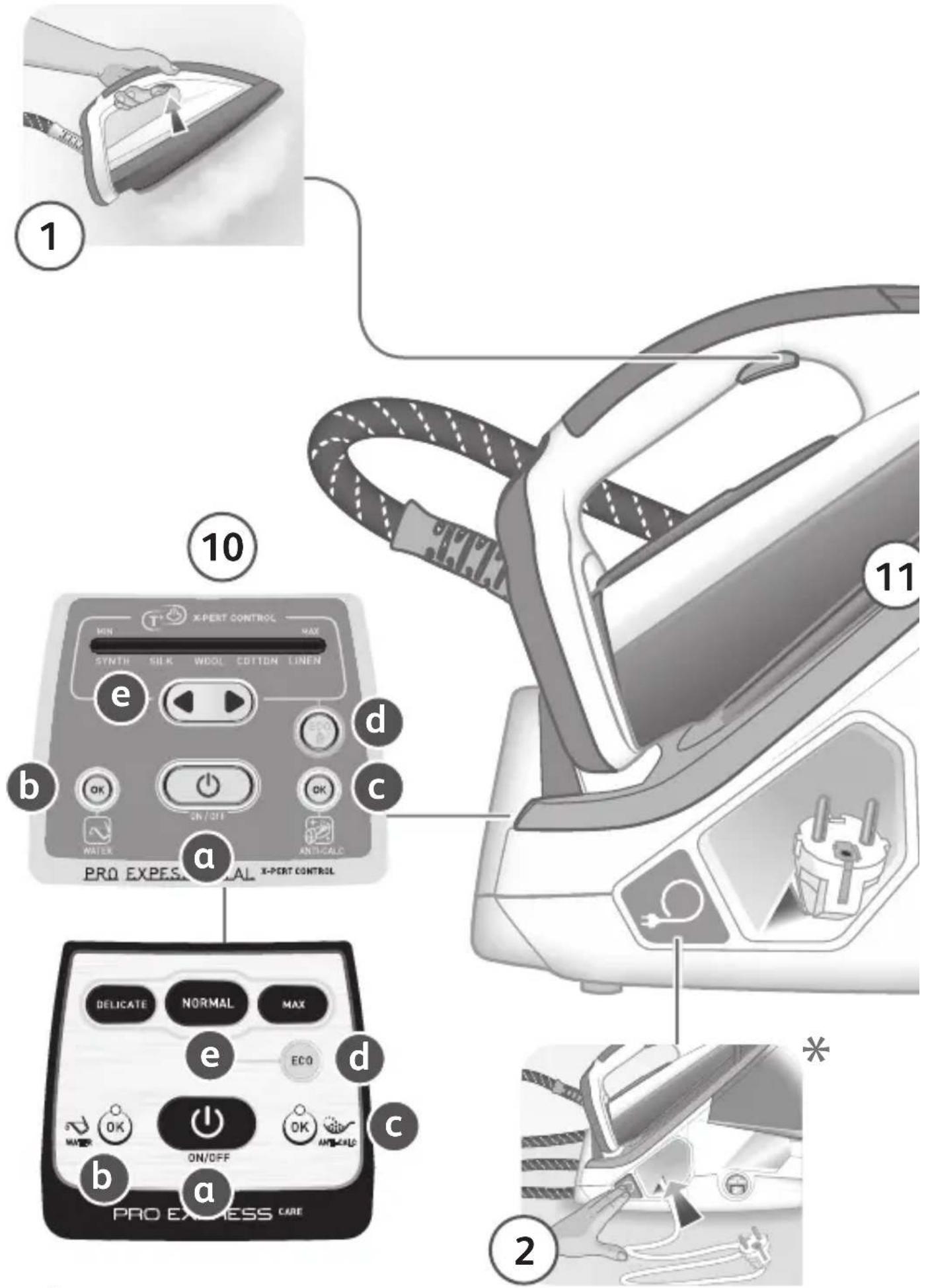
Control panel
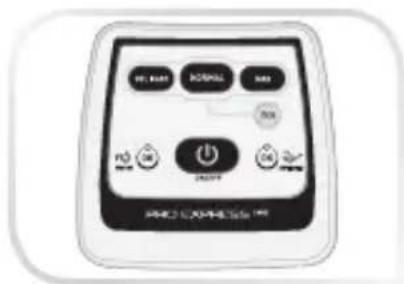
a. «ON-OFF» button with light
b. «Water tank empty» light and «OK» button
c. «Anti-Calc» light and «OK» button
d. «ECO» button
e. Temperature adjustment buttons
- Solplate
«PROTECT CONCEPT» safety system *
Your generator is fitted with the «Protect Concept» system:
- Double protection cover.
- Cover automatically locks when it is folded up over the iron and open using the unlocking button.
- Carry handle.
Locking system*
Your steam generator is fitted with a retaining hoop to hold the iron onto the base with a locked position for easy transport and storage:
- Locking. • Unlocking.
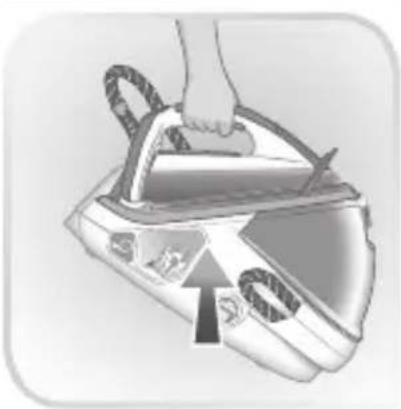
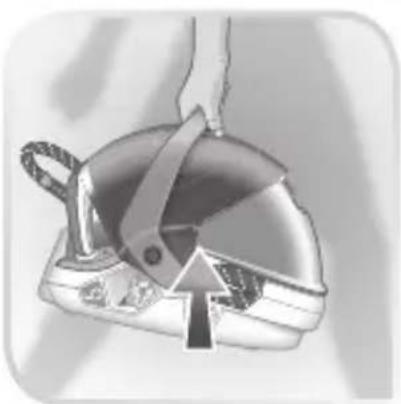
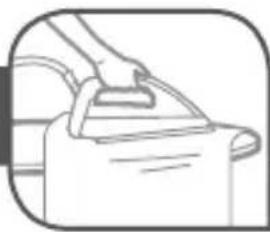
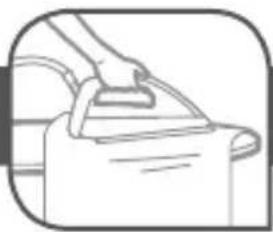
To transport your steam generator using the handle of the iron: - Put the iron on the steam generator iron rest and raise the retaining hoop over the iron until it locks into place (audible click).
- Hold the iron by the handle to transport your steam generator.
Preparation
What water may be used?
- Tap water:
Your appliance has been designed to function using untreated tap water. If your water is very hard, we recommend you use a mix of 50% untreated tap water and 50% distilled water available in hardware stores.
- Types of water not to use:
Heat concentrates the elements contained in water during evaporation. The types of water listed below may contain organic waste, mineral or chemical elements that can cause spitting, brown staining or premature wear of the appliance: water from clothes dryers, scented or softened water, water from refrigerators, batteries, air conditioners, rain water, boiled, filtered or bottled water. These types of water should not be used in your TEFAL iron. Also only use distilled water as advised above.
Always remember:
Never use rainwater or water containing additives (like starch, fragrance or water from domestic appliances). Such additives can affect the steam properties and at high temperature, form deposits in the steam generator chamber which are likely to stain your washing
Filling the water tank
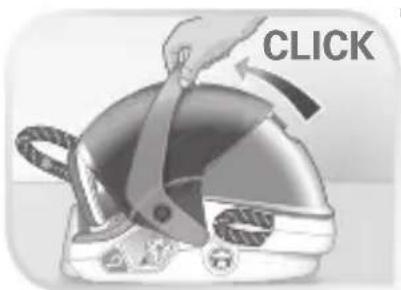
- Pull the cover up over the iron until the protection system automatically locks (you will hear a «click») *
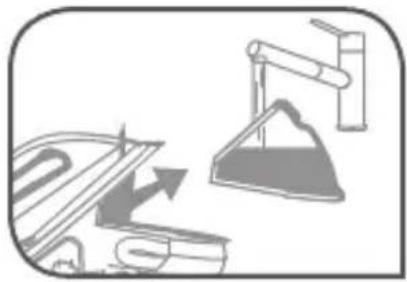
- Remove the detachable water tank using the handle (located at the front of the steam generator)
- Fill the water tank without exceeding the Max level
- Push it back into its housing until you hear a «click»
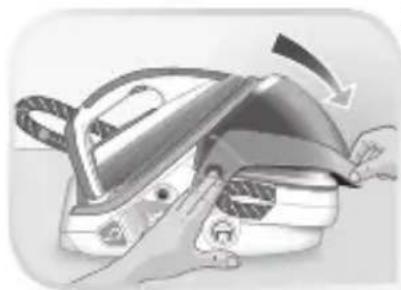
- Press the unlocking button on the protective cover until you hear a click, and then fold it back on to the generator base unit *
Use
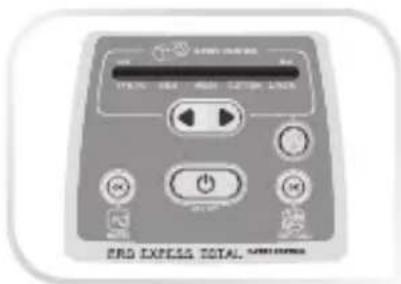
Pro Express Care
Switch the steam generator on
The first time the appliance is used, there may be some fumes and smell but this is not harmful. They will not affect use and will disappear rapidly.
- Put the steam generator on a flat, stable, horizontal surface that is heatproof and waterproof.
- Always ensure that the base unit is positioned close enough to the ironing surface to avoid straining and wear of the steam cord.
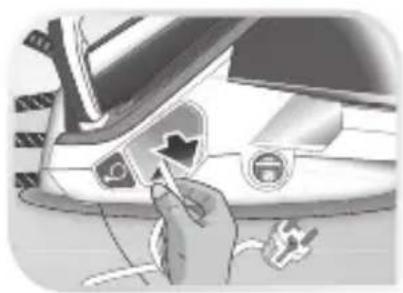
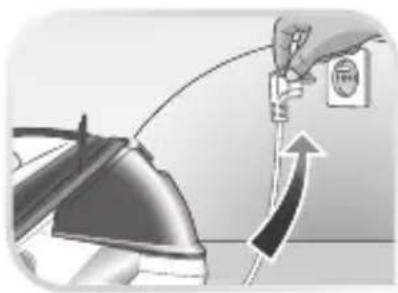
- Completely unwind the power cord and take the steam cord out of its storage space.
* Depending on model
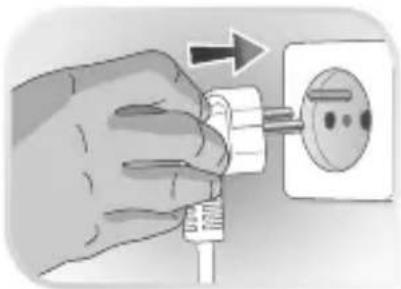
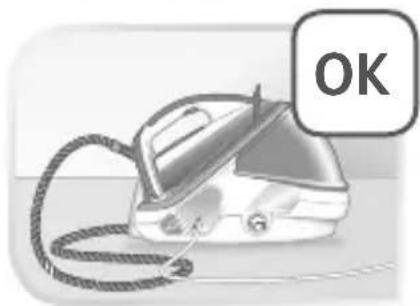
- Plug your steam generator into an earthed socket.
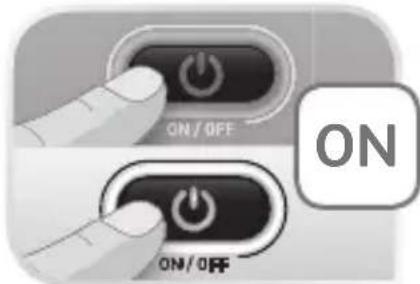
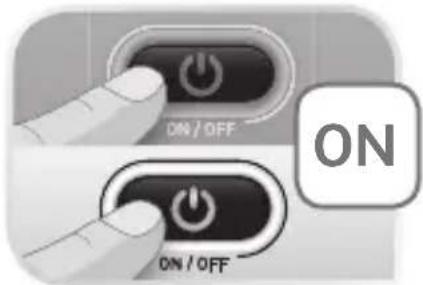
- Press the «ON-OFF» button.
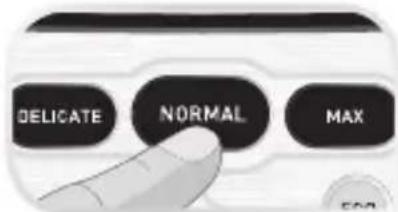
- When you switch on the appliance the «NORMAL» button flashes and the light on the iron also flashes while the iron is warming up.
NOTE: If you wish to begin ironing delicate fabrics first, press the «MIN» button straightaway before the iron has reached the «normal» temperature setting as this will be too hot.
- The MIN(DELICATES)/ NORMAL/ MAX(JEANS) buttons control the temperature and steam combinations that are suitable for different types of fabrics. They may be selected at any time.
- The light of the selected button MIN(DELICATES)/ NORMAL/ MAX(JEANS) remains flashing until the iron is ready for use (after approximately 2 minutes).
Operating the control panel
- The light of the selected button MIN(DELICATES)/NORMAL / MAX(JEANS) flashes while the appliance is warming up.
- The red «Water tank empty» light is flashing: the water tank is empty. Fill the water tank and press the «OK» button for the light to switch off. See paragraph «Filling the water tank during use».
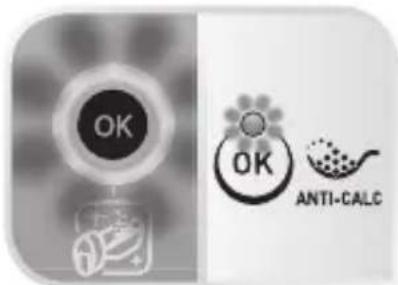
- The orange «Anti-calc» light is flashing: maintenance is required, see paragraph «Maintenance and cleaning».
- Your steam generator comes with an automatic shut-off system after approximately 8 minutes without use. Only the blue light of the «ON-OFF» button is flashing: the steam generator is on standby. Press the «ON-OFF» button or the steam control button to start ironing again. See paragraph «AUTO-OFF» System.
Steam ironing
Do not place the iron on a metal support. When taking a break from ironing, always place the iron on the iron rest plate of the unit. It is equipped with non-slip pads and has been designed to withstand high temperatures.
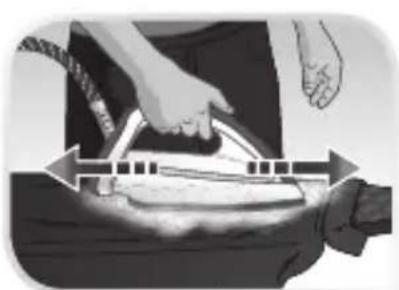
- To obtain steam, press the steam control button under the iron handle. The steam will stop when you release the button.
- After approximately one minute, regularly while it is being used, your steam generator's electric pump injects water into the boiler. It makes a noise but this is quite normal.
- If you are using starch, always spray it onto the reverse side of the fabric to be ironed.
Smart Technology Auto Control
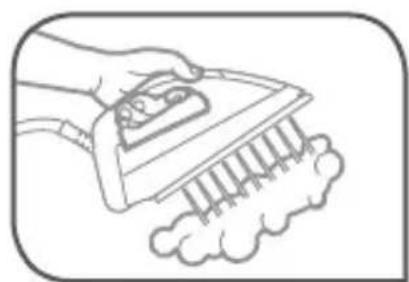
During first use or if you have not used the steam function for a few minutes, press the steam control button several times in a row holding the iron away from your laundry. This will remove the cold water from the steam circuit. Your steam generator is fitted with SMART TECHNOLOGY AUTO CONTROL electronic regulation which gives you a choice of three optimum temperature and steam combinations.
| Settings Recommended use Labelling | Examples | ||
| NORMAL | Best for all standard linen. |  | Cotton, wool*, silk, polyester, cashmere, mohair, viscose, and synthetic/cotton mixes. |
| MAX (Jeans) | The most effective for thick or difficult to iron fabrics. |  | Linen, thick cotton, jeans (dark colours). |
| MIN (Delicates) | Very gentle, for the most delicate items and sensitive colours. | Acetate, elastane, polyamide, acrylic and synthetic mixes.Note: do not use steam to iron acrylic or modacrylic fabrics. | |
Warning, fabrics with the symbol ☒ are not suitable for ironing.
Start with the fabrics to be ironed at a low temperature and finish with those that need higher temperature.
When you select a higher temperature, you can continue to iron provided that you are not ironing a more delicate fabric that requires a lower temperature.
If you select a button to reduce the temperature you should wait until the blue iron light has stopped flashing before continuing to iron.
If you are in doubt about the type of fabric an item of clothing is made from, check the label.
* If you are ironing woollen garments, press repeatedly on the steam control button without placing the iron on the garment. This will avoid it becoming shiny.
The «ECO» function allows you to reduce energy consumption for the selected mode. To change to «ECO» mode, select MIN(DELICATE) / NORMAL / MAX(JEANS) mode and then press the «ECO» button. To exit «ECO» mode, press the «ECO» button again.
Vertical steam ironing
Recommendations: for fabrics other than linen or cotton, hold the iron a few centimetres from the garment to avoid burning the fabric.
- Hang the garment on a coat hanger and hold the fabric slightly taut with one hand.
- As steam is very hot: never attempt to remove creases from a garment while it is being worn, always hang garments on a coat hanger.
- Holding the iron in a vertical position tilted slightly forwards, press repeatedly on the steam control button (underneath the iron handle) moving the iron from top to bottom.
Dry ironing
- Do not press the steam control button under the iron handle.
Refilling the tank during use
- When the red «Tank empty» light is flashing, there is no more steam. The water tank is empty.
- Remove the detachable water tank using the handle (located at the front of the steam generator) and fill it without exceeding the MAX level.
- Push it back into its housing until you hear a «click».
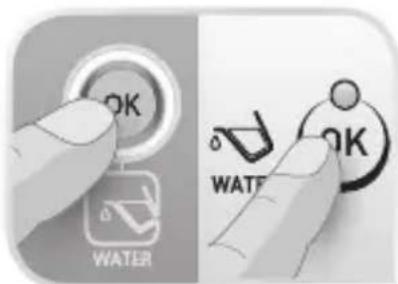
- Press the «OK» button located on the control panel until the light goes out to continue ironing.
Use
Pro Express X-Pert Care
Switch the steam generator on
The first time the appliance is used, there may be some fumes and smell but this is not harmful. They will not affect use and will disappear rapidly.
- Place the steam generator on a flat, stable, horizontal surface that is heat and water-resistant.
- Always ensure that the base unit is positioned close enough to the ironing surface to avoid straining and wear of the steam cord.
- Pull out and completely unwind the power cord and take the steam cord out of its storage space.
- Plug your steam generator into an earthed socket.
- Press the «ON-OFF» button.
- When the iron is turned on, the «SYNTH.» indicator flashes - as does the light on the iron.
The light on the iron remains flashing until the iron is ready for use (after approximately 2 minutes).
The SYNTH. / SILK / WOOL / COTTON / LINEN indicators control the temperature and steam flow combinations which adjust to the different types of fabrics. They may be selected at any time.
Operating the control panel
- Depending on which fabric you have selected, the corresponding light for SYNTH. / SILK / WOOL / COTTON / LINEN will flash whilst the appliance is adjusting to the correct temperature and steam flow.
- When the red «Water tank empty» light is flashing : the water tank is empty. Fill the water tank and press the «OK» button for the light to switch off. See paragraph «Filling the water tank during use»
- When the orange «Anti-Calc» light is flashing : maintenance is required, see paragraph «Maintenance and cleaning».
- Your steam generator comes with an automatic shut-off system which activates if you have not used the generator for approximately 8 minutes. The blue light for the ON-OFF button flashes to indicate that the generator has switched to standby. Press the «ON-OFF» button or the steam control button to start ironing again. See paragraph «AUTO-OFF» System.
Steam ironing
Do not iron over zips, studs or other hard or sharp objects which may damage the soleplate. Do not place the iron on a metal support. When taking a break from ironing, always place the iron on the iron rest plate of the unit. It is equipped with non-slip pads and has been designed to withstand high temperatures.
- We recommend that you use a mesh type ironing board to allow steam to pass through the garments for better ironing results and also to prevent steam venting sideways.
- To obtain steam, press the steam control button under the iron handle. The steam will stop when you release the button.
- After approximately one minute, and regularly while it is being used, your steam generator's electric pump injects water into the boiler. It makes a noise but this is quite normal.
- If you are using starch, always spray it onto the reverse side of the fabric to be ironed.
Smart Technology X-Pert control
During use if you have not used the steam function for a few minutes, press the steam control button several times in a row. Holding the iron away from your laundry. This will remove the cold water from the steam circuit.
Your iron is equipped with the electronic regulation SMART TECHNOLOGY X-PERT CONTROL which offers five optimal temperature and steam flow combinations.
| SYNTH.(Polyester, Acetate, Acrylic, Nylon) |  |
| SILK |  |
| WOOL | 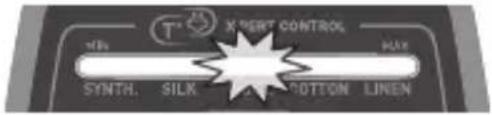 |
| COTTON |  |
| LINEN | 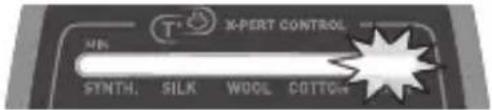 |
Warning, fabrics with the symbol are not suitable for ironing.
Start with the fabrics to be ironed at a low temperature and fi nish with those that need higher temperature. When you select a higher temperature, you can continue to iron. If you select a lower temperature you should wait until the lights stop fl ashing before you continue to iron (to allow enough time for the soleplate to cool down). If you are in doubt about the type of fabric an item of clothing is made from, check the label.

If you are ironing woollen garments, press repeatedly on the steam control button without placing the iron on the garment. This will avoid it becoming shiny. The «ECO» function allows you to reduce energy consumption for the selected mode. To change to «ECO» mode, select either the SYNTH. / SILK / WOOL / COTTON / LINEN mode and press on the «ECO» button. The «ECO» button will light up. To exit «ECO» mode, press the «ECO» button again and the light will go off.
Dry ironing
- Do not press the steam control button under the iron handle.
Steam Boost Function.
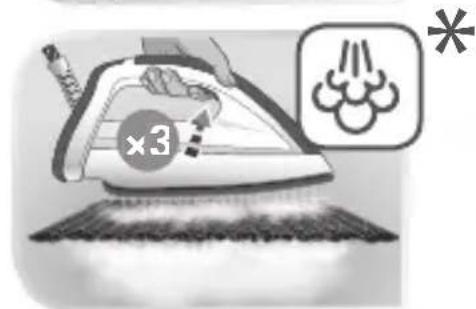
- Your appliance includes the Steam boost: automatic sequential steam for effortless use. To be used in particular for thick fabrics.
- To obtain this function, press the steam control button under the handle three times in quick succession.
Refi lling the tank during use
- When the red «Tank empty» light is flashing, there is no more steam. The water tank is empty.
-
Close the protection cover* until you hear a «click».
-
Remove the detachable water tank using the handle (located at the front of the steam generator) and fill it without exceeding the MAX level.
-
Push it back into its housing until you hear a «click».
-
Press the «OK» restart button under the control panel to continue ironing.
-
Open the protection cover*. When the «ON-OFF» button light remains on, the steam is ready.
Maintenance and cleaning
Before cleaning, ensure your steam generator is unplugged and that the soleplate and the iron have cooled down.
Cleaning your steam generator
- Do not use detergent or descaling products for cleaning the soleplate base-unit.
- Never hold the iron or the base unit under the tap.
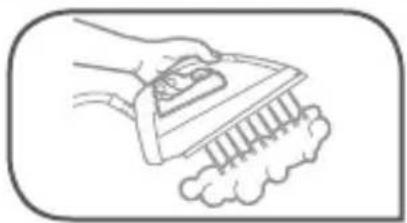
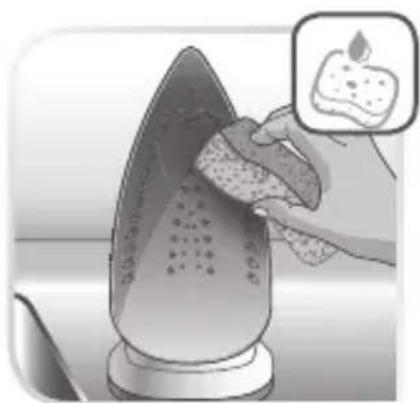
- Regularly clean the soleplate with a damp, non-metallic washing up pad.
- Clean the plastic parts of the appliance occasionally with a soft cloth.
Easy descaling of your steam generator
To extend the life of your steam generator and avoid scale on your ironing, your steam generator is equipped with a built-in scale collector. This collector, located in the boiler tank, automatically removes the scale that forms inside.
- The Orange warning light flashes on the control panel after about 10 uses. This is the «anti-calc, boiler rinse» warning light. You can continue to iron normally but remember to rinse the boiler first before the next time that you use it.
- Before proceeding, check that the generator is cool and unplugged for more than 2 hours.
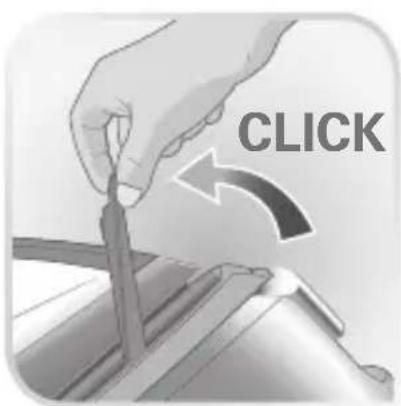
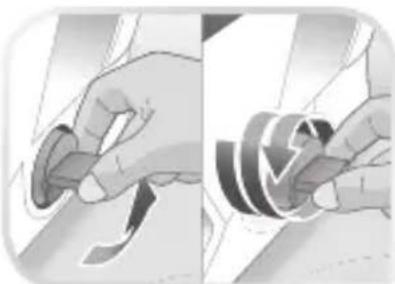
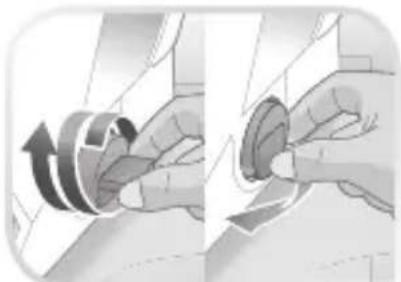
- Lift the tab and fully unscrew the collector
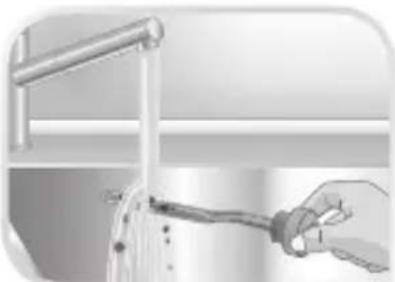
To clean the collector, simply rinse it under running water to remove any scale it contains - You can also soak the collector rod in white vinegar or lemon juice for a few hours to remove any stubborn scale stuck to the rod. - Place the collector in its housing by screwing it in completely to ensure it is watertight but do not overtighten it
- Put the tab back in place
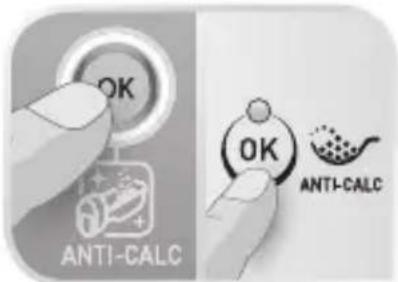
- Next time you use your appliance, press the «OK» button located below the control panel until the orange «Anti-Calc» light goes out.
In addition to this regular maintenance, it is advisable to rinse the boiler tank out completely every 6 months or 25 uses, whichever is the sooner.
- Check that the steam generator is cold and has been unplugged for at least 2 hours.
- Place the steam generator on the edge of your sink and stand the iron upright.
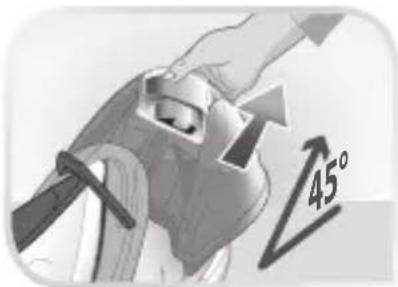
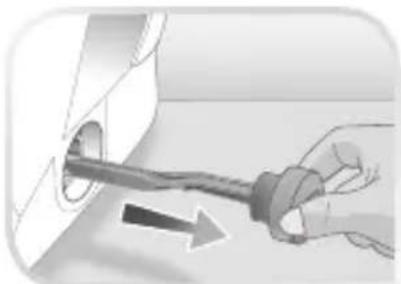
- Lift the tab, unscrew the collector completely and remove it from the base unit.
- Put the tab back in place.
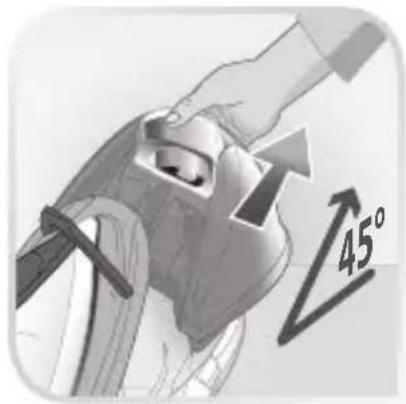
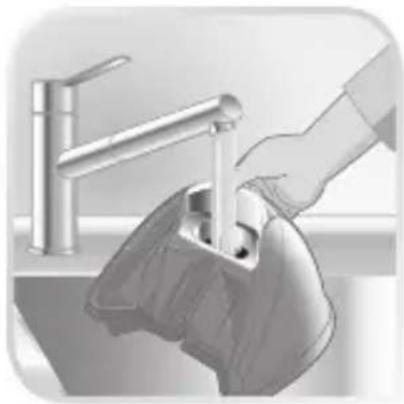
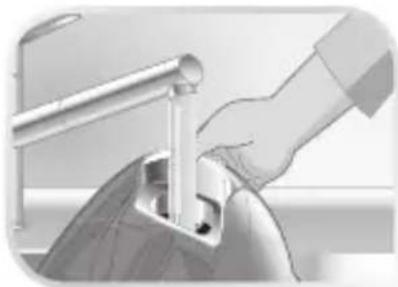
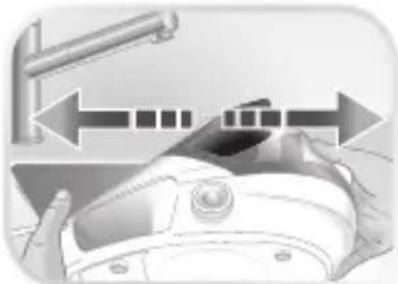
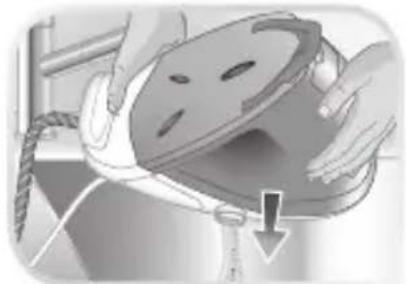
- Hold your steam generator in an inclined position. Use a jug to fill the boiler with 1/4 litre of untreated tap water. Shake the base unit gently for a few seconds and then empty it completely into the sink.
- Place the collector in its housing by screwing it in completely to ensure it is watertight but do not overtighten it.
Next time you use your appliance, press the «OK» button located below the control panel until the orange «Anti-Calc» light goes out.
«AUTO-OFF» System
- For your safety, the steam generator is fitted with an «AUTO-OFF» monitoring system, which is activated automatically after approximately 8 minutes without use.
- Only the «ON-OFF» button flashes to indicate that the appliance is on standby.
• To reactivate the steam generator: - Press the «ON-OFF» button.
- Wait for the «ON-OFF» button light to stop flashing before starting your ironing again.
- For your safety, after approximately 30 minutes of non-use, the «AUTO-OFF» system switches off your steam generator. To start your ironing again, press the «ON-OFF» button.
Storing the steam generator
- Place the iron on the steam generator iron rest.
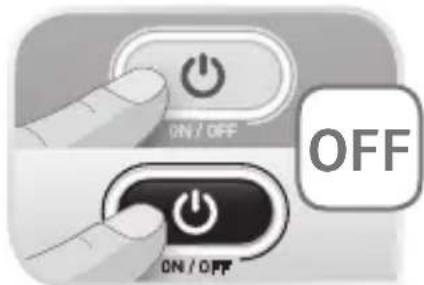
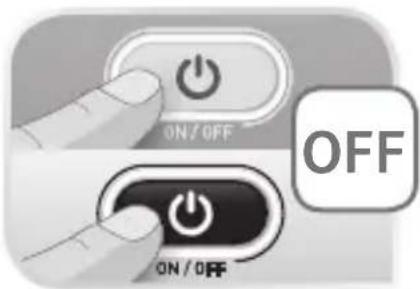
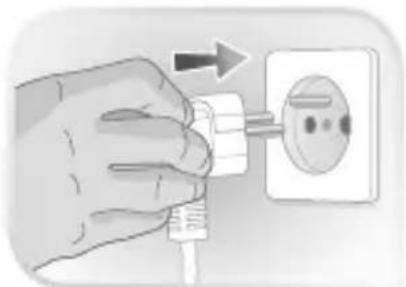
- Switch your steam generator off by pressing the «ON-OFF» button and unplug the appliance.
- Raise the retaining hoop over the iron until the protection system locks into place (audible click) – depending on model.
- Pull the cover over the iron until the protection system automatically locks (you will hear a «click») – depending on model.
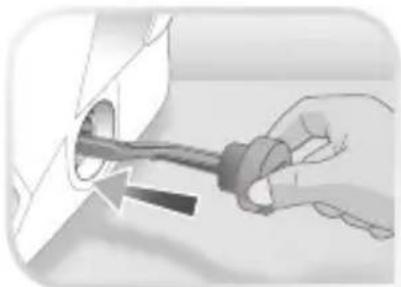
- Press the power cord storage button so that the power cord automatically goes back into its storage space.
- Store the steam cord away in its compartment
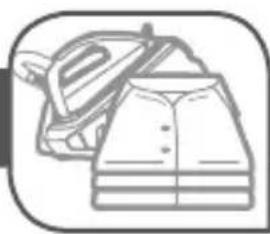
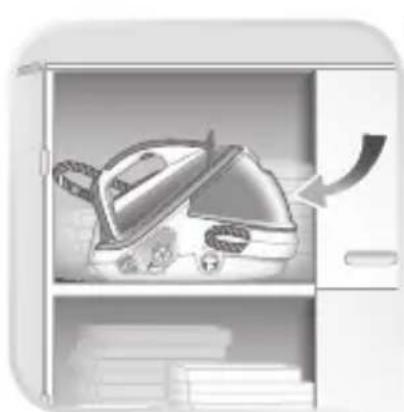
- Leave the steam generator to cool before putting it away if you are storing it in a cupboard or a confined space.
- If you store your steam generator in a relatively cold place (approximately < 10C° ), put it in a warm place before starting your ironing.
- Wait 1 hour for the iron to reach room temperature.*
- You can store your steam generator safely by carrying it by the iron handle.
Problems with your steam generator?
| PROBLEMS CAUSES SOLUTIONS | ||
| The steam generator does not switch on or the iron indicator light and the «ON-OFF» light are not lit up. | The appliance is not switched on. | Check that the appliance is plugged in correctly to a working power socket and that it is switched on. Press the «ON-OFF» button. |
| The «AUTO-OFF» system has activated after 30 minutes of non-use and has switched off your steam generator. | Press the «ON-OFF» restart button located under the control panel. | |
| Water runs out of the holes in the soleplate. | The soleplate is not hot enough. | Wait for light on the iron and fabric selection light to stop flashing to stop flashing before activating the steam control. |
| The water has condensed in the pipes because you are using steam for the first time or you have not used it for a few minutes. | Press the steam button while holding your iron away from the ironing board until the steam starts to come out. | |
| Water streaks appear on the linen. | Your ironing board cover is saturated with water as it is not suited to the power of a steam generator. | Ensure that you have suitable vented/mesh ironing board. |
| White streaks come through the holes in the soleplate. | Scale is coming out of the boiler because it is not being rinsed regularly. | Rinse the collector (see § descaling your steam generator). |
| Brown streaks come through the holes in the soleplate and stain the linen. | You are using chemical descaling agents or additives in the water for ironing. | Never add any products to the water tank (see § what water may be used?). |
| Fabric fibres have accumulated in the holes of the soleplate and are burning. | Clean the soleplate with a non-metallic sponge. Vacuum the holes from time to time. | |
| Your linen is not rinsed sufficiently or you have ironed a new garment before washing it. | Ensure linen is rinsed thoroughly to remove any soap deposits or chemicals on new garments which may be sucked up by the iron and then deposited on the linen. | |
| The soleplate is dirty or brown and may stain the linen. | You are using starch. | Always spray starch on the reverse side of the fabric to be ironed. |
| You are ironing at too high a temperature. | See our recommendations regarding temperature control settings | |
| There is no steam or there is little steam. | The water tank is empty (red warning light flashing). | Fill the water tank and press the «OK» until the light goes out. |
| The red «tank empty» button is flashing even though the tank has been filled. | You have not pressed the «OK» restart button. | Press the «OK» restart button on the control panel. Ensure the water tank is firmly clicked into place. |
| Steam comes out around the collector. | The collector is not tightened correctly. | Tighten the collector but do not overtighten it. |
| The collector seal is damaged. | Contact the Customer Relations Helpline - see below | |
| Steam or water is coming out from under the appliance. | The appliance is faulty. | Stop using the steam generator and contact the Customer Relations Helpline - see below. |
| The «Anti-Calc» button is flashing even though the collector has been rinsed. | You have not pressed the “OK” restart button. | Press the «OK» restart button located on the control panel. |
| The soleplate is scratched or damaged. | You have put your iron down on a metal iron rest or ironed over zips or metal clasps. | Always stand the iron upright or on the iron rest. Do not iron over zips or metal clasps. |
| Your have cleaned your soleplate with an abrasive or metal pad. | See chapter «Cleaning the soleplate». | |
| The red «tank empty» light is flashing and the «ON-OFF» button does not work. | The appliance has been stored in a cold place (approximately <10C°). | Unplug the appliance. Wait 3 hours for the appliance to reach room temperature. |
If you have any problems or queries please call our Customer Relations team first for expert help and advice: 0345 602 1454 - UK (01) 677 4003 - Ireland or consult our website - www.tefal.co.uk
Environment protection first!
①Your appliance contains valuable materials which can be recovered or recycled.
Leave it at a local civic waste collection point.
- 1
- 2
- AUTO OFF
- 3
- IMPORTANT RECOMMENDATIONS SAFETYINSTRUCTIONS
- PLEASE RETAIN THIS INSTRUCTION BOOKLET FOR FUTURE REFERENCE
- PLEASE REFER TO SAFETY INSTRUCTIONS AT THE BEGINNING OF THIS BOOKLET BEFORE USING YOUR APPLIANCE
- DESCRIPTION
- PROTECT CONCEPT» SAFETY SYSTEM
- LOCKING SYSTEM
- PREPARATION
- WHAT WATER MAY BE USED
- ALWAYS REMEMBER
- FILLING THE WATER TANK
- USE
- PRO EXPRESS CARE
- SWITCH THE STEAM GENERATOR ON
- OPERATING THE CONTROL PANEL
- STEAM IRONING
- SMART TECHNOLOGY AUTO CONTROL
- WARNING, FABRICS WITH THE SYMBOL ☒ ARE NOT SUITABLE FOR IRONING
- VERTICAL STEAM IRONING
- DRY IRONING
- REFILLING THE TANK DURING USE
- PRO EXPRESS X-PERT CARE
- SMART TECHNOLOGY X-PERT CONTROL
- STEAM BOOST FUNCTION
- REFI LLING THE TANK DURING USE
- MAINTENANCE AND CLEANING
- CLEANING YOUR STEAM GENERATOR
- EASY DESCALING OF YOUR STEAM GENERATOR
- AUTO-OFF» SYSTEM
- STORING THE STEAM GENERATOR
- ENVIRONMENT PROTECTION FIRST
Brand : TEFAL
Model : Pro Express Care GV9071
Category : Steam plant