
HTD3542 - Home Theater System PHILIPS - Free user manual and instructions
Find the device manual for free HTD3542 PHILIPS in PDF.


Pick your language and provide your email: we'll send you a specifically translated version.
| Product Type | Home Theater System |
| Brand | Philips |
| Model | HTD3542 |
| Dimensions (Main Unit) | 430 x 58 x 310 mm (W x H x D) |
| Weight (Main Unit) | 3.2 kg |
| Power Consumption | 150 W (standby < 0.5 W) |
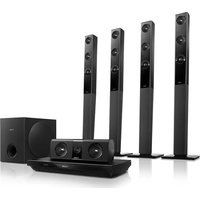
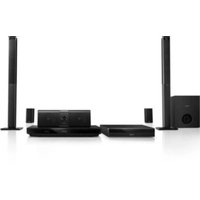
| Speaker Configuration | 5.1 channel (5 satellites + subwoofer) |
| Audio Output Power | 500 W RMS total |
| Supported Disc Formats | DVD, DVD+R/+RW, CD, CD-R/RW, MP3-CD, WMA, JPEG |
| Connectivity | HDMI output, composite video output, digital coaxial input, USB 2.0, FM antenna |
| Audio Decoders | Dolby Digital, DTS |
| Video Features | Progressive scan, upscaling to 1080p |
| Remote Control | Included (battery: 2x AAA) |
| Maintenance | Wipe with dry cloth; avoid liquids |
| Safety | Class II; do not expose to rain or moisture |
| Repairability | Spare parts available through Philips service centers |
| Energy Efficiency Class | Class A |
Frequently Asked Questions - HTD3542 PHILIPS
How do I connect the speakers to the main unit?
Use the color-coded cables provided: connect each satellite speaker to the corresponding terminal on the back of the main unit, matching the colors (e.g., red to red). The subwoofer connects via a dedicated RCA cable.
Why is there no sound from the rear speakers?
Ensure the sound source is in surround mode (e.g., Dolby Digital). Also check that the speaker wires are firmly connected and the balance settings are correct. Try a DVD with 5.1 audio to test.
Can I play movies from a USB flash drive?
Yes, insert a USB drive with supported formats (MP4, AVI, MKV) into the USB port. Use the remote to select USB source. The system decodes video up to 1080p.
How do I set up the FM radio?
Connect the included FM antenna to the ANTENNA jack. Press SOURCE repeatedly until FM appears. Then press and hold TUNING +/- to auto-scan and store stations.
What should I do if the remote control stops working?
First, replace the batteries (2x AAA). Ensure there are no obstacles between the remote and the sensor. If still not working, re-pair by pointing at the unit and pressing and holding the OK button for 5 seconds.
How can I improve bass performance?
Adjust the subwoofer volume on the back of the subwoofer (if available) or via the SYSTEM MENU. Place the subwoofer in a corner or against a wall for more bass. Check that the subwoofer cable is securely connected.
Does the system support Bluetooth?
No, the Philips HTD3542 does not have Bluetooth. It relies on wired connections (HDMI, USB, coaxial) and FM radio. For wireless streaming, consider an external Bluetooth adapter.
How do I clean the disc player lens?
Use a standard DVD lens cleaning disc. Do not open the unit or spray any liquids. If problems persist, contact Philips support.
The system turns off by itself. What's wrong?
This may be due to the auto power-off feature (common if no audio signal for 15 minutes). You can disable it in the SYSTEM MENU under 'Auto Standby'. If it still happens, check for overheating and ensure vents are clear.
What are the HDMI output specifications?
The HDMI output supports up to 1080p video resolution and multichannel audio (up to 5.1). It is recommended to use a high-speed HDMI cable for best quality.
User questions about HTD3542 PHILIPS
0 question about this device. Answer the ones you know or ask your own.
Ask a new question about this device
No questions yet. Be the first to ask one.
Download the instructions for your Home Theater System in PDF format for free! Find your manual HTD3542 - PHILIPS and take your electronic device back in hand. On this page are published all the documents necessary for the use of your device. HTD3542 by PHILIPS.
USER MANUAL HTD3542 PHILIPS


Manual assistant
Powered by Anthropic
Waiting for your message
Product information
Brand : PHILIPS
Model : HTD3542
Category : Home Theater System