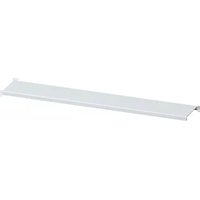
FWU00C4 - Switch HAGER - Free user manual and instructions
Find the device manual for free FWU00C4 HAGER in PDF.


Pick your language and provide your email: we'll send you a specifically translated version.
| Product Type | Switch |
| Brand | Hager |
| Model | FWU00C4 |
| Dimensions (H x W x D) | 80 mm x 80 mm x 10 mm |
| Weight | 0.05 kg |
| Rated Voltage | 250 V AC |
| Rated Current | 10 A |
| Number of Poles | 1 |
| Switch Function | On/Off |
| Mounting Type | Flush mounting |
| Material | Polycarbonate, thermosetting plastic |
| Color | White |
| Protection Class | Class II |
| IP Rating | IP20 |
| Operating Temperature | -5°C to +40°C |
| Certifications | CE, EN 60669-1 |
| Wiring Method | Screw terminals |
| Features | Easy snap-on cover, marking label included |
| Cleaning | Wipe with a dry cloth; do not use solvents |
| Maintenance | No maintenance required; check connections periodically |
| Repairability | Spare parts available; repair by qualified electrician |
Frequently Asked Questions - FWU00C4 HAGER
How do I install the Hager FWU00C4 switch?
The switch is designed for flush mounting. Connect the live wire to the terminal marked 'L' and the load wire to the terminal marked '1'. Ensure power is off before installation. For detailed steps, refer to the user manual.
What is the maximum load for this switch?
The switch is rated for 10 A at 250 V AC. For inductive loads like motors, derate to 6 A. Do not exceed these limits to avoid overheating.
Can the switch be used in outdoor or damp locations?
No, the IP20 rating means it is only suitable for indoor dry locations. For outdoor use, select a weatherproof enclosure.
Does the switch have a backlight or indicator?
The standard FWU00C4 model does not include an indicator. However, you can use a pilot light module from the Hager range if needed.
What tools are needed for installation?
You will need a flathead screwdriver for the terminals, a wire stripper, and possibly a voltage tester. Ensure the device is de-energized before working.
Is the switch compatible with smart home systems?
This is a mechanical switch and not directly compatible. For smart control, use a Hager smart relay or replace with a smart switch.
How do I clean the switch?
Wipe the surface with a soft dry cloth. Do not use abrasive cleaners, solvents, or water, which could damage the plastic.
What spare parts are available for this switch?
Spare parts include the cover plate, rocker, and terminal screws. Contact Hager or an authorized distributor.
What certifications does the switch have?
The switch is CE marked and complies with EN 60669-1 for switches. It also meets RoHS requirements.
How do I identify the terminals?
Terminals are labeled 'L' for line (live) and '1' for load (switched live). The earth terminal is not present as it is a double-insulated device.
User questions about FWU00C4 HAGER
0 question about this device. Answer the ones you know or ask your own.
Ask a new question about this device
No questions yet. Be the first to ask one.
Download the instructions for your Switch in PDF format for free! Find your manual FWU00C4 - HAGER and take your electronic device back in hand. On this page are published all the documents necessary for the use of your device. FWU00C4 by HAGER.
USER MANUAL FWU00C4 HAGER
Manual assistant
Powered by Anthropic
Waiting for your message
Product information
Brand : HAGER
Model : FWU00C4
Category : Switch