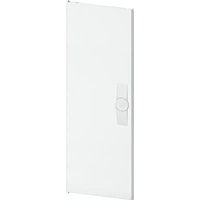
FZ009N - Switch HAGER - Free user manual and instructions
Find the device manual for free FZ009N HAGER in PDF.


Pick your language and provide your email: we'll send you a specifically translated version.
| Product Type | Electrical Switch |
| Brand | Hager |
| Model | FZ009N |
| Dimensions (H x W x D) | 86 x 86 x 40 mm |
| Weight | Approx. 100 g |
| Material | Thermoplastic, self-extinguishing |
| Mounting Type | Flush mounting in wall box |
| Rated Voltage | 230 V AC, 50/60 Hz |
| Rated Current | 10 A |
| Switching Function | Single-pole on/off |
| Protection Rating | IP20 (indoor use only) |
| Terminal Type | Screw terminals for wire up to 2.5 mm² |
| Operating Temperature | -5°C to +40°C |
| Certifications | CE, NF, VDE |
| Maintenance | Clean with a dry or slightly damp cloth; do not use abrasive cleaners |
| Safety | Installation must be carried out by a qualified electrician; disconnect power before installation |
| Spare Parts | Not applicable; the switch is a single unit with no user-serviceable parts |
| Reparability | Non-repairable; replace entire unit if faulty |
| Warranty | 2 years (subject to local regulations) |
| Compliance | RoHS, REACH |
| Usage | Indoor lighting control |
Frequently Asked Questions - FZ009N HAGER
How do I install the Hager FZ009N switch?
Installation must be performed by a qualified electrician. Ensure the power is disconnected before starting. Connect the phase wire to the L terminal and the switched wire to the other terminal. Secure the switch in a standard flush-mounting box.
What is the maximum current rating of the FZ009N?
The maximum current rating is 10 A at 230 V AC.
Can the FZ009N be used for dimming?
No, the FZ009N is a standard on/off switch and is not designed for dimming. For dimming, use a compatible Hager dimmer.
What wire size can be used with the terminals?
The screw terminals accept solid or stranded wires up to 2.5 mm² (approximately 14 AWG).
Is the FZ009N suitable for outdoor use?
No, the switch has an IP20 rating, making it suitable only for indoor use in dry environments.
How do I clean the switch?
Clean the surface with a soft dry cloth. If necessary, use a slightly damp cloth, but avoid water ingress. Do not use harsh chemicals or abrasive cleaners.
What should I do if the switch feels warm?
A slightly warm switch is normal under load. If it becomes hot, immediately disconnect power and have an electrician inspect the circuit for overload or loose connections.
Can I replace a broken switch myself?
If you are not a qualified electrician, it is not recommended. Replacement involves electrical wiring and should be done by a professional to ensure safety.
Does the FZ009N have a built-in LED indicator?
The standard FZ009N does not include an indicator light. For illuminated switches, look at Hager's FZ series with neon or LED options.
What is the warranty period for the FZ009N?
Hager typically offers a 2-year warranty from the date of purchase, subject to local regulations and proof of purchase.
User questions about FZ009N HAGER
0 question about this device. Answer the ones you know or ask your own.
Ask a new question about this device
No questions yet. Be the first to ask one.
Download the instructions for your Switch in PDF format for free! Find your manual FZ009N - HAGER and take your electronic device back in hand. On this page are published all the documents necessary for the use of your device. FZ009N by HAGER.
USER MANUAL FZ009N HAGER
Manual assistant
Powered by Anthropic
Waiting for your message
Product information
Brand : HAGER
Model : FZ009N
Category : Switch