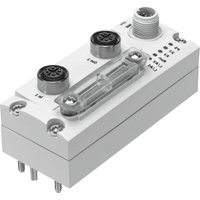
CTEU-EC - Industrial Automation Festo - Free user manual and instructions
Find the device manual for free CTEU-EC Festo in PDF.


Pick your language and provide your email: we'll send you a specifically translated version.
| Product Type | Valve Terminal with EtherCAT Interface |
| Brand | Festo |
| Model | CTEU-EC |
| Dimensions (W x H x D) | Approx. 430 mm x 260 mm x 100 mm |
| Weight | Approx. 2.5 kg |
| Power Supply Voltage | 24 V DC ±20% |
| Communication Interface | EtherCAT |
| Number of Valve Slots | Up to 32 (depending on configuration) |
| Protection Class | IP65 (with appropriate enclosure) |
| Operating Temperature | -5 °C to +50 °C |
| Storage Temperature | -20 °C to +70 °C |
| Relative Humidity | 5% to 95% (non-condensing) |
| Max. Current Consumption | 1.5 A (at 24 V DC) |
| Pneumatic Ports | G1/8, G1/4, or G3/8 depending on valve size |
| Valve Types Supported | Solenoid valves, manual override |
| Diagnostics | Short-circuit, open load, undervoltage, overvoltage |
| Certifications | CE, UKCA, cULus (depending on variant) |
| Maintenance | Regular cleaning of air filters; check seals |
| Repairability | Modular design; individual valve coils replaceable |
| Mounting | Mounting on flat surface or DIN rail |
| Safety Features | Emergency stop input, safe torque off (STO) compatible |
| Included Accessories | Mounting kit, connector plugs, manual |
Frequently Asked Questions - CTEU-EC Festo
What is the Festo CTEU-EC used for?
The Festo CTEU-EC is a valve terminal with an EtherCAT interface, used for controlling pneumatic actuators in industrial automation.
How do I connect the CTEU-EC to an EtherCAT network?
Use an EtherCAT cable (CAT5e or higher). Connect the IN port to the master and the OUT port to the next slave. Set the node ID via DIP switches or software.
What power supply is required?
A 24 V DC power supply with at least 1.5 A capacity. Ensure proper grounding and use a PELV (Protective Extra Low Voltage) source.
How many valves can I connect?
The CTEU-EC supports up to 32 valve coils depending on the configuration. Each slot can hold a valve with multiple coils.
Can I use the CTEU-EC outdoors?
Yes, if mounted in an enclosure with IP65 rating. The device itself is rated IP65 when properly sealed.
How do I troubleshoot communication errors?
Check the EtherCAT cable, node ID, and power supply. Use the diagnostic LEDs on the device. Refer to the manual for error codes.
What maintenance is required?
Regularly clean air filters and check pneumatic connections for leaks. Inspect seals and replace worn parts as needed.
Are replacement valves available?
Yes, Festo offers a wide range of replacement valves and coils. Use the part number from the device label to order.
How do I set the node ID?
Use the rotary DIP switches on the front panel. Set the address between 1 and 255. Alternatively, configure via the EtherCAT master.
Is the CTEU-EC compatible with other fieldbuses?
No, the CTEU-EC is specifically designed for EtherCAT. For other protocols, consider CTEU-PN (PROFINET) or CTEU-EI (EtherNet/IP) variants.
User questions about CTEU-EC Festo
0 question about this device. Answer the ones you know or ask your own.
Ask a new question about this device
No questions yet. Be the first to ask one.
Download the instructions for your Industrial Automation in PDF format for free! Find your manual CTEU-EC - Festo and take your electronic device back in hand. On this page are published all the documents necessary for the use of your device. CTEU-EC by Festo.
USER MANUAL CTEU-EC Festo

Manual assistant
Powered by Anthropic
Waiting for your message
Product information
Brand : Festo
Model : CTEU-EC
Category : Industrial Automation