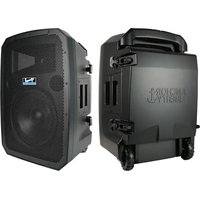
Liberty 3 - Loudspeaker Anchor Audio - Free user manual and instructions
Find the device manual for free Liberty 3 Anchor Audio in PDF.


Pick your language and provide your email: we'll send you a specifically translated version.
| Product Type | Portable PA Speaker |
| Model | Liberty 3 |
| Brand | Anchor Audio |
| Dimensions (H x W x D) | 13 x 10 x 9 inches (33 x 25.4 x 22.9 cm) |
| Weight | 14.5 lbs (6.6 kg) |
| Power Source | Rechargeable battery (12V, 7Ah) |
| Battery Life | Up to 10 hours at moderate volume |
| Charging Time | Approximately 6 hours |
| Amplifier Power | 100W RMS |
| Frequency Response | 50 Hz – 20 kHz |
| Bluetooth Version | 4.2 with A2DP |
| Wireless Range | Up to 100 feet (30 m) line of sight |
| Inputs | 1/4" microphone input, 3.5mm aux input, USB port (for media) |
| Output | 1/4" speaker output (for additional speaker) |
| Microphone Included | Yes, wireless handheld microphone |
| Remote Control | Included (IR remote) |
| Carrying Case | Included with wheels and telescoping handle |
| Warranty | 6 years (limited) |
| Cleaning Instructions | Wipe with a damp cloth; do not use solvents |
| Safety Certifications | FCC, CE, RoHS compliant |
| Spare Parts Availability | Contact Anchor Audio for replacement batteries, microphones, and chargers |
| Repairability | Serviceable by authorized technicians; user-replaceable battery |
Frequently Asked Questions - Liberty 3 Anchor Audio
How do I pair my phone via Bluetooth?
Press and hold the Bluetooth button on the speaker until the LED flashes blue. On your phone, go to Bluetooth settings and select 'Liberty 3'. Once paired, the LED will turn solid blue.
What is the battery life and how do I charge it?
The battery lasts up to 10 hours at moderate volume. Charge using the included AC adapter connected to the charging port. A full charge takes about 6 hours.
Can I connect a microphone?
Yes, the Liberty 3 has a 1/4' microphone input. A wireless handheld microphone is included and pairs automatically via the receiver built into the speaker.
What is the wireless range of the Bluetooth?
The Bluetooth range is up to 100 feet (30 meters) in open line of sight. Walls and obstacles may reduce range.
How do I clean and maintain the speaker?
Use a soft, damp cloth to wipe the exterior. Do not use abrasive cleaners or solvents. Keep the grille free of dust. Ensure the battery is charged regularly if storing for long periods.
What inputs does the speaker have?
It has a 1/4' microphone input, a 3.5mm auxiliary input for music players, and a USB port for media playback from flash drives.
Can I daisy-chain multiple Liberty speakers?
Yes, the Liberty 3 has a 1/4' speaker output that can connect to another powered speaker for expanded coverage.
Is there a remote control?
Yes, an IR remote control is included for basic functions like volume, track skip, and input selection.
What is the warranty period?
Anchor Audio offers a limited 6-year warranty. Register your product online to activate it.
How do I replace the battery?
The battery is user-replaceable. Remove the battery compartment cover under the speaker, disconnect the old battery, and connect the new one (12V 7Ah). Ensure correct polarity.
User questions about Liberty 3 Anchor Audio
0 question about this device. Answer the ones you know or ask your own.
Ask a new question about this device
No questions yet. Be the first to ask one.
Download the instructions for your Loudspeaker in PDF format for free! Find your manual Liberty 3 - Anchor Audio and take your electronic device back in hand. On this page are published all the documents necessary for the use of your device. Liberty 3 by Anchor Audio.
USER MANUAL Liberty 3 Anchor Audio
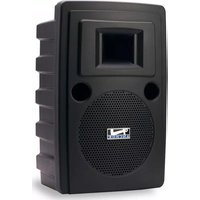
Manual assistant
Powered by Anthropic
Waiting for your message
Product information
Brand : Anchor Audio
Model : Liberty 3
Category : Loudspeaker