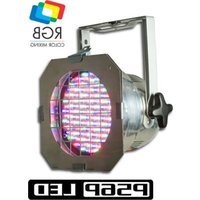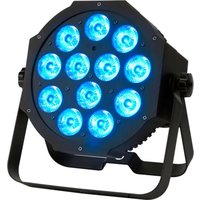
Mega TRI64 Profile - Professional lighting American Audio - Free user manual and instructions
Find the device manual for free Mega TRI64 Profile American Audio in PDF.
Pick your language and provide your email: we'll send you a specifically translated version.
| Type of Product | LED Par Can (Profile) |
| Model | Mega TRI64 Profile |
| Brand | American Audio |
| Light Source | 64 x 3W RGB LEDs (tri-color) |
| Beam Angle | 25° (typical) |
| DMX Channels | 3/7/10 channel modes |
| Control Modes | DMX512, Sound Active, Auto, Master/Slave |
| Power Supply | AC 100-240V, 50/60Hz |
| Power Consumption | 30W maximum |
| Dimensions (L x W x H) | 10.5 x 10.5 x 10.5 inches (approx.) |
| Weight | 4.5 lbs (approx.) |
| Housing Material | Aluminum die-cast |
| Cooling | Passive convection (fanless) |
| IP Rating | IP20 (indoor use only) |
| Mounting Options | Floor stand, truss clamp, or hanging bracket |
| Operating Temperature | 14°F to 113°F (-10°C to 45°C) |
| Included Accessories | Power cord, mounting bracket, manual |
| Safety Certifications | CE, RoHS, ETL |
| Maintenance | Wipe with dry cloth; no internal serviceable parts |
| Warranty | 1 year limited |
Frequently Asked Questions - Mega TRI64 Profile American Audio
How do I connect the Mega TRI64 Profile to a DMX controller?
Use a 3-pin XLR cable to connect the DMX output of your controller to the DMX input of the fixture. Set the DMX address using the DIP switches or menu on the rear panel. Refer to the manual for DMX addressing details.
What is the power consumption of the fixture?
The Mega TRI64 Profile consumes up to 30 watts at full output. It operates on AC 100-240V, 50/60Hz.
Can I use this fixture outdoors?
No, the Mega TRI64 Profile is rated IP20 for indoor use only. Exposure to moisture or dust may damage the unit.
How do I clean the lens and housing?
Disconnect power and let the unit cool. Wipe the lens gently with a soft, dry cloth. For stubborn dirt, use a slightly damp cloth with mild detergent. Avoid solvents.
What DMX channel modes are available?
The fixture supports 3-channel (RGB), 7-channel (RGB, dimmer, strobe, etc.), and 10-channel (extended) modes. Select via the control panel.
How do I reset the fixture to factory settings?
Press the Menu button until you reach the 'RST' option, then press Enter. Confirm to reset all settings to default.
Why is the fixture not responding to DMX?
Check that the DMX cable is securely connected and not faulty. Verify the DMX address matches the controller. Ensure the fixture is set to DMX mode (not sound-active or auto).
Can I replace the LEDs?
The LEDs are not user-replaceable. If an LED fails, contact American Audio support for service options.
What is the recommended fuse rating?
The fixture uses a T1A 250V fuse. Replace only with the same type and rating.
How do I set up master/slave mode?
Set one fixture as master (DMX mode, no cable to controller) and others as slave (DMX address set to 1 or via menu). Connect slaves to master's DMX output using XLR cables.
User questions about Mega TRI64 Profile American Audio
0 question about this device. Answer the ones you know or ask your own.
Ask a new question about this device
No questions yet. Be the first to ask one.
Download the instructions for your Professional lighting in PDF format for free! Find your manual Mega TRI64 Profile - American Audio and take your electronic device back in hand. On this page are published all the documents necessary for the use of your device. Mega TRI64 Profile by American Audio.