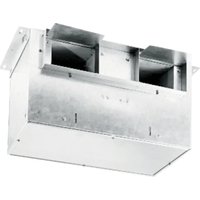
L400L - Fan BROAN - Free user manual and instructions
Find the device manual for free L400L BROAN in PDF.


Pick your language and provide your email: we'll send you a specifically translated version.
| Product Type | Ceiling fan |
| Brand | Broan |
| Model | L400L |
| Blade Diameter | 132 cm |
| Total Height | 30 cm |
| Net Weight | 6 kg |
| Power Supply | 220-240 V, 50 Hz |
| Motor Power | 70 W |
| Number of Speeds | 3 |
| Summer/Winter Reversing Function | Yes, via switch |
| Mounting Type | Ceiling, tilt possible |
| Blade Material | MDF or ABS plastic |
| Integrated Light | No (model without lighting) |
| Maximum Noise Level | 45 dB(A) |
| Coverage Area | Up to 25 m² |
| Maintenance and Cleaning | Dust the blades with a soft dry cloth; do not use abrasive products |
| Safety | Installation by a qualified electrician; do not insert objects into the motor |
| Spare Parts and Repairability | Blades, mounting kit and switches available |
| Warranty | 1 year |
| Standards | CE, RoHS |
Frequently Asked Questions - L400L BROAN
How to install the Broan L400L ceiling fan?
Installation must be carried out by a qualified electrician. First, fix the bracket to the ceiling with appropriate anchors, then connect the electrical wires (phase, neutral and ground) following the provided diagram. Finally, mount the motor and blades.
What is the recommended mounting height?
The ideal height is between 2.30 m and 2.70 m from the floor. Blades should be at least 30 cm from the ceiling and more than 2 m from the floor for optimal safety.
How to clean the fan blades?
Use a soft dry cloth or slightly damp cloth to dust the blades. Avoid abrasive products or solvents that could damage the finish.
The fan is making noise, what should I do?
Check that the blades are well balanced and that the fixing screws are tight. A slight imbalance can be corrected with a balancing kit. If the noise persists, contact customer service.
Can I use an LED bulb with this fan?
This model does not include lighting. If you wish to add a light, check compatibility with an optional kit and respect the maximum power indicated in the instructions.
How to reverse the rotation direction for winter?
The Broan L400L fan is equipped with a mechanical reverse switch (on the motor). Flip it to make the blades turn clockwise (summer) or counterclockwise (winter).
What is the power consumption of the fan?
The motor power is 70 W at maximum speed. With continuous use 8h/day, annual consumption is about 50 kWh.
How to fix the ceiling bracket?
Ensure the ceiling can support a weight of at least 15 kg. Use appropriate anchors (concrete, wood or plasterboard) and tighten the fixing screws firmly.
What to do if the remote control (if applicable) does not work?
Check the remote control batteries. If the problem persists, reset the receiver by cutting off power for 10 seconds. Ensure no obstacle blocks the infrared signal.
How to adjust the fan speed?
Use the pull chain or wall switch (depending on version). Three speeds are available: low, medium and high. Pull once to go to the next speed.
User questions about L400L BROAN
0 question about this device. Answer the ones you know or ask your own.
Ask a new question about this device
No questions yet. Be the first to ask one.
Download the instructions for your Fan in PDF format for free! Find your manual L400L - BROAN and take your electronic device back in hand. On this page are published all the documents necessary for the use of your device. L400L by BROAN.
USER MANUAL L400L BROAN
Manual assistant
Powered by Anthropic
Waiting for your message
Product information
Brand : BROAN
Model : L400L
Category : Fan