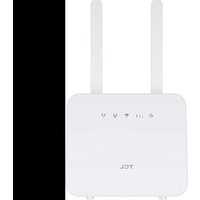
Linkhub HH42CV2 - Router TCL - Free user manual and instructions
Find the device manual for free Linkhub HH42CV2 TCL in PDF.


Pick your language and provide your email: we'll send you a specifically translated version.
| Product Type | Router |
| Brand | TCL |
| Model | Linkhub HH42CV2 |
| Dimensions (approx.) | 200 x 150 x 30 mm |
| Weight (approx.) | 300 g |
| Power Supply | 12V DC, 1A |
| Wireless Standard | IEEE 802.11a/b/g/n/ac |
| Frequency Bands | 2.4 GHz, 5 GHz |
| Max Wireless Speed | 1200 Mbps |
| Ethernet Ports | 4 x 10/100/1000 Mbps LAN, 1 x WAN |
| USB Port | 1 x USB 2.0 |
| Antenna | 4 external antennas |
| Security Features | WPA/WPA2, Firewall, SPI |
| Management | Web interface, Mobile app |
| Care and Cleaning | Wipe with a dry, soft cloth. Do not use liquids. |
| Operating Temperature | 0°C to 40°C |
| Spare Parts Availability | Contact TCL support for spare parts. |
Frequently Asked Questions - Linkhub HH42CV2 TCL
How do I set up my TCL Linkhub HH42CV2 router?
Connect the router to your modem using an Ethernet cable, power it on, and follow the setup wizard in the web interface at 192.168.1.1.
What is the default login username and password?
The default username is usually admin and the default password is admin or printed on the router label.
How can I reset the router to factory settings?
Locate the reset button on the back, press and hold it for about 10 seconds until the lights blink, then release.
How do I change the Wi-Fi password?
Log into the router's web interface, go to Wireless settings, and change the pre-shared key. Save the settings.
What should I do if I forget my router password?
Perform a factory reset using the reset button. This will restore the default login credentials.
Can I use this router with any internet service provider?
Yes, it works with most ISPs. You may need to configure WAN settings (PPPoE, DHCP, etc.) according to your ISP.
How do I update the router's firmware?
Download the latest firmware from TCL's support page, then upload it via the web interface under Administration > Firmware Upgrade.
What is the range of the Wi-Fi signal?
Under typical conditions, the range is up to 30 meters indoors. Actual range may vary due to obstacles.
Does this router support guest networks?
Yes, you can enable a guest Wi-Fi network in the wireless settings with separate SSID and password.
How can I troubleshoot connectivity issues?
Check cables, restart the router, ensure firmware is updated, and verify that the correct Wi-Fi credentials are used. For persistent issues, contact TCL support.
User questions about Linkhub HH42CV2 TCL
0 question about this device. Answer the ones you know or ask your own.
Ask a new question about this device
No questions yet. Be the first to ask one.
Download the instructions for your Router in PDF format for free! Find your manual Linkhub HH42CV2 - TCL and take your electronic device back in hand. On this page are published all the documents necessary for the use of your device. Linkhub HH42CV2 by TCL.
USER MANUAL Linkhub HH42CV2 TCL
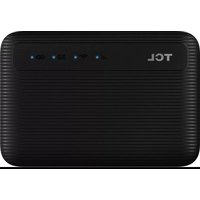
Manual assistant
Powered by Anthropic
Waiting for your message
Product information
Brand : TCL
Model : Linkhub HH42CV2
Category : Router