
MCT105 - Detector Megger - Free user manual and instructions
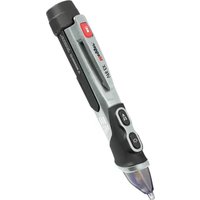
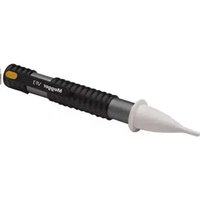
Find the device manual for free MCT105 Megger in PDF.


Pick your language and provide your email: we'll send you a specifically translated version.
| Product Type | Cable Detector / Tester |
| Brand | Megger |
| Model | MCT105 |
| Dimensions (L x W x H) | 200 x 80 x 40 mm |
| Weight | 500 g |
| Power Supply | 2 x 9V batteries (not included) |
| Main Functions | Cable tracing, continuity testing, voltage detection |
| Display | LCD screen with backlight |
| Audio Indication | Buzzer for continuity and detection |
| Operating Temperature | 0°C to 50°C |
| Storage Temperature | -20°C to 60°C |
| Safety Rating | CAT III 300V |
| Maintenance | Wipe with a dry, soft cloth. Do not use solvents. |
| Battery Replacement | Open battery compartment, replace both 9V batteries. |
| Spare Parts Availability | Contact Megger customer service or authorized distributors |
| Warranty | 1 year from date of purchase |
| Included Accessories | Test leads, carrying case, user manual |
| Certifications | CE, RoHS |
| Repairability | Serviceable by qualified technician; contact Megger support |
Frequently Asked Questions - MCT105 Megger
How do I turn on the MCT105 detector?
Press and hold the power button for 2 seconds until the LCD screen turns on. The device will beep once.
What type of batteries does the MCT105 use?
The MCT105 requires two 9V alkaline batteries. Do not use rechargeable batteries as they may not provide sufficient power.
Can I use the MCT105 to detect live cables?
Yes, the MCT105 can detect live AC cables. It has a non-contact voltage detection function with audible and visual alerts.
How do I test continuity with the MCT105?
Connect the test leads to the desired circuit. Select the continuity mode using the function button. A beep indicates continuity.
What does the LCD display show?
The LCD shows the selected mode, battery status, signal strength bar, and detected voltage level (if applicable).
How do I replace the batteries?
Turn off the device. Open the battery compartment on the back. Remove old batteries and insert new ones observing polarity. Close the compartment.
Is the MCT105 water-resistant?
No, the MCT105 is not water-resistant. Avoid exposure to moisture. Use in dry conditions only.
What is the maximum voltage the MCT105 can detect?
The MCT105 can detect voltages up to 300V AC in CAT III environments. Do not exceed this rating.
How do I clean the MCT105?
Wipe the exterior with a dry, soft cloth. For stubborn dirt, use a slightly damp cloth with mild soap. Do not immerse in water.
Where can I find the user manual?
The manual is included in the package. You can also download a free PDF from the Notice Facile website by searching for Megger MCT105.
User questions about MCT105 Megger
0 question about this device. Answer the ones you know or ask your own.
Ask a new question about this device
No questions yet. Be the first to ask one.
Download the instructions for your Detector in PDF format for free! Find your manual MCT105 - Megger and take your electronic device back in hand. On this page are published all the documents necessary for the use of your device. MCT105 by Megger.
USER MANUAL MCT105 Megger
Manual assistant
Powered by Anthropic
Waiting for your message
Product information
Brand : Megger
Model : MCT105
Category : Detector