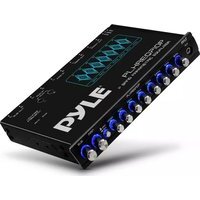
PLXREQ710P - Mixer Pyle - Free user manual and instructions
Find the device manual for free PLXREQ710P Pyle in PDF.


Pick your language and provide your email: we'll send you a specifically translated version.
| Product Type | Audio Mixer |
| Brand | Pyle |
| Model | PLXREQ710P |
| Channels | 7 |
| Built-in Effects | Yes, digital effects processor |
| Equalizer | 3-band EQ per channel |
| Inputs | Combo XLR/TRS, RCA, USB |
| Outputs | Main L/R, Booth, Record, Headphone |
| Dimensions | 13.6 x 12.8 x 3.2 inches |
| Weight | 6.5 lbs |
| Power Supply | DC 12V, 1A (included adapter) |
| Power Consumption | 12W |
| Frequency Response | 20Hz - 20kHz |
| Signal-to-Noise Ratio | >90 dB |
| Maintenance and Cleaning | Wipe with dry cloth, avoid liquids |
| Safety | CE certified, low voltage |
| Spare Parts and Repairability | Contact Pyle support for parts |
| Warranty | 1 year limited |
| Included Accessories | Power adapter, USB cable, user manual |
| Recommended Use | DJ, live sound, home studio |
Frequently Asked Questions - PLXREQ710P Pyle
How do I connect my mixer to a computer?
Use the USB port on the rear panel. Install any required drivers (usually class-compliant). Select the mixer as the audio device in your computer's sound settings.
How many channels does the PLXREQ710P have?
It has 7 channels: 6 mono channels with XLR/TRS combo jacks and 1 stereo channel with RCA inputs.
Can I use this mixer for recording?
Yes, you can record via the USB output to a computer or use the RCA record outputs to connect to a recording device.
What is the power requirement?
The mixer requires a DC 12V 1A power supply. Use only the included adapter to avoid damage.
How do I apply effects?
Press the FX button on a channel to send the signal to the built-in digital effects processor. Adjust the FX send level and select the desired effect type using the display and controls.
What is the best way to clean the mixer?
Unplug the power, then wipe the surface with a soft dry cloth. Do not use any liquids or abrasive cleaners.
Can I replace a broken fader?
Yes, faders are replaceable. Contact Pyle support for spare parts or consult a qualified technician.
Does the mixer come with a carrying case?
No, a carrying case is not included. You can purchase a separate case designed for 10-12 channel mixers.
How do I connect external effects?
Use the FX send and return jacks (RCA). Connect the send to the input of your external effect unit, and the return to the unit's output. Adjust the send level per channel.
What is the warranty period?
The mixer comes with a 1-year limited warranty from the date of purchase. Keep your receipt for service.
User questions about PLXREQ710P Pyle
0 question about this device. Answer the ones you know or ask your own.
Ask a new question about this device
No questions yet. Be the first to ask one.
Download the instructions for your Mixer in PDF format for free! Find your manual PLXREQ710P - Pyle and take your electronic device back in hand. On this page are published all the documents necessary for the use of your device. PLXREQ710P by Pyle.
USER MANUAL PLXREQ710P Pyle
Manual assistant
Powered by Anthropic
Waiting for your message
Product information
Brand : Pyle
Model : PLXREQ710P
Category : Mixer