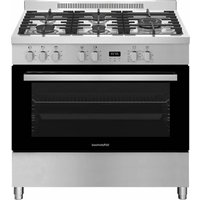
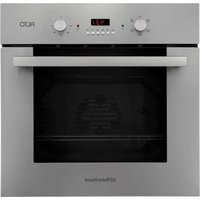
RHFS909GX - Oven Robinhood - Free user manual and instructions
Find the device manual for free RHFS909GX Robinhood in PDF.


Pick your language and provide your email: we'll send you a specifically translated version.
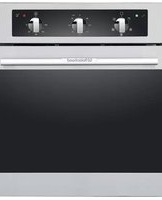
| Product Type | Built-in Electric Oven |
| Brand | Robinhood |
| Model | RHFS909GX |
| Installation Type | Built-in |
| Energy Source | Electricity |
| Dimensions (H x W x D) | 595 x 595 x 550 mm |
| Weight | 35 kg |
| Power Consumption | 2.5 - 3.0 kW |
| Oven Capacity | 65 liters |
| Main Functions | Conventional baking, fan-assisted baking, grilling, bottom heat, defrost |
| Temperature Range | 50°C - 250°C |
| Cleaning Type | Easy-clean enamel interior |
| Safety Features | Child lock, automatic shut-off, cool-touch door |
| Display | Digital LED with timer and temperature readout |
| Control Type | Touch controls plus physical knobs |
| Number of Oven Shelves | 2 |
| Lighting | Interior oven light with auto-off |
| Spare Parts Available | Heating elements, door hinges, thermostat, fan motor, glass door panel |
| Repairability Index | 7/10 (easy parts replacement, professional service recommended) |
| Energy Class | A+ |
| Warranty | 2 years |
Frequently Asked Questions - RHFS909GX Robinhood
How do I preheat the oven?
Select the desired function and temperature using the touch controls, then press the start button. The oven will preheat and indicate when ready via a beep. Preheating takes about 10-15 minutes depending on temperature.
What is the maximum temperature?
The maximum temperature is 250°C for most functions. The grill function operates at a fixed high temperature (approx. 230°C).
How do I clean the oven?
Use the easy-clean enamel interior: wipe with a damp cloth and mild detergent after each use. For stubborn grease, use a non-abrasive oven cleaner. Avoid using sharp objects or abrasive pads.
Can I use the grill and fan simultaneously?
Yes, the fan-assisted grill function combines the grill element with the fan for even cooking and browning.
How do I set the timer?
Press the timer button, then use the +/- or dial to set the desired time (up to 9 hours 59 minutes). The oven will automatically shut off when the timer expires.
Why is my food not cooking evenly?
Ensure the oven is not overcrowded. For fan-assisted functions, place food in the center of the middle shelf. Rotate trays halfway through cooking.
What do the error codes mean?
Common error codes: E1 (temperature sensor fault), E2 (thermal cut-out activated), E3 (control board communication error). Refer to the manual for full list. Reset by turning off power for 5 minutes; if persists, contact service.
Is there a child lock?
Yes, press and hold the 'lock' icon for 3 seconds to activate child lock. The oven will not respond to any button presses until deactivated (press and hold again).
Can I replace the oven door glass myself?
Replacement is possible but requires removing the door and disassembling the glass panels. It is recommended to have a qualified technician perform the replacement for safety.
How do I install the oven?
Installation must be done by a qualified electrician. Ensure the power supply is 230V/50Hz and the oven is placed in a well-ventilated built-in cabinet. Follow the installation template and secure with screws provided.
User questions about RHFS909GX Robinhood
0 question about this device. Answer the ones you know or ask your own.
Ask a new question about this device
No questions yet. Be the first to ask one.
Download the instructions for your Oven in PDF format for free! Find your manual RHFS909GX - Robinhood and take your electronic device back in hand. On this page are published all the documents necessary for the use of your device. RHFS909GX by Robinhood.
USER MANUAL RHFS909GX Robinhood

Manual assistant
Powered by Anthropic
Waiting for your message
Product information
Brand : Robinhood
Model : RHFS909GX
Category : Oven