
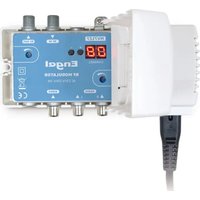
RT5130T2 - Digital decoder Engel - Free user manual and instructions
Find the device manual for free RT5130T2 Engel in PDF.


Pick your language and provide your email: we'll send you a specifically translated version.
| Product Type | Digital HD TV decoder |
| Brand | Engel |
| Model | RT5130T2 |
| Dimensions (W x D x H) | Approximately 15 x 10 x 4 cm |
| Weight | Approximately 0.5 kg |
| Power Supply | 5 V DC via mains adapter (included) |
| Power Consumption | Max 10 W |
| Maximum Resolution | 1080p (Full HD) |
| Supported Video Formats | MPEG-2, MPEG-4, H.264 |
| Connectivity | HDMI, USB 2.0, optical audio output, antenna |
| Main Functions | DTT HD reception, USB recording, electronic program guide (EPG), parental control |
| Care and Cleaning | Clean with a soft dry cloth. Do not use chemicals. |
| Safety | Do not expose to moisture or extreme temperatures. Unplug before cleaning. |
| Available Spare Parts | Remote control, mains adapter |
| Repairability | Repairability index not provided. Contact Engel after-sales service. |
| Warranty | 2 years (standard legal) |
| Box Contents | Decoder, remote control, mains adapter, HDMI cable, manual |
Frequently Asked Questions - RT5130T2 Engel
How do I install my Engel RT5130T2 decoder?
Connect the antenna, connect the decoder to your TV via HDMI, then plug in the power. Turn on and follow the on-screen instructions for channel search.
Why does my decoder show no signal?
Check that the antenna is properly connected and oriented. Also ensure the HDMI cable is fully inserted on both ends. Perform a new channel search via the menu.
How do I record a program on a USB stick?
Insert a USB stick formatted in FAT32 into the USB port. During broadcast, press the record button on the remote. You can also schedule a recording via the electronic program guide (EPG).
Can I use this decoder with an old TV without HDMI?
No, the RT5130T2 only has an HDMI output. You will need an HDMI to RCA adapter, but quality will be reduced.
How do I update the decoder's software?
Updates are done automatically via the antenna. You can also check manually in the menu 'Settings' > 'Software update'.
What should I do if the remote control does not work?
Check the batteries, replace them if necessary. Make sure no obstacle blocks the signal between the remote and the decoder. If the problem persists, contact customer service.
Does the decoder heat up normally?
A slight warmth is normal. Place the decoder in a well-ventilated area, away from other heat sources. Do not cover the ventilation slots.
How do I set parental control?
Go to the menu 'Settings' > 'Parental control'. Set a 4-digit PIN and choose age limits for programs.
Can I use this decoder abroad?
The RT5130T2 is designed for French DTT. In other countries, frequencies may differ. Check compatibility before use.
How do I reset the decoder to factory settings?
In the main menu, go to 'Settings' > 'Reset' > 'Reset'. Confirm. All personalized settings will be erased.
User questions about RT5130T2 Engel
0 question about this device. Answer the ones you know or ask your own.
Ask a new question about this device
No questions yet. Be the first to ask one.
Download the instructions for your Digital decoder in PDF format for free! Find your manual RT5130T2 - Engel and take your electronic device back in hand. On this page are published all the documents necessary for the use of your device. RT5130T2 by Engel.
USER MANUAL RT5130T2 Engel

Manual assistant
Powered by Anthropic
Waiting for your message
Product information
Brand : Engel
Model : RT5130T2
Category : Digital decoder