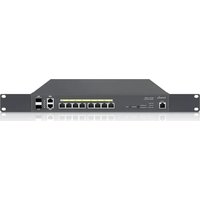
ECS1528T - Wi-Fi Router ENGENIUS - Free user manual and instructions
Find the device manual for free ECS1528T ENGENIUS in PDF.


Pick your language and provide your email: we'll send you a specifically translated version.
| Product Type | Managed Gigabit Switch |
| Model Number | ECS1528T |
| Ports | 24 Gigabit Ethernet ports + 4 SFP+ ports |
| Switching Capacity | 128 Gbps |
| Forwarding Rate | 95.2 Mpps |
| MAC Address Table | 16K entries |
| Power Supply | 100-240V AC, 50/60 Hz |
| Power Consumption | 25W (without PoE) |
| Dimensions (W x D x H) | 440 x 320 x 44 mm |
| Weight | 4.5 kg |
| Mounting | Rack-mountable, 1U |
| Cooling | Fan, proper airflow required |
| Layer Features | Layer 2+, VLAN, QoS, IGMP snooping, STP, LACP |
| Management | Web GUI, CLI, SNMP v1/v2c/v3 |
| Operating Temperature | 0°C to 50°C |
| Storage Temperature | -40°C to 70°C |
| Humidity | 10% to 90% non-condensing |
| Care and Cleaning | Wipe with a dry, soft cloth. Do not use liquids or sprays. |
| Safety Precautions | Use in a well-ventilated area, avoid overloading circuits. |
| Spare Parts and Repairability | No user-serviceable parts. Contact support for repairs. |
Frequently Asked Questions - ECS1528T ENGENIUS
How do I reset the EnGenius ECS1528T to factory defaults?
Press and hold the Reset button on the front panel for about 10 seconds until the LEDs blink. The switch will reboot with factory settings.
What is the default IP address and login credentials?
The default IP address is 192.168.1.1, username admin, password admin (or blank depending on firmware). Change these upon first login.
How can I update the firmware on this switch?
Download the latest firmware from EnGenius website, access the web GUI under System > Firmware Upgrade, upload the file, and wait for the switch to reboot.
Does the ECS1528T support PoE?
No, the ECS1528T does not provide PoE power. It is a non-PoE model. Use external power injectors for PoE devices.
How do I configure VLANs on this switch?
In the web GUI, go to VLAN > VLAN Configuration. Create VLANs, assign ports, and set the PVID accordingly. For tagged VLANs, set port mode to Trunk.
What is the maximum number of VLANs supported?
The switch supports up to 4094 VLANs (IEEE 802.1Q).
Can I use SFP+ modules with this switch?
Yes, the 4 SFP+ ports support 1G and 10G SFP+ modules. Ensure they are compatible with the switch.
How to set up Link Aggregation (LACP)?
Navigate to Port Management > Link Aggregation, create a LAG group, add member ports, and set the LACP mode. Configure the connected device similarly.
What troubleshooting steps if the switch is not powering on?
Check the power cable connection, ensure the outlet is working, and verify the power supply voltage. If still off, contact support.
How do I access the CLI interface?
Use an SSH client (e.g., PuTTY) to connect to the switch's management IP address on port 22. Default login is admin/admin.
User questions about ECS1528T ENGENIUS
0 question about this device. Answer the ones you know or ask your own.
Ask a new question about this device
No questions yet. Be the first to ask one.
Download the instructions for your Wi-Fi Router in PDF format for free! Find your manual ECS1528T - ENGENIUS and take your electronic device back in hand. On this page are published all the documents necessary for the use of your device. ECS1528T by ENGENIUS.
USER MANUAL ECS1528T ENGENIUS
Manual assistant
Powered by Anthropic
Waiting for your message
Product information
Brand : ENGENIUS
Model : ECS1528T
Category : Wi-Fi Router